D-0116684-B – 2020/03
OtoRead™ - Instructions for Use - US Page 20
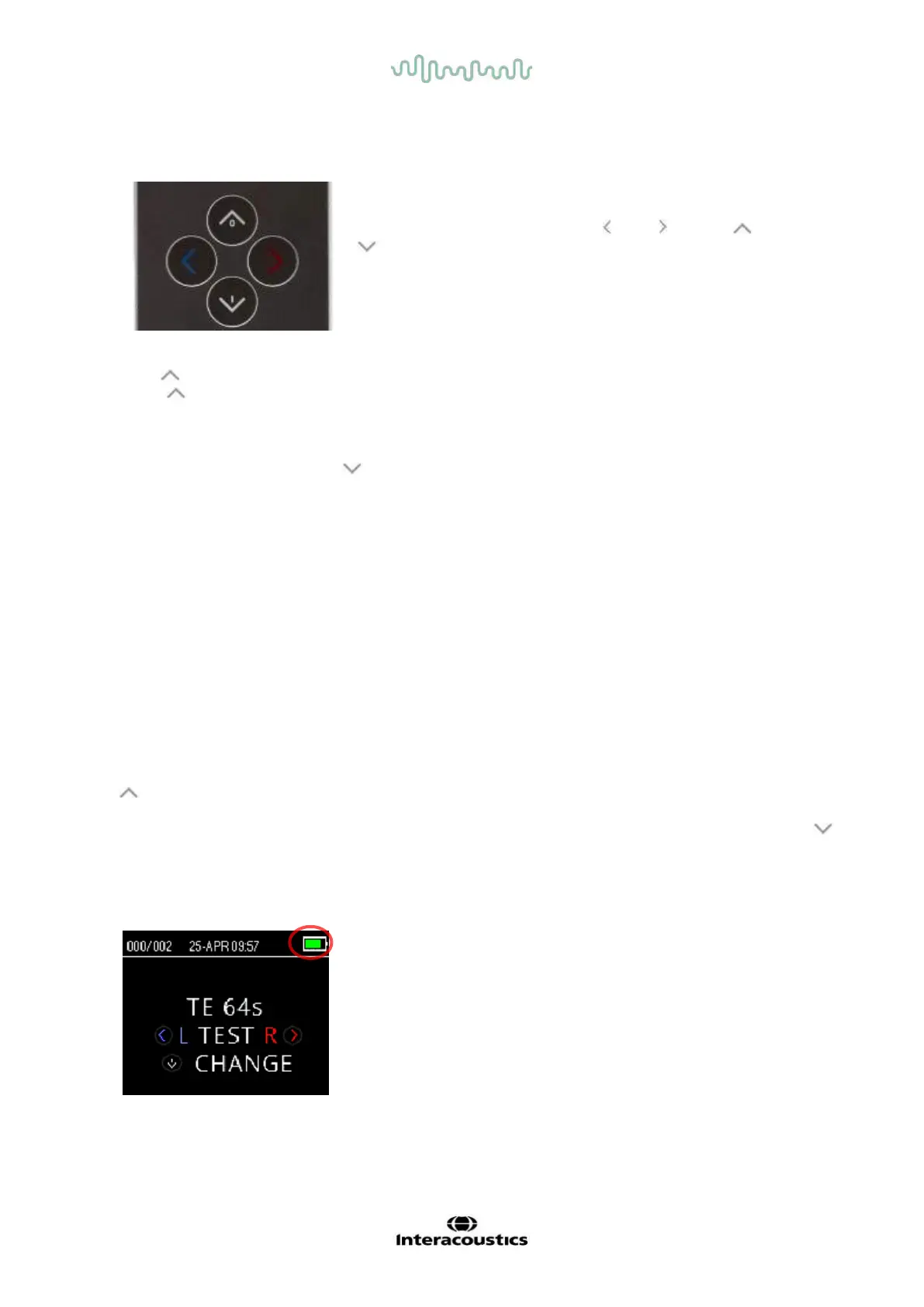
3.2 The control panel
The OtoRead
TM
uses 4 buttons to control all functions of the
instrument. These buttons are arranged in a directional cursor
format. The arrows on the keypad ( LEFT, RIGHT, UP, and
DOWN) correspond to the arrows that are used on the screen.
The screen will indicate which button to push by showing the
appropriate arrow.
Note: The UP key will always bring the instrument back to either the previous screen, menu or the main
menu. The UP key will also access the print command from the Main Menu.
3.3 Turning the OtoRead
TM
on
To turn on the OtoRead
TM
, press the DOWN key located below the instrument’s display screen. The
yellow ‘TEST’ light will appear briefly just above the display screen. The green ‘READY’ light will remain on,
indicating the instrument is ready for use. A splash screen will appear briefly. This display will indicate the
firmware version, serial number (for example IA1234567) and type of instrument:
SCR Screener with TE or DP
SC+ Screener with TE and DP
STD Standard Diagnostic with TE or DP
CMB Combined Diagnostic with TE and DP
If the battery is sufficiently charged, the OtoRead
TM
will automatically remember the last time and date
setting. If there are no date/time errors detected, the Main Menu will appear on the display.
If this is the first time the OtoRead
TM
is being used, or if you wish to change the date or time, refer to section
Date and time settings (menu M1). If a time/date error message is indicated, follow the instructions in this
section to set the correct date and time.
3.4 Turning the OtoRead
TM
off
The UP key can be used to manually power off the instrument.
Furthermore, the OtoRead
TM
has an automatic ’shutdown’ feature, designed to prolong battery life. The unit
will automatically shut down after 1 minute (default) of inactivity. To turn it back on, simply press the large
DOWN key. This feature can be re-programmed for differing periods of inactivity before ’shutdown’. Refer to
section Changing Instrument Settings – Auto Shutdown Time.
3.5 Battery charge status indicator
When the OtoRead
TM
battery’s power capacity becomes low,
the first indication you will see is a change of color in the
battery symbol in the top right hand corner of the display.
Full battery charge is represented by a full battery symbol on
the display and reduces to an empty battery in increments
corresponding to the discharge of the battery.















 To Next Page