10
7. Orient the new hinge rail the same way as the one you removed, place the tabs in the
slots, and press outward until the rail snaps into place.
8. From the front of the chassis, slide the hinge into the rails.
To replace the face panel:
1. Remove the top cover and both side panels. See Chapter 1, “Accessing the System,” for
details.
2. Remove the door. See the “To replace the door and hinge assembly” procedure above
for details.
3. Push the hinge back, away from the front of the chassis.
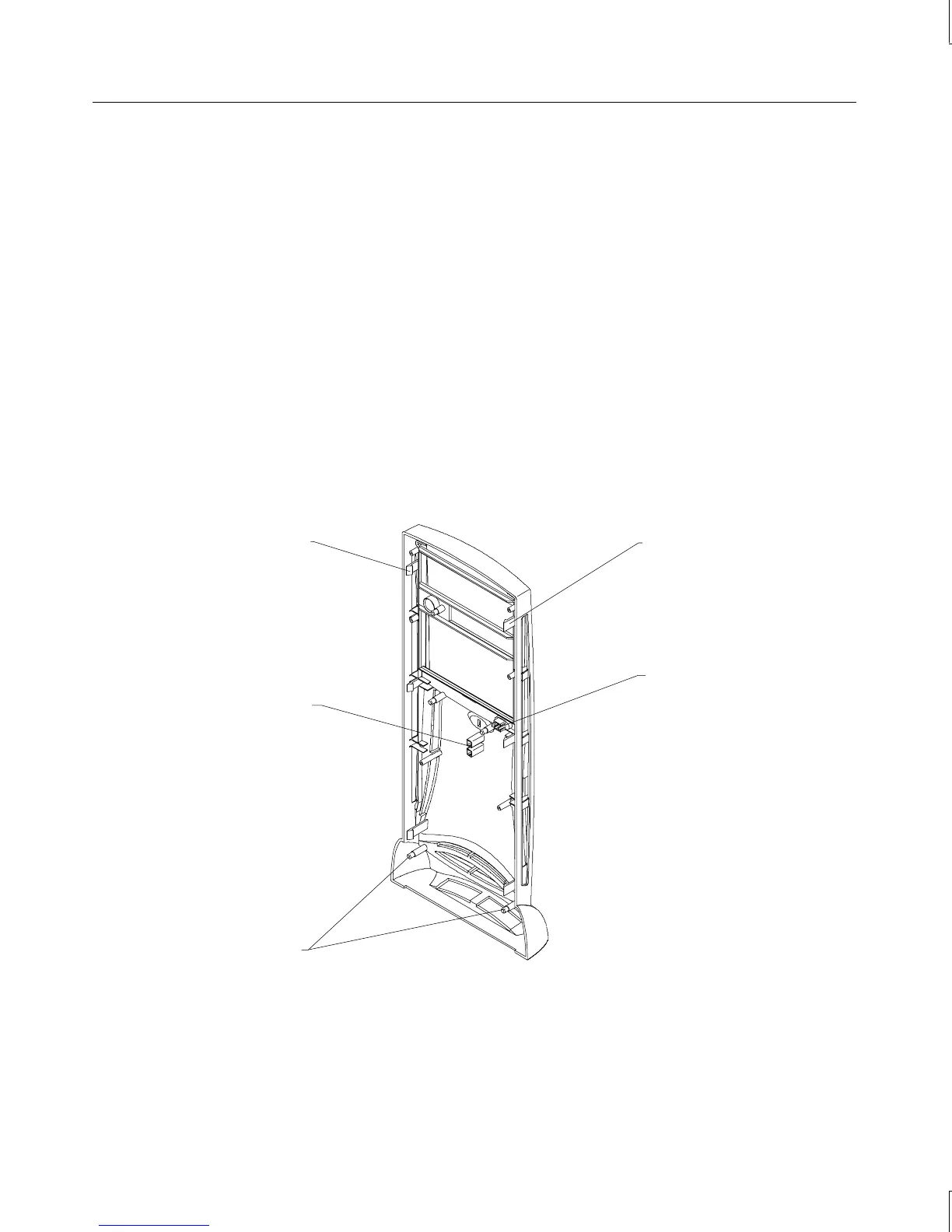
4. Use a flat-blade screwdriver to gently pry and release each of the plastic tabs on both
sides of the chassis. The tabs on the right side of the chassis are recessed. First release
the bottom tabs, release the middle tabs, and then release the top tabs.
CAUTION Release the tabs with care. Do not apply more pressure than necessary.
Standoff posts
(4 per side)
Tab
(3 per side)
Standby switch
Light pipe guides
Tab
(3 per side)
5. Pull the face panel away from the chassis slightly to ensure all tabs are released.
6. Grasp the left side of the face panel and pivot it left to expose the switch and cable.
7. Spread the plastic switch mount locking tabs, grasp the switch, and pull the switch out
of its mount.
Power switch



 To Next Page