37
7.3.3 Lighting / Flashers
Switching the lights on:
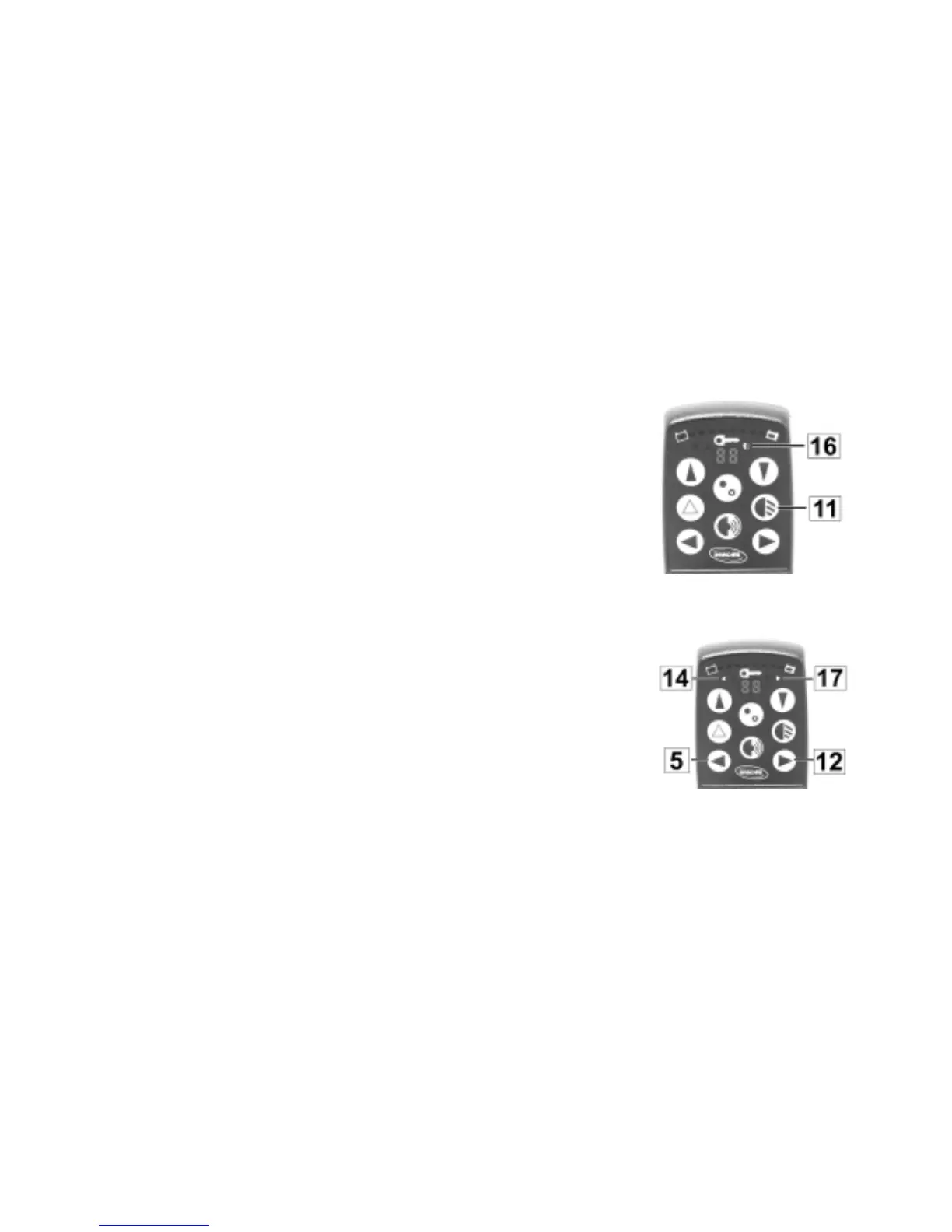
• Press the Lights Button (11) on the remote once. The Lighting-
LED (16) on the display lights up.
Switching the lights off:
• Press the Lights Button on the remote once again. The Lighting-
LED (16) on the display goes out.
Switching the lights ON
and OFF
Activating the flashers:
• Press either the right or left Flasher Button (5 / 12) once briefly.
The Flasher-LED (14 / 17) on the display lights up for the
selected direction.
Deactivating the flashers:
• Press the Flasher Button (5 / 12) briefly once again. The
Flasher-LED (14 / 17) on the display goes out.
Activating and
deactivating the flashers









 To Next Page