44
7.4.1 Select Adjustment Mode
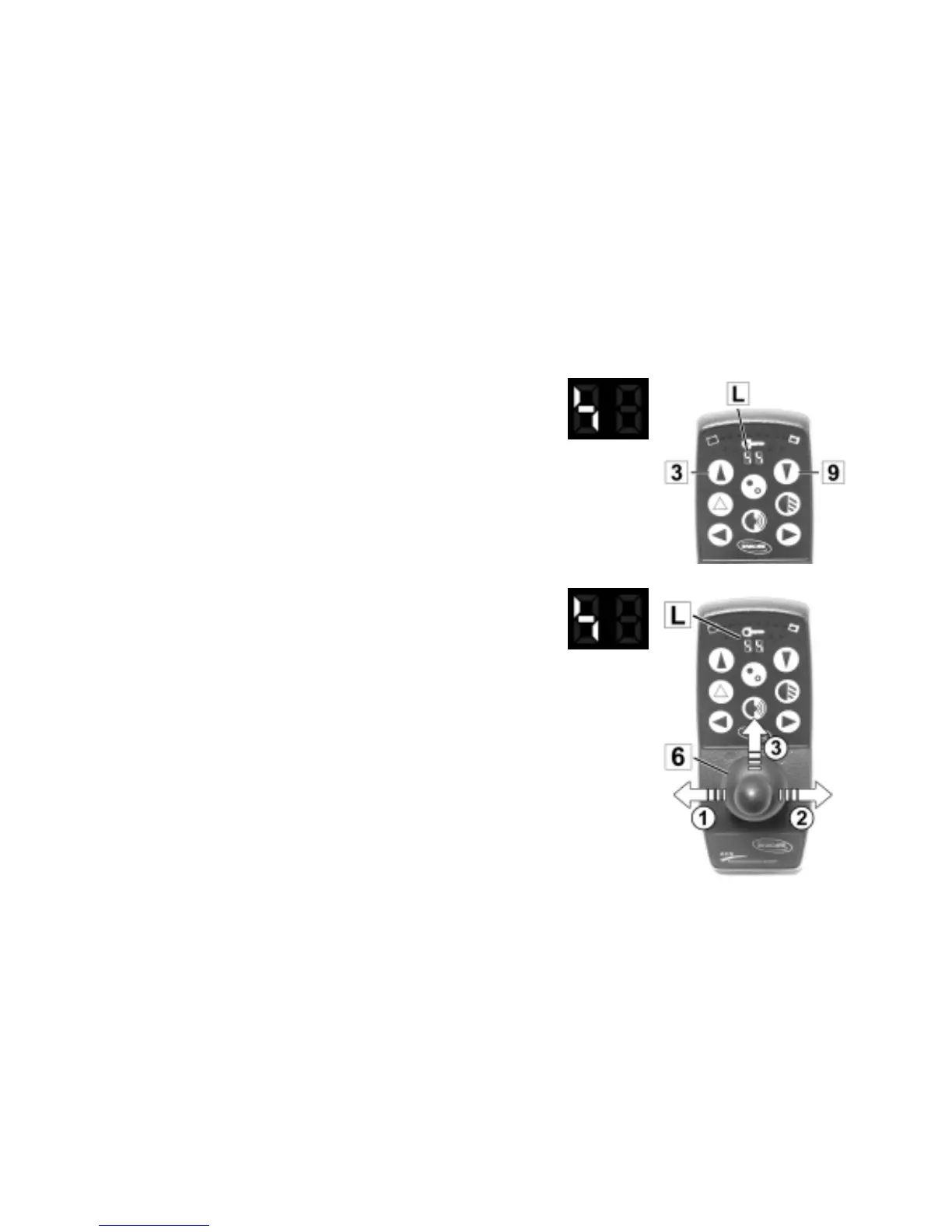
• Press the right or left buttons (3+9) repeatedly until
the symbol shown at right appears on the display
(L).
Symbol
Select symbols
• Push Joystick (6) to the right or left (1+2) until the
Adjustment Mode Symbol appears on the left
display (L).
• By pushing the Joystick forward (3) the adjustment
is activated.
Symbol
Select Adjustment Mode







 To Next Page