Chapter
3
Basic
Operation
Overview
This chapter explains how to use a keyboard and mouse for gameplay on the
PS/Xbox and how to configure basic modes from the keyboard and controller.
For information on mapping, profiles, and advanced settings, see Chapter 4
(page 19).
Basic Operation
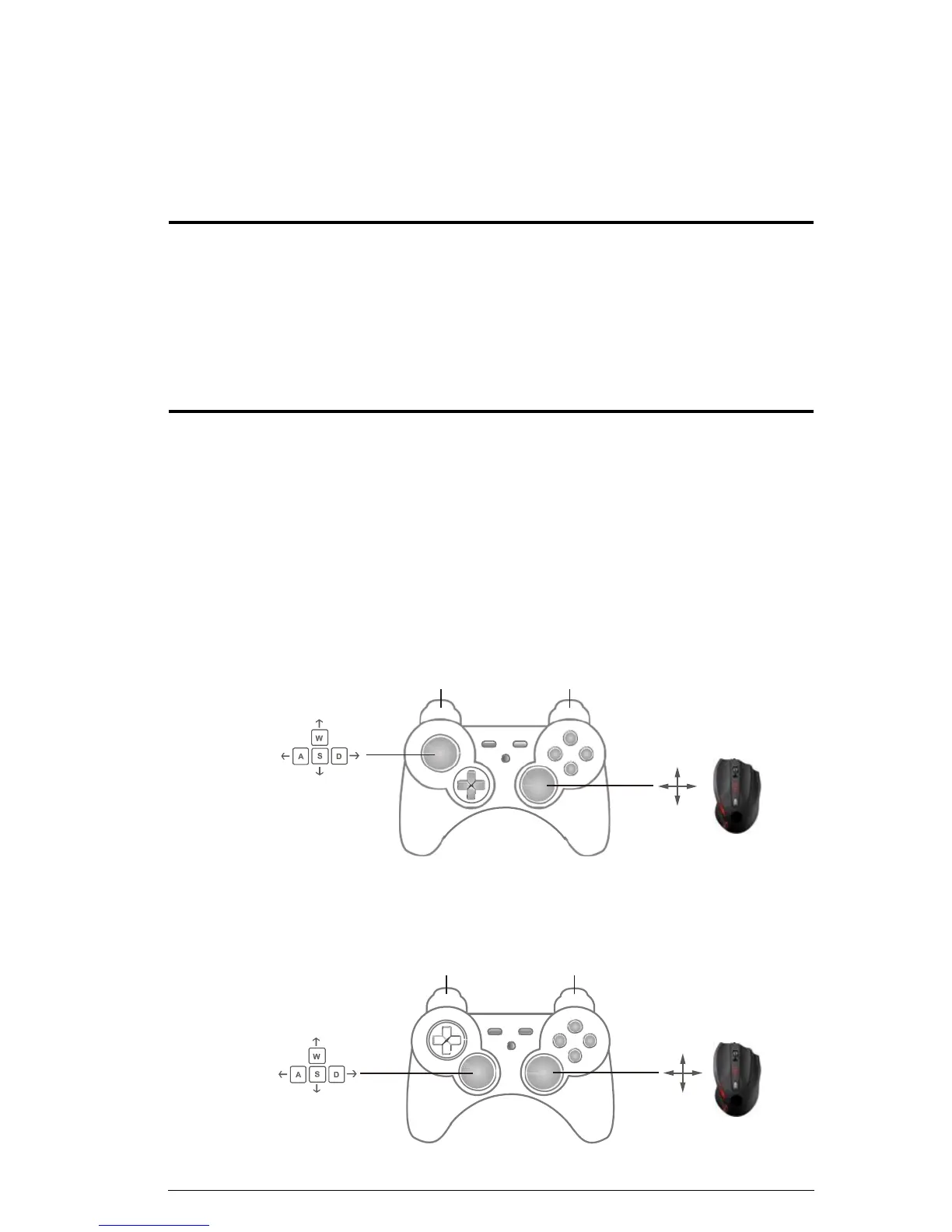
This section explains how to use the keyboard and mouse on the PS/Xbox
game console. Once the hardware is connected, the keyboard, mouse, and
game controller will work on the PS/Xbox. Here is how the game controller is
mapped to your mouse and keyboard for use:
Mouse Map
The mouse is used for vertical (up/down) and horizontal (right/left)
movements, just like the PS/Xbox Right Stick control, as shown below.
Xbox
Right Mouse click Left Mouse click
LT RT
L
Players R
Movement
Mouse
Movement
PS
Right Mouse click Left Mouse click
L1 R1
L R
Players
Movement
Mouse
Movement
10



 To Next Page