Chapter 4: KeyMander Software
KeyMander Interface
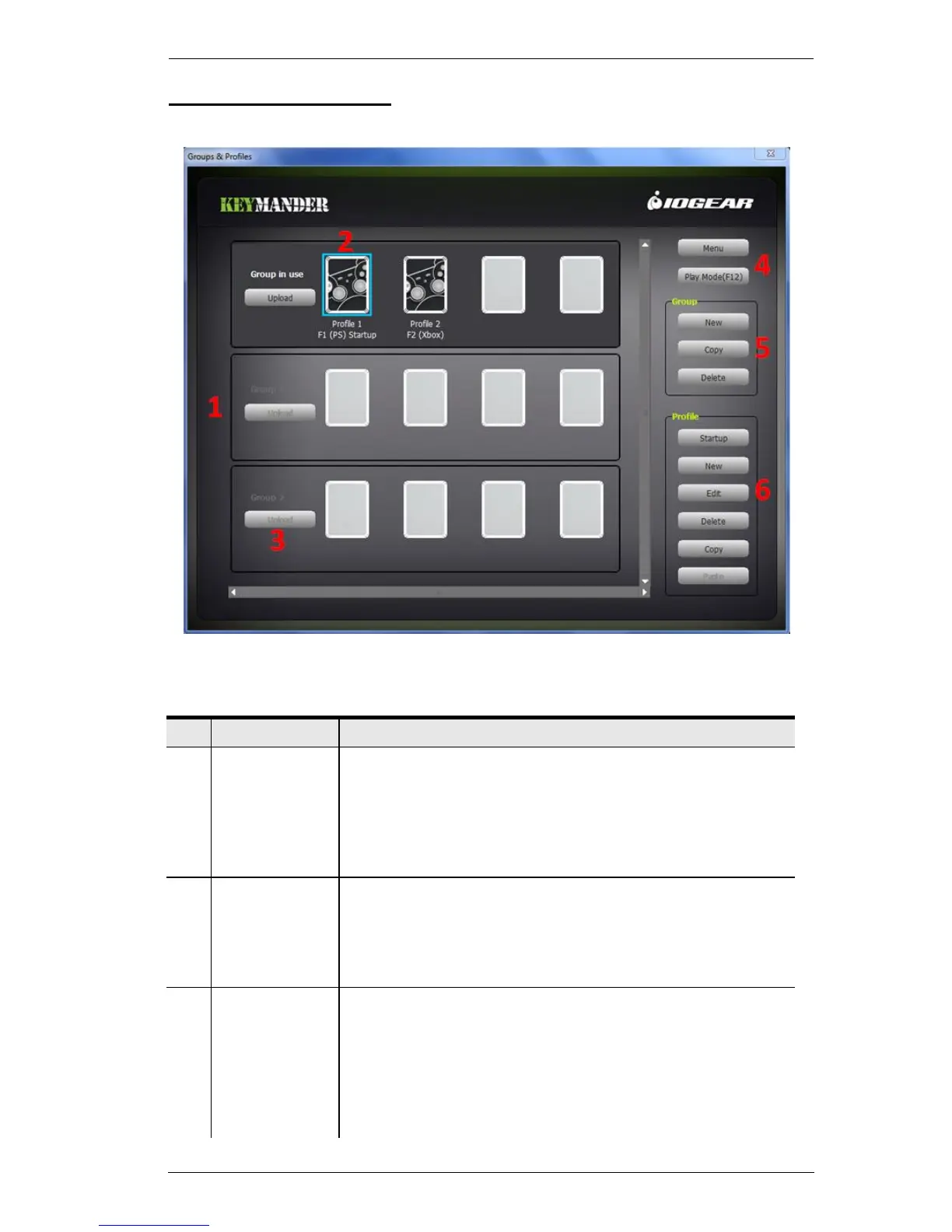
This is the main page of the KeyMander software. The table below provides a
brief description of each section.
This section lists the Groups.
A Group stores up to 8 Profiles.
A total of 31 Groups can be created.
Group in Use is the active Group of profiles on the
KeyMander.
A Profile is a unique keyboard and mouse configuration.
All Profiles are saved in a Group.
Click New under the Profile menu to create a Profile.
This button uploads a Group to the Group in Use.
Group in Use Profiles are active for use.
When you Upload a Group it over-writes the current
Group in Use.
You can Edit the Group in Use Profiles, but if another
Group is uploaded, all the changes are lost.



 To Next Page