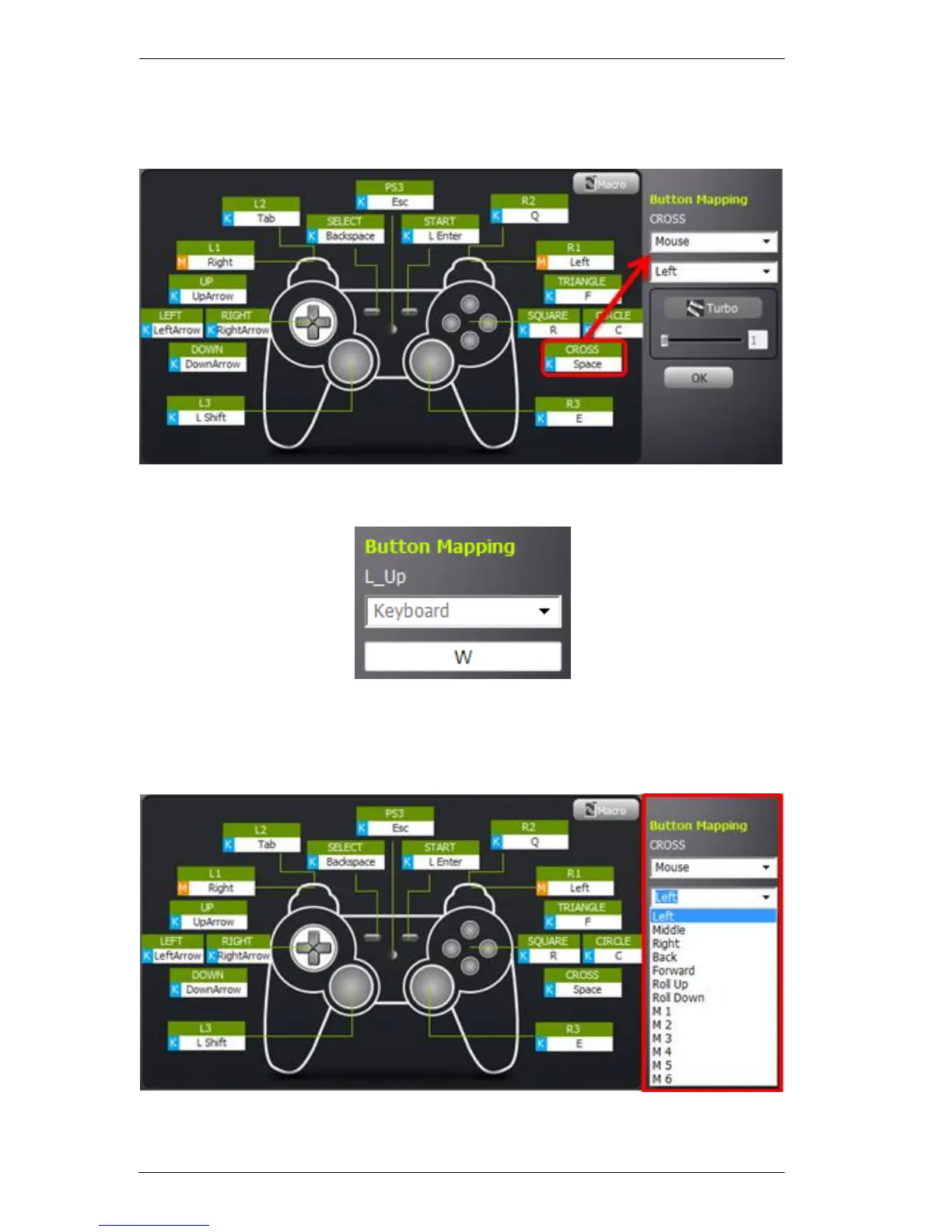
Mapping a controller button to the keyboard:
1. Click on a controller button’s box and Press a key on the keyboard:
2. The Button Mapping displays the key you pressed:
3. Click OK to save.
4. You can also use the Button Mapping drop-down menu to select other
devices and buttons to map to:
Note: After making edits to a profile, you must save the profile, exit the KeyMander editor, and
click Upload next to Group in Use in order to apply the changes during gameplay. After upload,
KeyMander will automatically reset to the startup profile. Please switch the profile to the one you
adjusted after uploading the profile.



 To Next Page