Chapter 4: KeyMander Software
Turn Assist
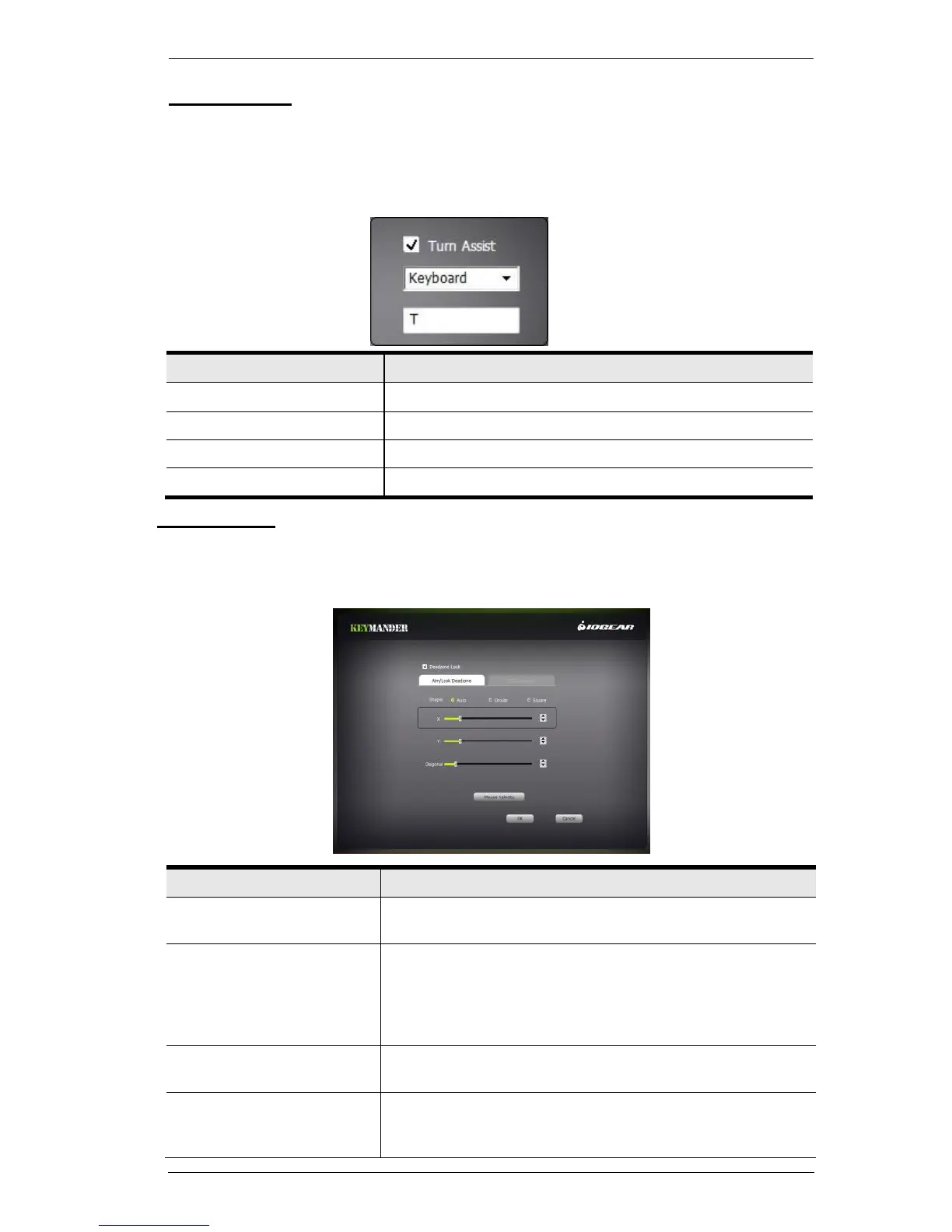
Turn Assist helps you continue long mouse movements without having to
move the mouse. Turn Assist works by holding down the Turn Assist Button
and moving the mouse. The turn continues automatically until you let go of
the Turn Assist Button. Select a device and assign the Turn Assist Button.
Enter a key you want to use as the Turn Assist button.
Select a Mouse function to use as the Turn Assist button.
Select a button 1~12 to use as the Turn Assist button.
No Turn Assist device assigned.
Calibration
Calibration allows you to customize the analog control stick deadzone (area
around the control stick which is not sensitive to slight movements) for
improved steadiness while aiming.
You can choose a circular deadzone, square deadzone,
or have the Keymander automatically adjust for you.
The X axis slide bar adjusts the horizontal size of the
deadzone, and the Y axis slide bar adjusts the vertical
size of the deadzone. The farther you slide the X and Y
bar to the right, the less of a deadzone you will have,
thus increasing your mouse sensitivity.
ADS (Aim-Down-Sight)
Deadzone
To adjust the ADS deadzone, uncheck the box next to
Deadzone Lock.
Adjusts the speed of diagonal movements. The farther
you slide the bar to the right, the faster diagonal
movements will be.



 To Next Page