Displays the name of the Group that the Profile is in.
This box displays the Profile name and allows you to change
it. After changing it click OK, or Save As Another Profile from
the drop-down Menu.
Every Profile is assigned a unique Profile Selection Hotkey
(F1~F8). The hotkey is used from the keyboard to quickly
switch between Profiles in the Group in Use.
Mouse Movements
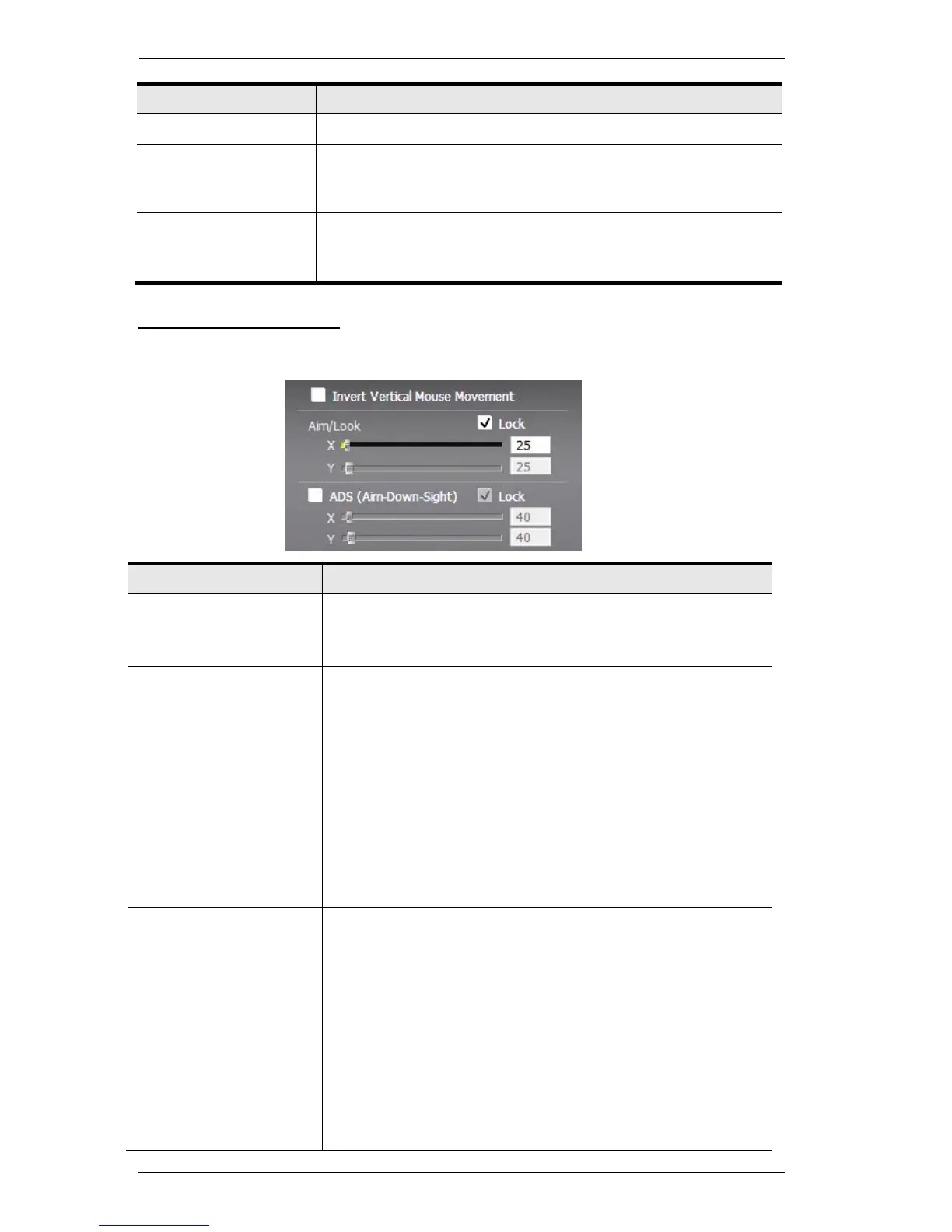
This section allows you to set how the mouse responds during game play.
Invert Vertical Mouse
Movement
This reverses the up/down movements of the mouse. So
that pushing the mouse forward causes a down movement,
and pulling the mouse back causes an up movement.
Aim/Look is the normal view as your character walks
around during game play.
The Aim/Look sensitivity bar sets how quick or slow
mouse movements respond. The higher the number the
more loose the movements will feel and the lower the
number the more tight the movements will feel.
The “X” bar adjusts the sensitivity of left and right
movements, while the “Y” bar adjusts sensitivity of up and
down movements. To set X and Y at an even ratio, check
the box next to Lock.
ADS (Aim-Down-Sight) is the view when you zoom-in or
look through a scope during first person shooting games.
The ADS sensitivity bar sets how quick or slow the mouse
movements respond when you Aim Down Sight. The higher
the number the more loose the movements will feel. The
lower the number the more tight the movements will feel.
The “X” bar adjusts the sensitivity of left and right
movements, while the “Y” bar adjusts sensitivity of up and
down movements. To set X and Y at an even ratio, check
the box next to Lock.



 To Next Page