Creating Profiles
A Profile is a custom keyboard/mouse configuration that is saved in a Group.
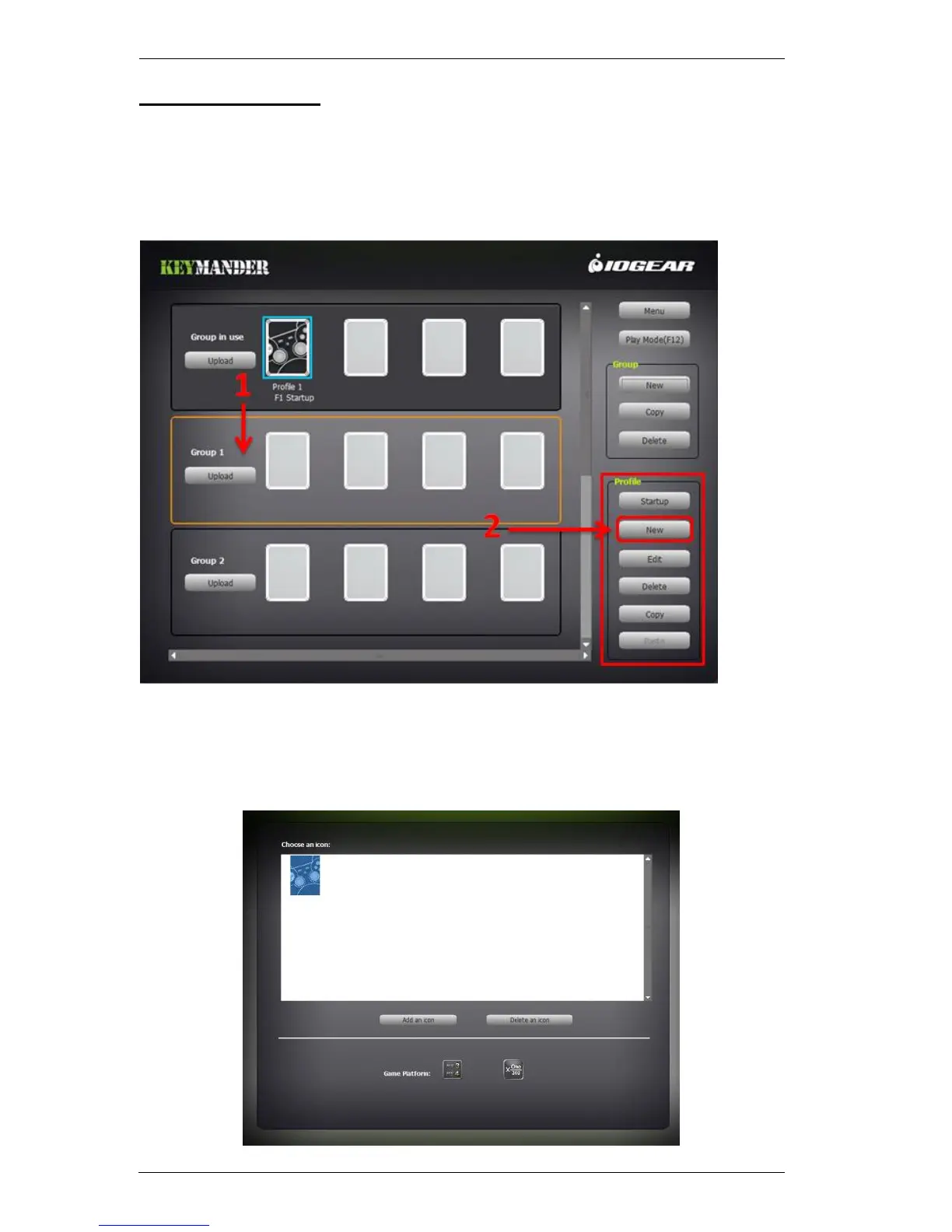
To create a Profile for your keyboard/mouse settings:
1. Select a Group for the Profile:
2. Click New or double click an empty slot, as shown above.
3. The New Profile screen appears. Choose the default Icon or you can Add
an Icon (*.bmp, *.jpeg, *.gif, *.png) to use for the profile.



 To Next Page