Tu
rbo
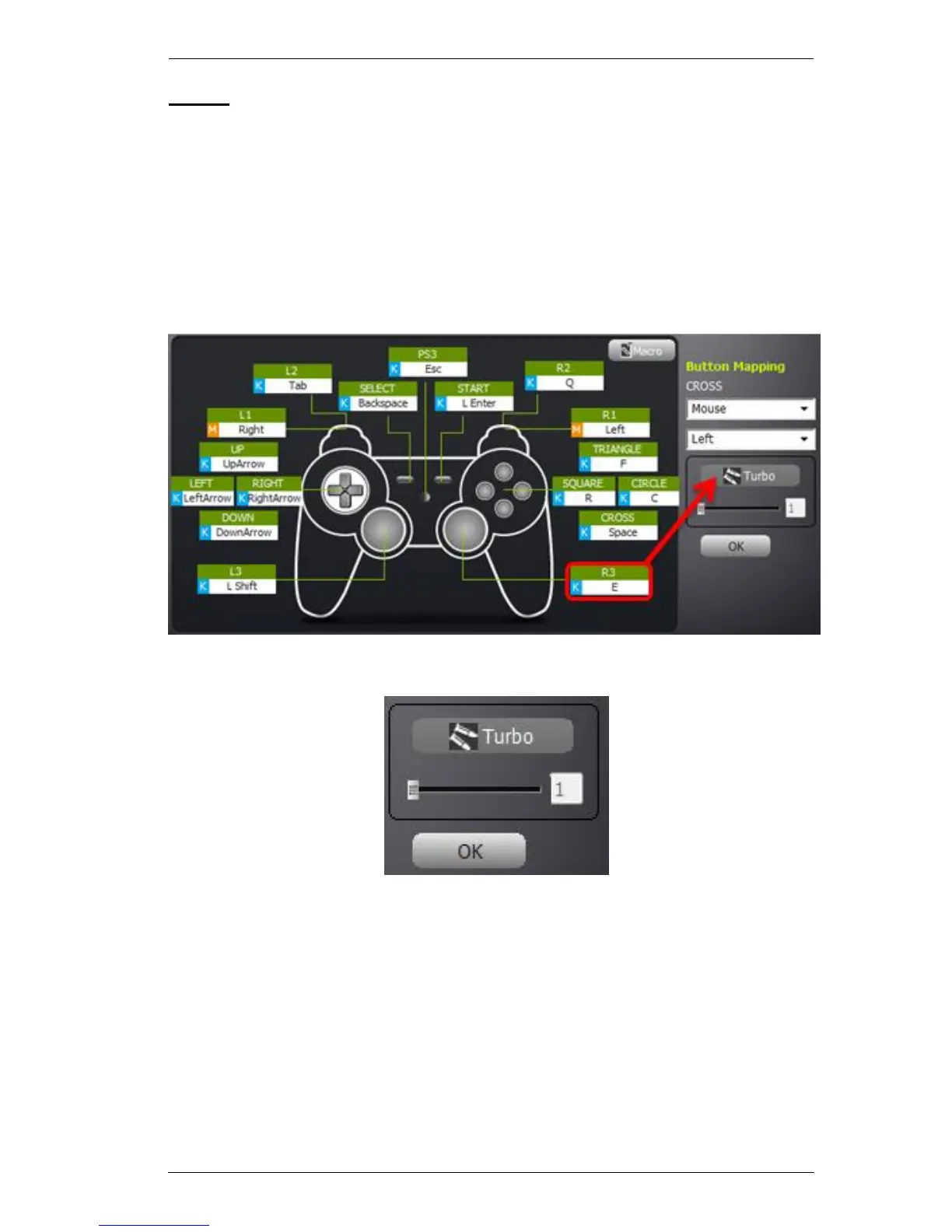
Turbo allows continuous rapid fire of a controller button. You can enable or
disable turbo on any controller button and set the level (1~3) of rapid fire
intensity. Turbo Mode [F10] must be on for turbo buttons to work (see Turbo
Mode, page 17).
Setting Turbo:
1. Click a controller button’s box, then click Turbo:
2. Set the level (1~3) of rapid fire you want to use:
Clicking Turbo enables/disables turbo for the controller button. You
can only slide the bar when turbo is enabled.
3. Click OK to save.



 To Next Page