2 Quick Installation Guide
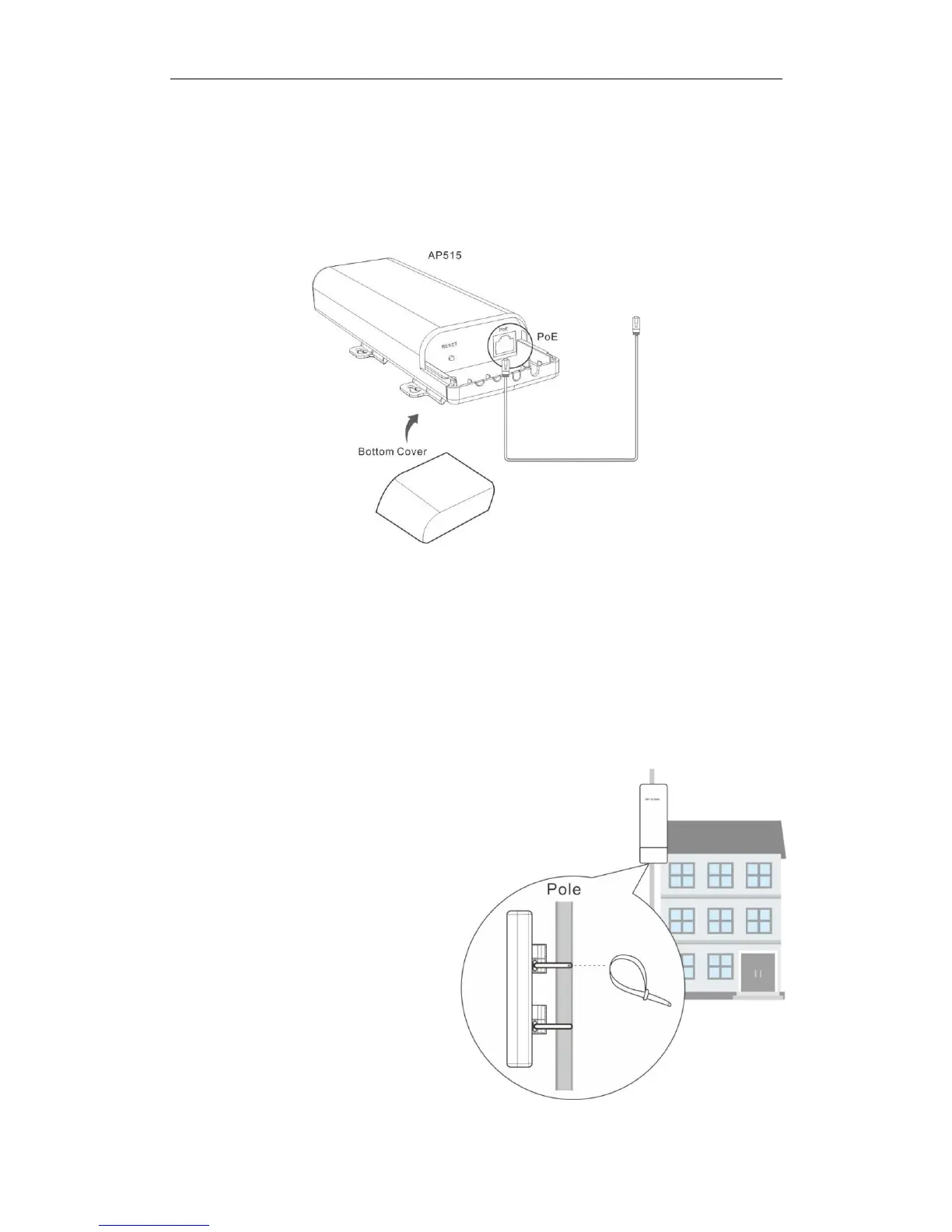
Step 1: Connect an Ethernet Cable to the AP
❶ Slide the bottom cover of the AP down to expose the port.
❷ Connect an Ethernet cable (≤ 60m), which will be connected to the PoE injector or a PoE
switch, to the PoE port of your AP.
❸ Gently replace the cover by sliding it up until it clicks into place.
Step 2: Mount the AP
Set up the AP in an outdoor location, usually
on the roof, and thread plastic wraps
through grooves underneath the brackets.
Then attach the device firmly to a solid pole.



 To Next Page