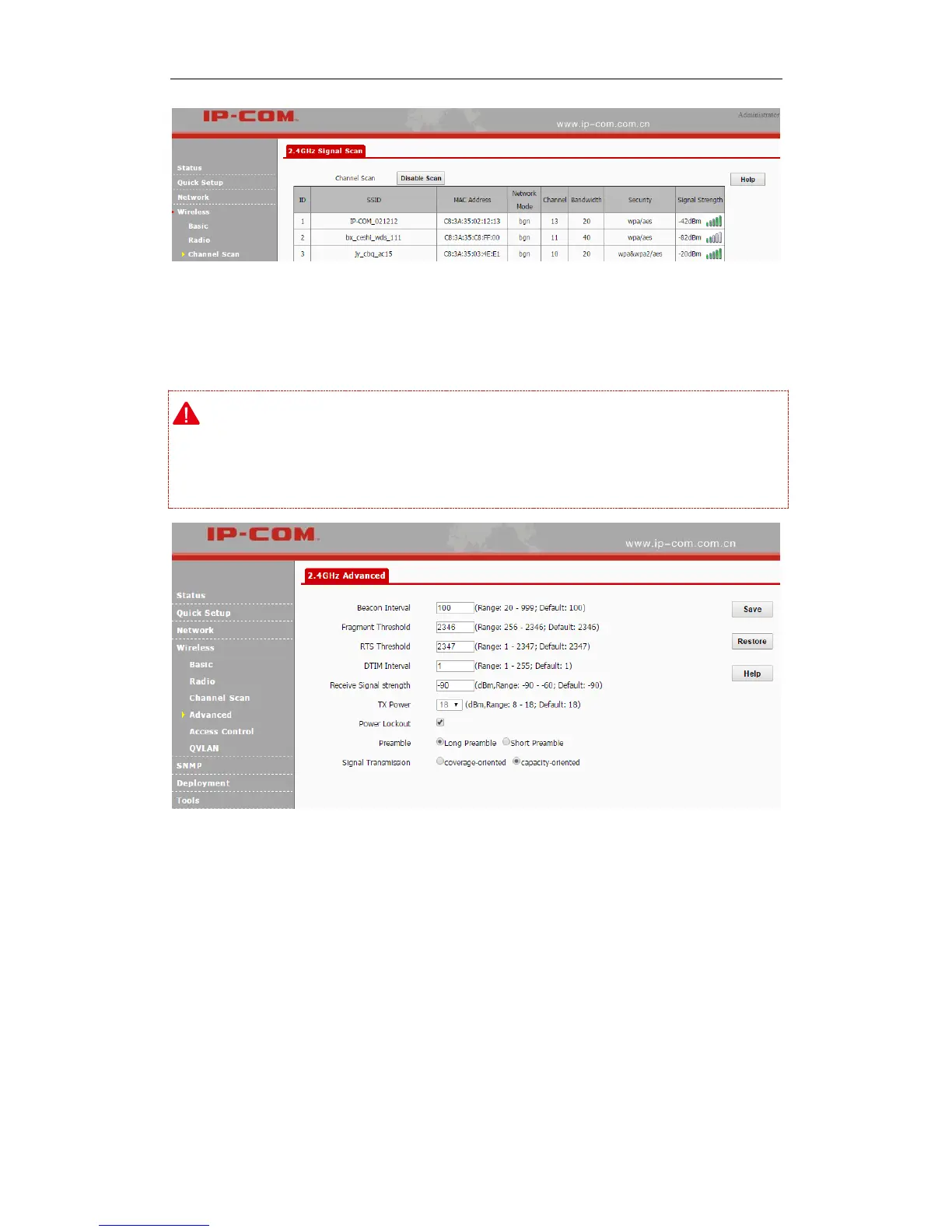
Advanced
Click Wireless > Advanced to configure advanced wireless settings.
Note:
If you are new to networking and have never configured these settings before, we recommend you
to leave the default settings unchanged.
Parameters on this page are described below:
Beacon Interval: This is a time interval between any two consecutive Beacon packets sent
by an Access Point to synchronize a wireless network. Specify a valid value between 20 and
999. The default setting is 100. Generally, the smaller the value is, the faster the client will
connect to the AP; the larger the value is, the faster the wireless data will be transmitted. It is
advisable to leave the default value unchanged.
Fragment Threshold: Specify a valid Fragment Threshold value between 256 and 2346. The
default is 2346. Any wireless packet exceeding the preset value will be divided into several



 To Next Page