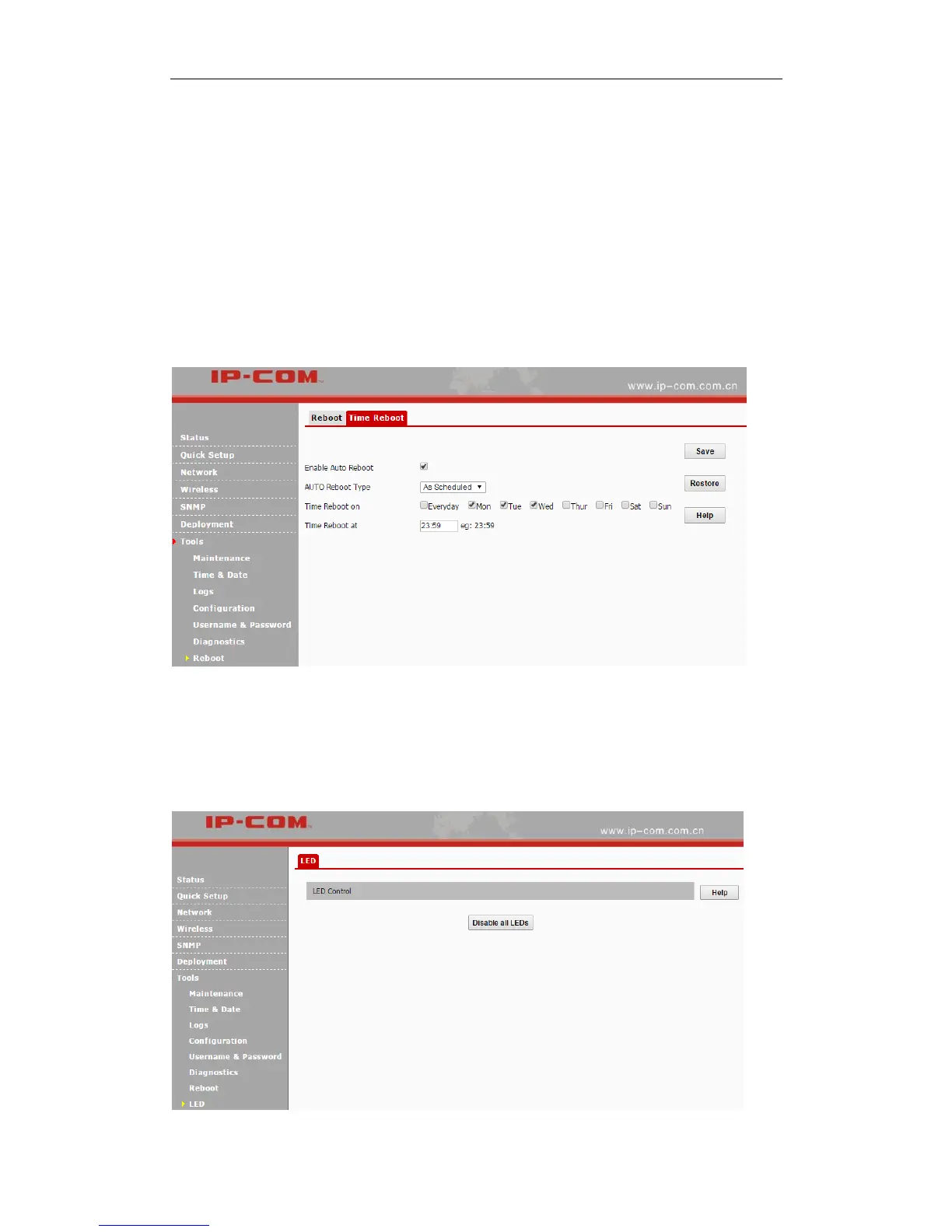
As Scheduled
The device will reboot regularly according to the time you’ve configured.
❶ Check the Enable Auto Reboot box.
❷ Select As Scheduled from the drop-down list.
❸ Check corresponding dates from Mon (Monday) to Sun (Sunday) to specify the reboot date.
❹ Specify the reboot time.
❺ Click Save to apply your changes.
LED
Click Tools > LED to turn off/on all LEDs.



 To Next Page