Step 4: Configure Your AP
1. Set your PC to Use the following IP address: IP address: 192.168.0.x (2~253); subnet mask:
255.255.255.0. For specific steps, see Appendix 1 Configure PC.
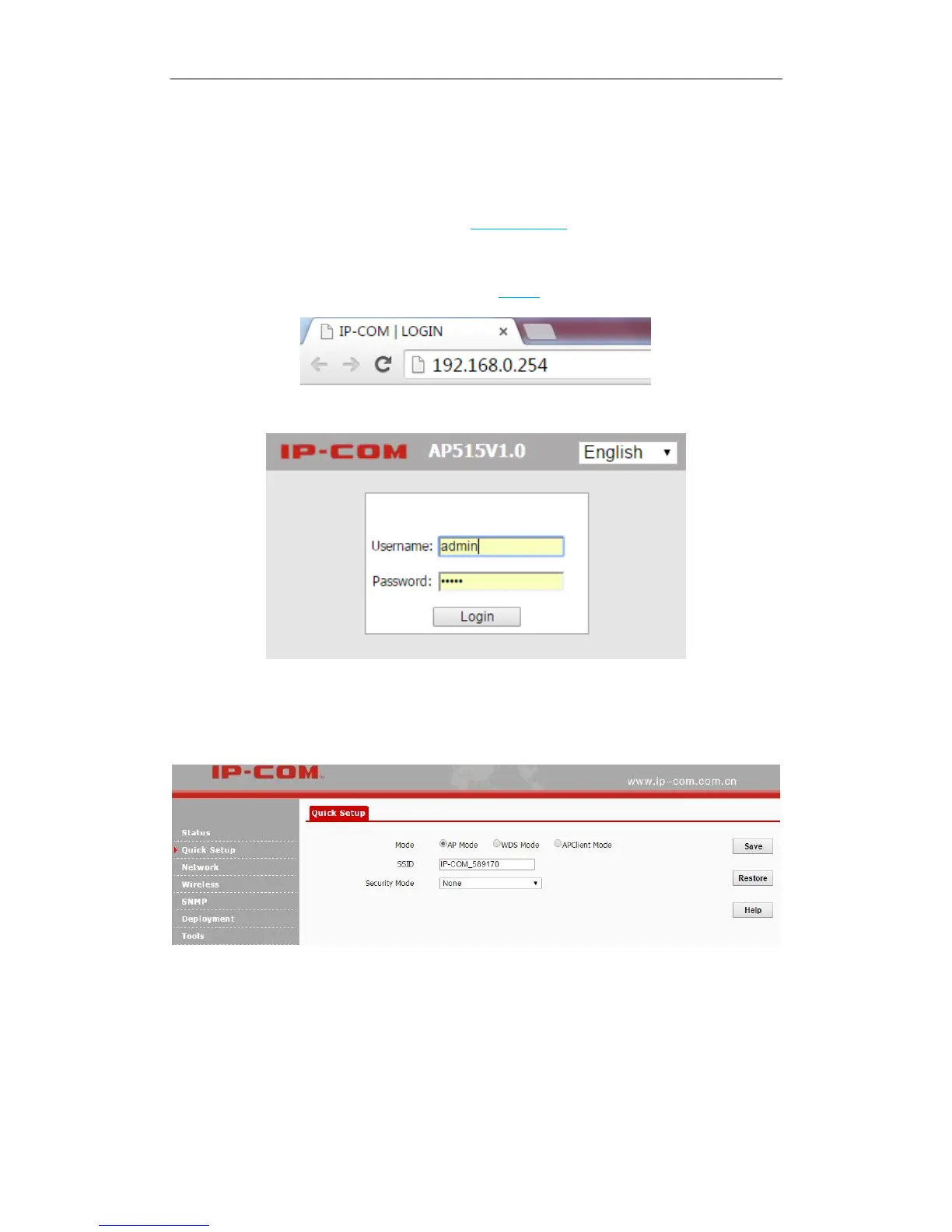
2. Input 192.168.0.254 in a web browser’s address bar, and then press Enter or Return on your
keyboard (If the following page does not appear, see FAQ 1).
3. Enter the default username and password (admin for both defaults) and click Login.
4. Then you will be successfully directed to the web UI of the AP. Click Quick Setup to select the
proper operating mode and complete corresponding mode settings. 3 operating modes are
supported on this AP: AP mode, WDS mode and AP Client mode.
AP Mode
In this mode, the device can be connected to a wired network and transform the wired access into
wireless that multiple devices can share together.



 To Next Page