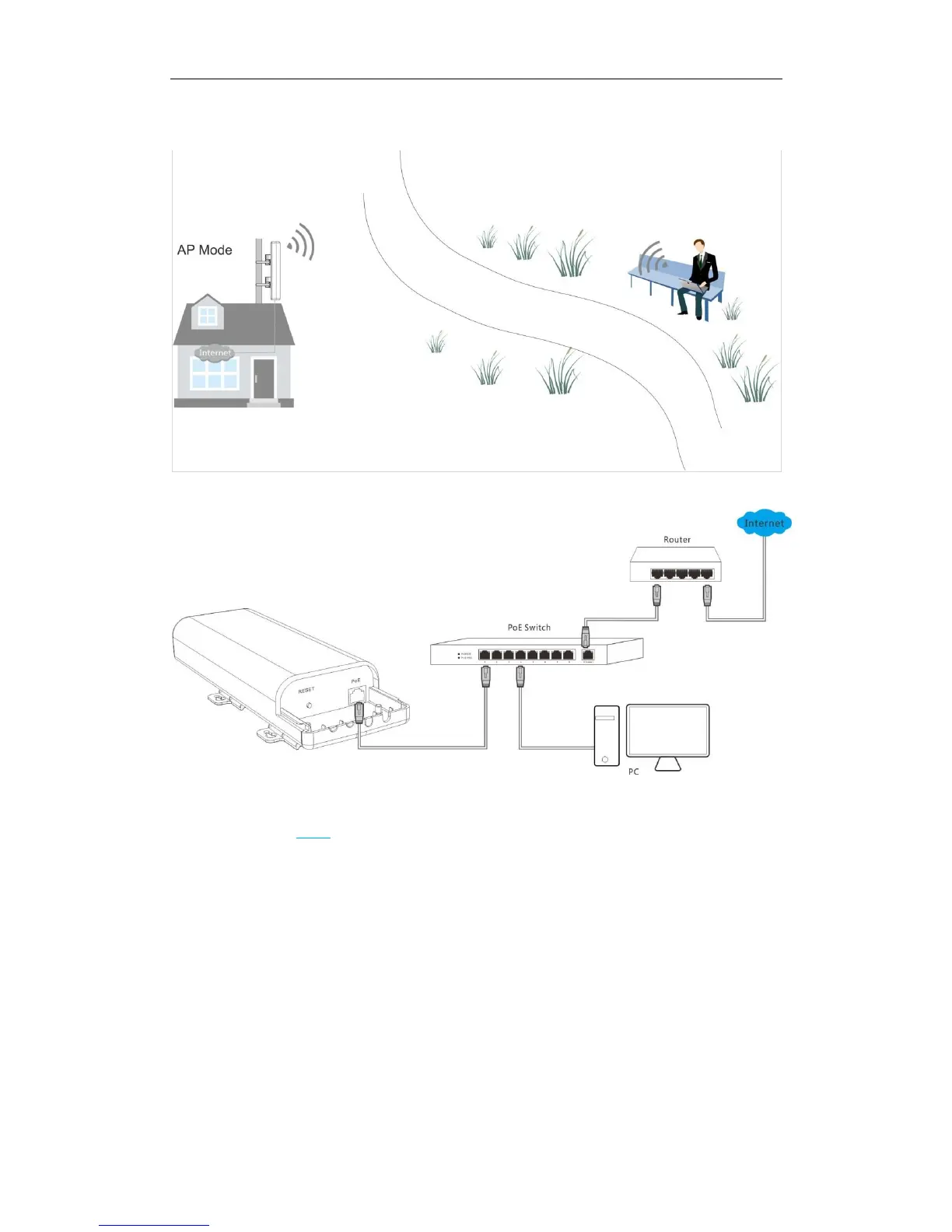
Application Scenario:
Network Topology:
Configuration Steps: (In this example, WPA -PSK and AES are taken for illustration. For other
security modes, see Basic.)
❶ Select AP Mode.
❷ Customize your SSID (WiFi name). This is optional.
❸ Set the security mode, say WPA-PSK.
❹ Select AES as its cypher type.
❺ Set a security key (WiFi password), which you’ll need when you’re connecting to your SSID.
❻ Click Save to apply your settings.



 To Next Page