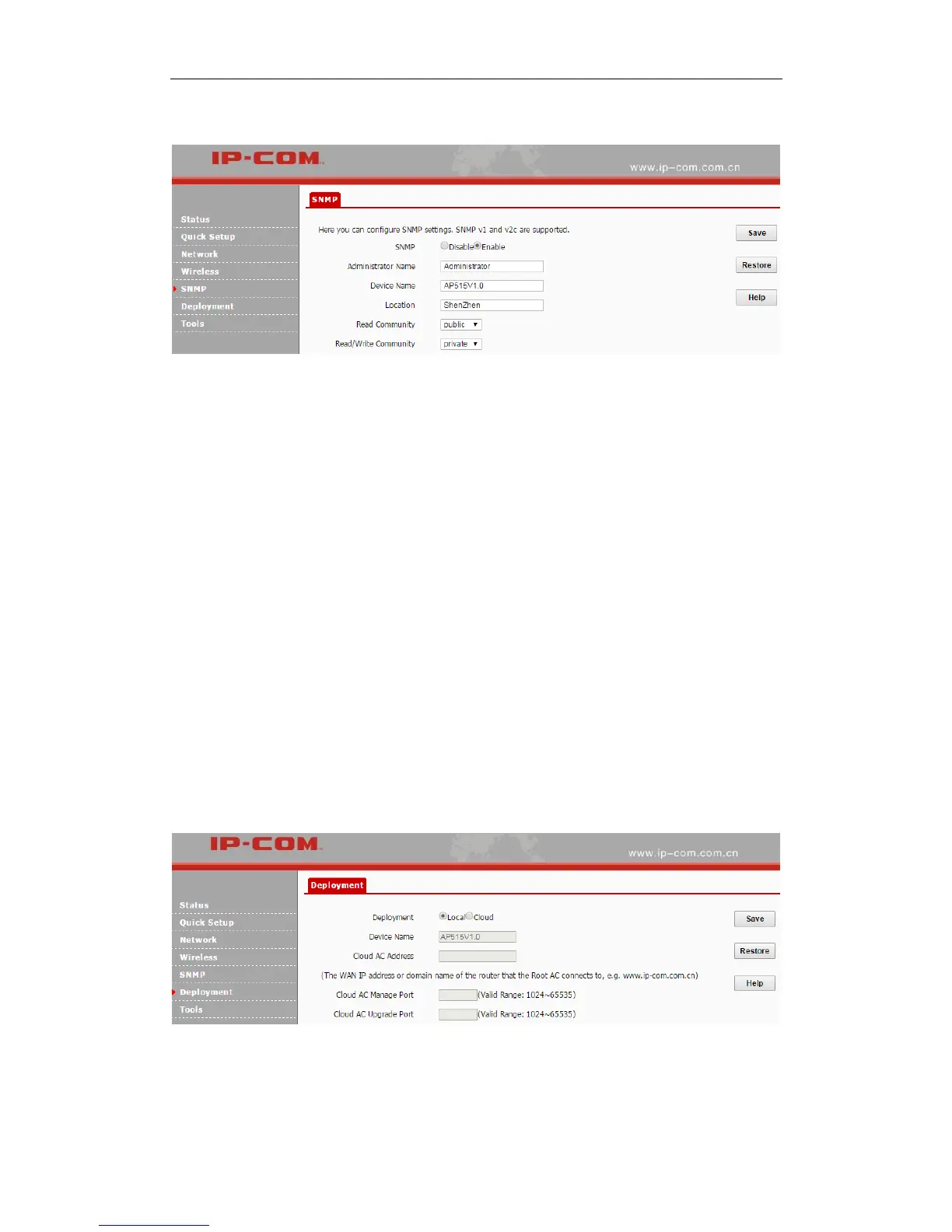
By default, SNMP is disabled. If you want to enable it, select Enable.
Parameters on this page are illustrated below:
SNMP: Disable/Enable the SNMP function. It is disabled by default.
Administrator Name: Administrator name of the AP. It is Administrator by default.
Device Name: Device name of the AP. The default name is AP515V1.0.
Location: Where the AP is located. The default is Shenzhen.
Read Community: Indicate the community string for read access to permit reading this AP’s
SNMP information. The default is public.
Read/Write Community: Indicate the community string for write/read access to permit
reading and writing this AP’s SNMP information. The default is private.
Deployment
This page allows you to manage APs via different deployment modes: local and cloud. Click
Deployment to enter page below:
Parameters on this page are illustrated below:
Deployment: Two deployment modes are supported. Local: When this option is selected, all



 To Next Page