current APs can only be managed by the local AC. Cloud: When this option is selected, all
current APs can only be managed by the cloud AC or a cloud server.
Device Name: This option is only available in Cloud mode. Note information of the AP.
Cloud AC Address: The WAN IP address or domain of the router that the cloud AC connects
to, such as www.ip-com.com.cn. This option is only available in Cloud deployment mode.
Cloud AC Manage Port: The port of the router that the cloud AC connects to and that is
used for managing APs (Range: 1024~65535). This option is only available in Cloud
deployment mode.
Cloud AC Upgrade Port: The port of the router that the cloud AC connects to and that is
used for upgrading APs (Range: 1024~65535). This option is only available in Cloud
deployment mode.
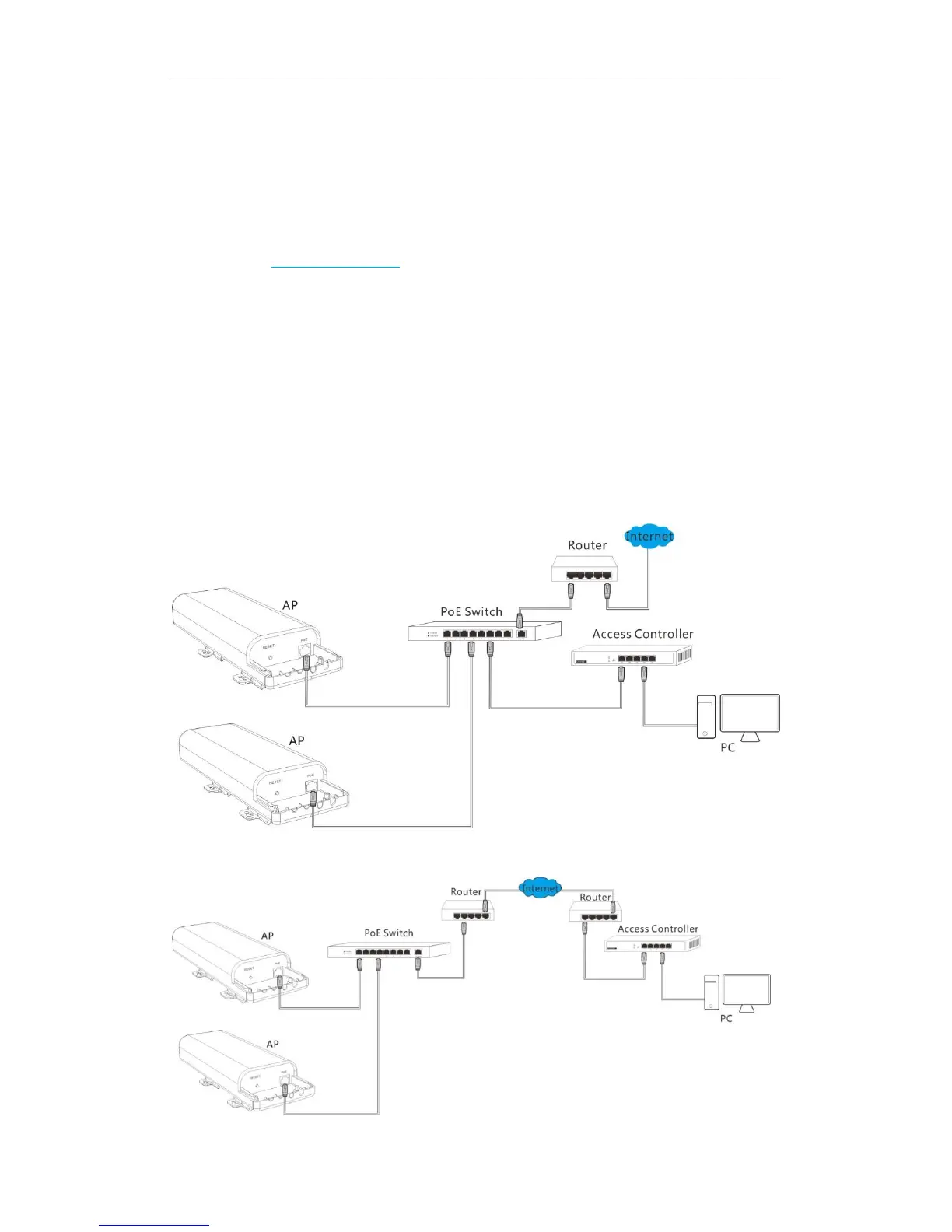
Network topology for local deployment:
Network topology for cloud deployment:



 To Next Page