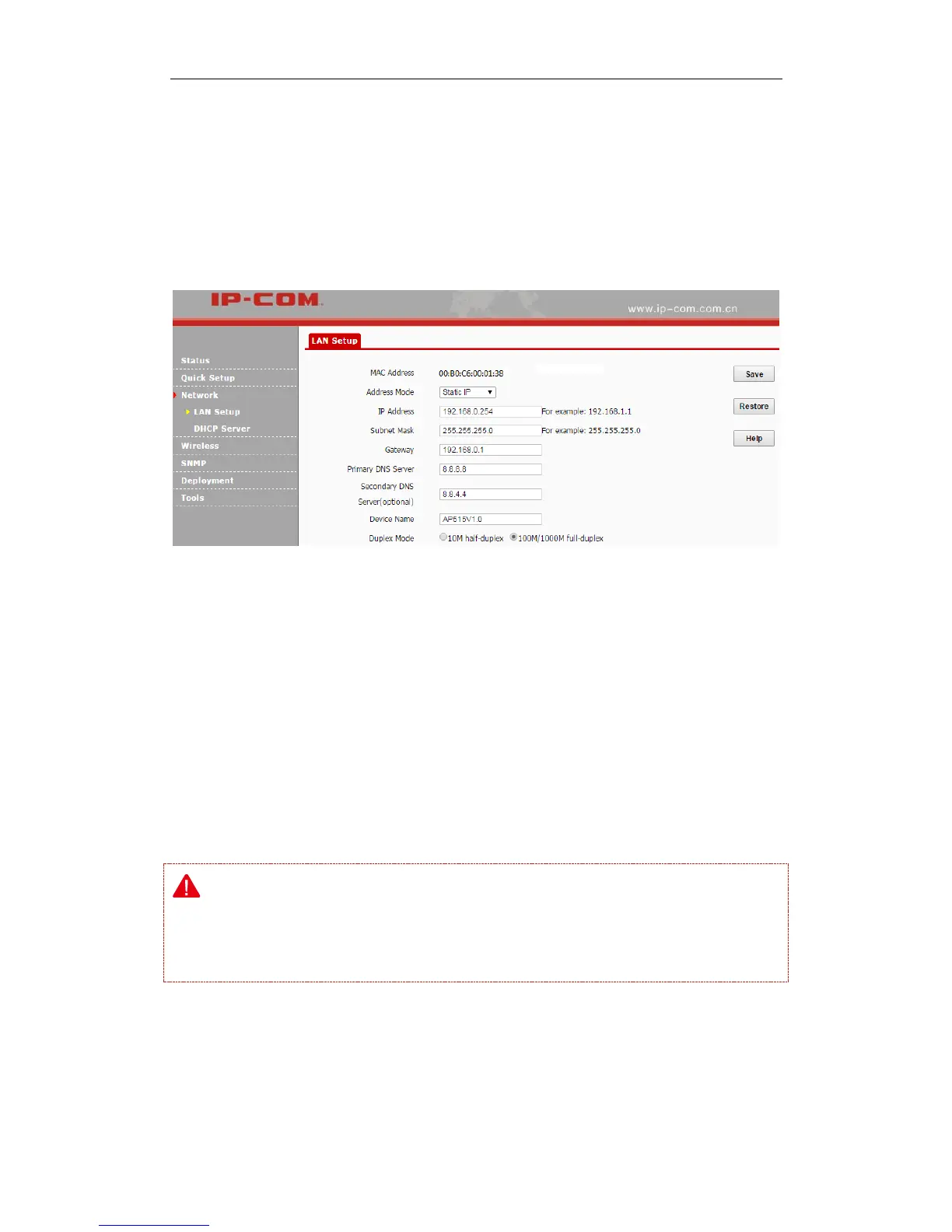
Duplex Mode: Transmission distance of its RJ45 port. The default value is 100M/1000M
full-duplex. The faster the auto-negotiation speed is, the shorter the transmission distance will
be. When the AP can’t communicate with its remote device, it is advisable to select 10M
half-duplex mode.
To set your AP’s IP address in Static IP mode:
❶ Address Mode: Select Static IP.
❷ IP Address: Enter a unique IP address that will be used to login to this AP’s web UI.
❸ Subnet Mask: Enter the subnet mask of your network.
❹ Gateway: Enter the IP address of the default gateway for your network.
❺ Primary DNS Server: Specify the IP address of the preferred DNS (Domain Name System)
server.
❻ Secondary DNS Server: Specify the IP address of the alternate DNS server. This entry is
optional and used only if the primary DNS server is not responding.
❼ Click Save to apply your changes.
Note:
In static IP address mode, once you’ve changed your LAN IP address, you need to use the new IP
address to login to its web UI.



 To Next Page