18 Freddy
Start-up and home page
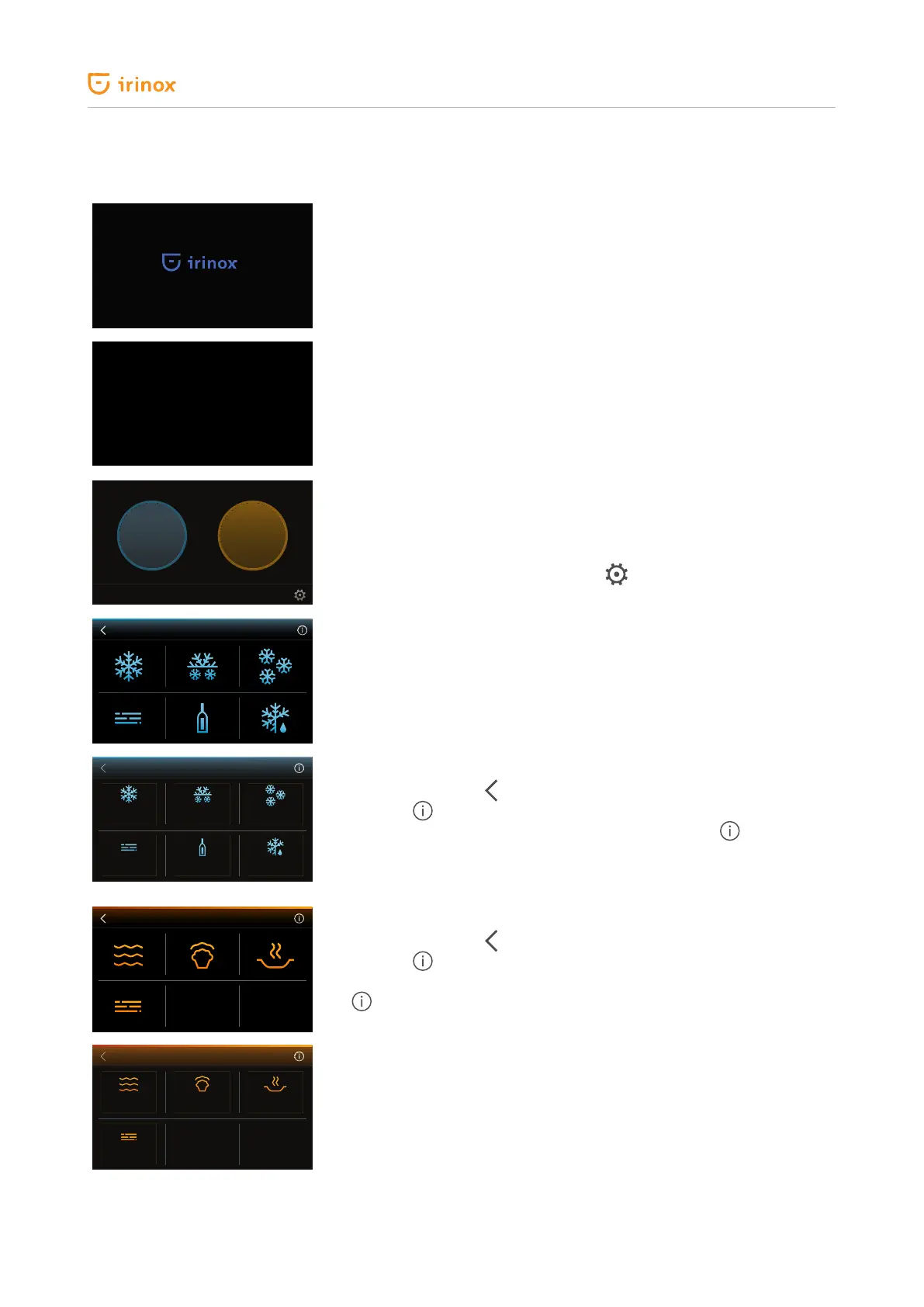
When the electronic board is powered the display shows for
3 seconds the IRINOX HOME logo and sets to stand-by screen.
13:27
Stand-by screen
Time is displayed.
If no key is pressed for 60 seconds, after one minute of inactivity, the
electronic board sets to stand-by and returns to this screen.
By pressing on the display for at least 1 second you will access the initial
screen.
CLEANING THE CELL
COLD
FUNCTIONS
HOT
FUNCTIONS
The appliance is enabled to carry out all hot and cold cycles, so the hot/
cold functions selection screen will appear.
By pressing at the bottom left of the display you will access the cleaning
cycle.
By pressing the key at the bottom right , you will access the change
settings section.
After 5 seconds of inactivity the names of the cycles relevant to the
functions start to be slowly displayed in sequence. For the cold functions
the order is the following: BLAST CHILLING +3 °C, SOFT FREEZING 18
°C, FREEZING 18 °C, MAINTENANCE, DRINKS CHILLING, DEFROSTING.
For the hot functions the order is the following: LOW TEMPERATURE
COOKING, RISING, READY MEAL, MAINTENANCE.
BLAST CHILLING
+3°C
SOFT FREEZING
-18 °C
FREEZING
-18°C
MAINTENANCE DRINKS
CHILLING
DEFROSTING
By pressing the cold functions key, the screen shown on the side will be
displayed. Press the
key to go back to the initial screen.
Press the info key to view the icons with the texts. If you wish to go
back to the screen without the texts simply press the key again. In
both screens, by pressing on the active areas you can access the option
selected.
By pressing the hot functions key the screen shown on the side will be
displayed. Press the
key to go back to the initial screen.
Press the info key to view the icons with the texts.
If you wish to go back to the screen without the texts simply press the key
again. In both screens, by pressing on the active areas you can access
the option selected.
COTC
LOW T. COOKING
RISING
MAINTENANCE
READY MEAL


 To Next Page