Freddy 19
AUTOMATIC
WITH CORE
PROBE
TIMED
MANUAL
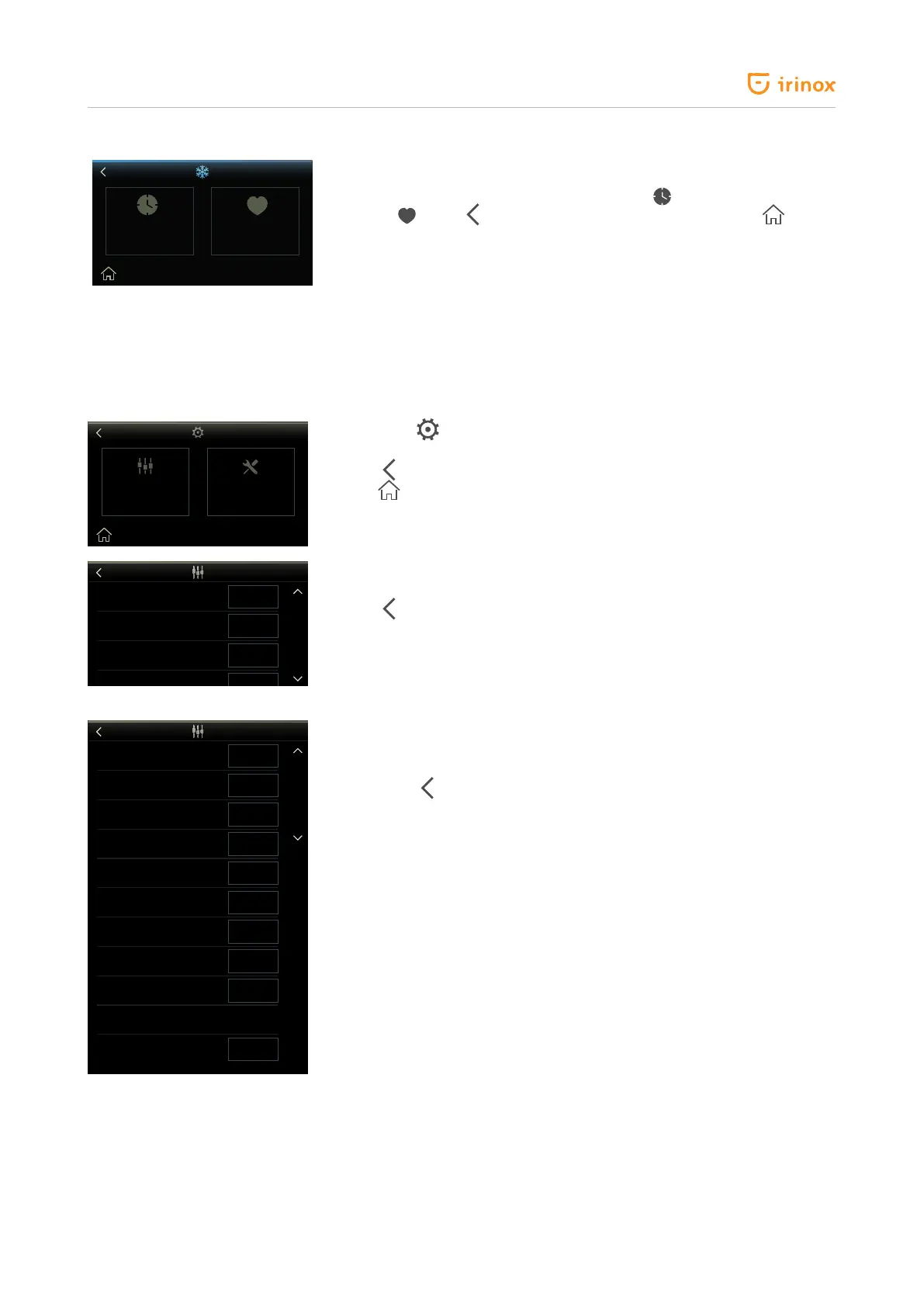
When a cycle is selected (example: blast chilling +3 °C) the screen for
mode selection will appear: manual with timer
or automatic with "core
probe"
. Press
to go back to the previous page. Press the
home
key to go back to the initial screen.
Parameter setting
The wordings in the parameter section are always in English, regardless of the language selected.
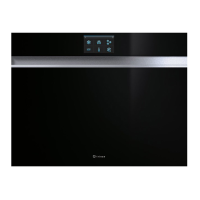
When the
key is pressed you will access the parameter setting area.
Two selectable areas will be displayed: Operator parameters and service.
The
key makes you go back to the previous page.
The
home key makes you go back to the initial screen.
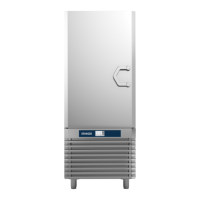
Press on operator parameters to access the user parameter editing screen
relevant to date /time °C - °F
The
key makes you go back to the previous page.
The parameter list can be scrolled, through vertical dragging, and the
values can be edited or activated.
Press on year, month, day, hours, minutes, language and unit of
measurement of the temperature parameter "SET" to open the relevant
screens.
Instead, if is pressed you will go back to the parameter list without
saving the value change.
The “beep” and “rst start-up” parameters can be activated and
deactivated by pressing the relevant key.
For the “DEFAULT” parameter if the “RESET” key is pressed all machine
default parameters are reloaded (factory conguration).
The “rev” parameter shows the FW revision (read only).
SERVICEOPERATOR
PARAMETERS
HOUR
MIN
YEAR
MONTH
DAY
SCALE
LANGUAGE
BEEP
FIRST START
REV
DEFAULT
SET
SET
SET
SET
SET
°F
CHANGE
DISABLE
ACTIVATE
RESET
17
34
2016
01
18
°C
PORTUGUÊS
ACTIVE
DISABLE
1.05
HOUR
MIN
YEAR
MONTH
DAY
SCALE
LANGUAGE
BEEP
FIRST START
REV
DEFAULT
SET
SET
SET
SET
SET
°F
CHANGE
DISABLE
ACTIVATE
RESET
17
34
2016
01
18
°C
PORTUGUÊS
ACTIVE
DISABLE
1.05


 To Next Page