Freddy 49
RISING cycle
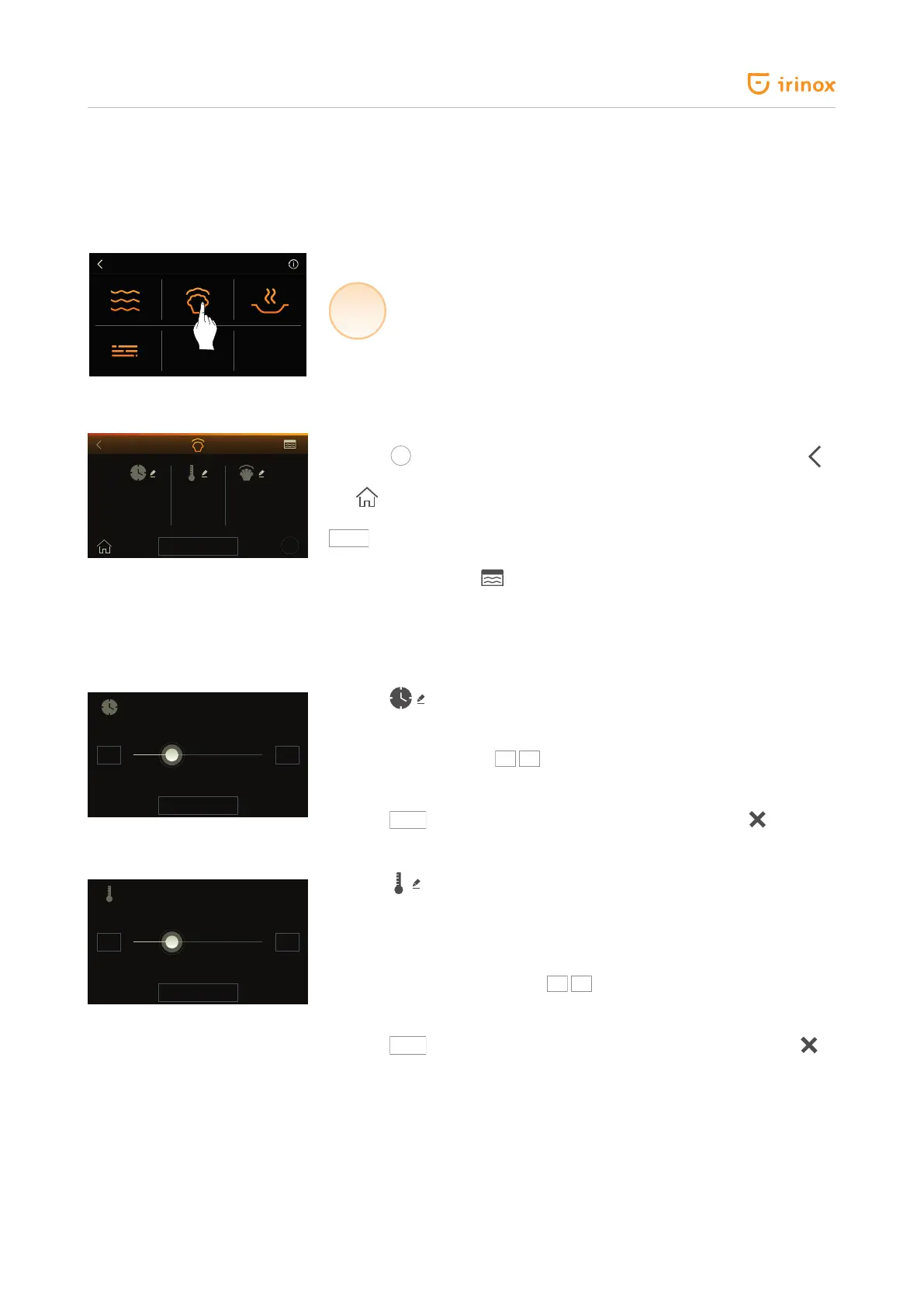
Select HOT FUNCTIONS.
HOT
FUNCTIONS
Select RISING cycle.
User guide
Press the
key to view a short description as information window. The
key makes you go back to the previous page.
The key makes you go back to the initial screen.
START
Start cycle.
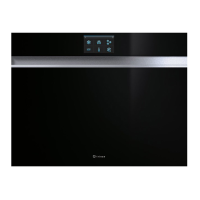
The temperature inside the chamber detected by the air probe is shown at
the top right-hand side .
The rising time, 2 h by default, is shown on the left. The air temperature inside
the chamber during rising phase, +26 °C by default, is shown in the middle of
the screen. The time you wish the food to be risen, which is zero by default, is
shown on the right.
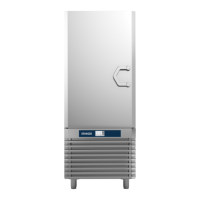
Press the key to access the screen for time setting during rising phase.
The screen for rising time setting, which is 2 h by default, will be displayed
(rising time can be set from 1 min. to 48 h).
To edit the time press the
keys to increase or decrease the time by 1
minute. If you wish to increase or decrease the time in a faster manner, use the
horizontal dragging.
Press the
SAVE
key to conrm the time modication, while press
to go
back to the previous screen without saving any change.
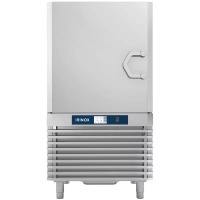
Press the key to access the screen for chamber temperature setting
during rising phase.
The screen for chamber temperature setting during rising phase, +26 °C by
default, will be displayed (rising temperature can be set from +10 °C to +40
°C).
To edit the temperature press the
keys to increase or decrease the
temperature by 1 °C. If you wish to increase or decrease the temperature in a
faster manner, use the horizontal dragging.
Press the
SAVE
key to conrm the temperature modication, while press
to go back to the previous screen without saving any change.
+3°C
?
START
13:152h:00 26°C
3h:30
SAVE
- +
+
46°C
SAVE
- +
+


 To Next Page