#25
www.istorage-uk.com
iStorage datAshur SD
®
User Manual v1.0.8
Note: 1. If a User set the drive as Read-Only, Admin can override this by setting the drive as Read/Write in
Admin Mode.
2. If Admin set the drive as Read-Only, the User cannot set the drive as Read/Write.
31. Enable Read/Write in User Mode
To set the datAshur SD to Read/Write, first enter the User Mode as described in section 14. Once the drive is in User
Mode (solid GREEN LED) proceed with the following steps.
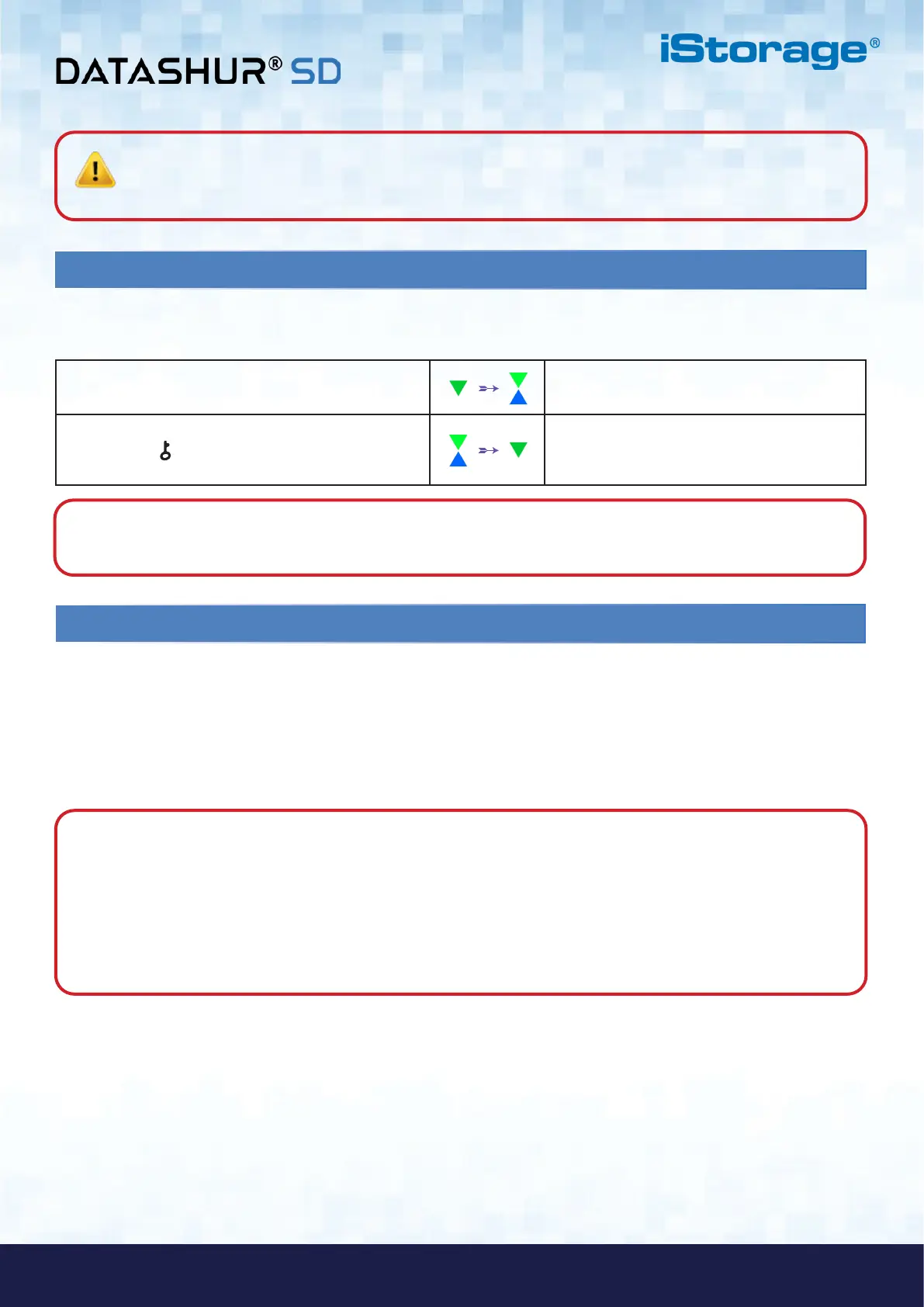
1. In User Mode, press and hold down “7 + 9”
buttons.
Solid GREEN LED will change to blinking
GREEN and BLUE LEDs
2. Press KEY ( ) button
GREEN and BLUE LEDs will change to a solid
GREEN LED indicating the drive is configured
as Read/Write
Note: 1. If a User set the drive as Read-Only, Admin can override this by setting the drive as Read/Write in
Admin Mode.
2. If Admin set the drive as Read-Only, the User cannot set the drive as Read/Write.
32. Brute Force Hack Defence Mechanism
The datAshur SD incorporates a defence mechanism to protect the drive against a Brute Force attack. By default, the brute
force limitation for Admin PIN and User PIN is set to 10, for the Recovery PIN is 5. Three independent brute force coun-
ters are used to record the incorrect attempts for each PIN authorisation. If user enters an incorrect Admin PIN ten
consecutive times, (broken down into 5,3,2, clusters as described below) the drive will be reset and all data will be lost
forever. If user enters incorrect Recovery PIN or User PIN and exceed the respective brute force limitation, the corresponding
PINs will be cleared but the data will still exist on the drive.
Note: The brute force limitation is programmed to initial values when the drive is completely reset or self-destruct
feature is activated. If Admin changes the User PIN, or a new User PIN is set when activating recovery feature, the User
PIN brute force counter is cleared but the brute force limitation is not affected. If Admin changes the Recovery PIN, the
Recovery PIN brute force counter is cleared.
Successfully authorisation of a certain PIN will clear the brute force counter for that particular PIN, but not affect the
other PINs brute force counter. Failed authorisation of a certain PIN will increase the brute force counter for that
particular PIN, but not affect the other PINs brute force counter.
• If a user enters an incorrect User PIN 10 consecutive times, the User PIN will be deleted but the data, Admin PIN and
Recovery PIN remain intact and accessible.
• If an incorrect Recovery PIN is entered 5 consecutive times, the Recovery PIN is deleted but the data and Admin PIN
remain intact and accessible.
• The Admin PIN uses a more sophisticated defence mechanism in comparison to the User and Recovery PINs. After 5
consecutive incorrect Admin PIN entries, the drive will lock and the RED, GREEN and BLUE LEDs will light up
solid. At this point the following steps need to be taken in order to allow the User a further 3 PIN entries.















 To Next Page