#5
www.istorage-uk.com
iStorage datAshur SD
®
User Manual v1.0.8
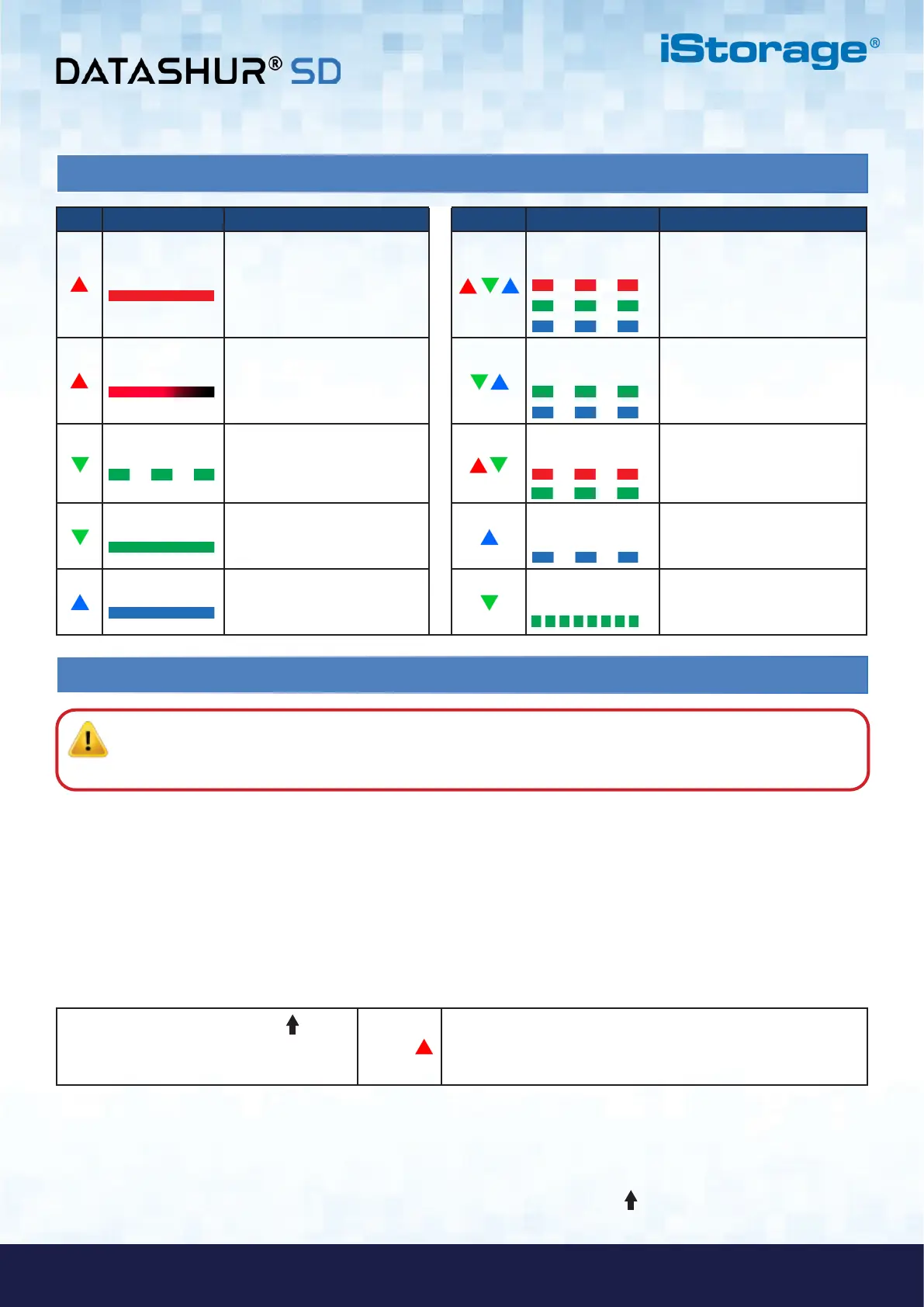
1. LED indicators and their actions
2. Battery and LED States
To wake from Idle State
Idle State is defined as when datAshur SD is not being used and all LEDs are off.
To wake datAshur SD from the Idle State do the following.
Press and hold down the SHIFT ( )
button for one second or connect the device
to a powered USB port
RED LED lights on indicating the device is in Standby State
Note: The normal function of the datAshur SD may be disturbed by strong Electro-Magnetic Interference. If
so, simply power cycle the product (power off then power on) to resume normal operation. If normal operation
does not resume, please use the product in a different location.
The datAshur SD incorporates voltage detection circuitry that monitors the battery output when the device is powered on.
When battery output drops to 3.3V or below, the RED LED flashes three times and fades out. At this point, the User should
connect the datAshur SD to a powered USB port and charge for 20-30 minutes. Once recharged, the datAshur SD will resume
normal function.
Low Battery Sensor
To enter Idle State
To force datAshur SD to enter Idle State, execute either of the following operations:
• If the device is connected to a USB port, disconnect it.
• If the device is not connected to a USB port, press and hold down the SHIFT ( ) button for a second until the LED
turns solid RED and fades out to the Idle State (off).
LED LED State Description LED LED State Description
RED Solid
Locked device (in either
Standby or Reset states)
RED, GREEN and
BLUE Blinking
Waiting for User PIN entry
RED - Fade Out Device Turning off to the
Idle State
GREEN and BLUE
Blinking together
Waiting for Admin PIN entry
GREEN Blinking Unlocked device as Admin
(not connected to USB port)
RED and GREEN
Blinking together
Waiting for Recovery PIN entry
GREEN Solid
Unlocked device as User
(not connected to USB port) or
device in User Mode
BLUE blinking every
5 seconds
Battery starts charging after 30
seconds when device is locked
and connected to a USB port
BLUE Solid
Device in Admin Mode
Rapidly Blinking
GREEN Data transfer in progress















 To Next Page