Digital Network Public Address & Voice Alarm System
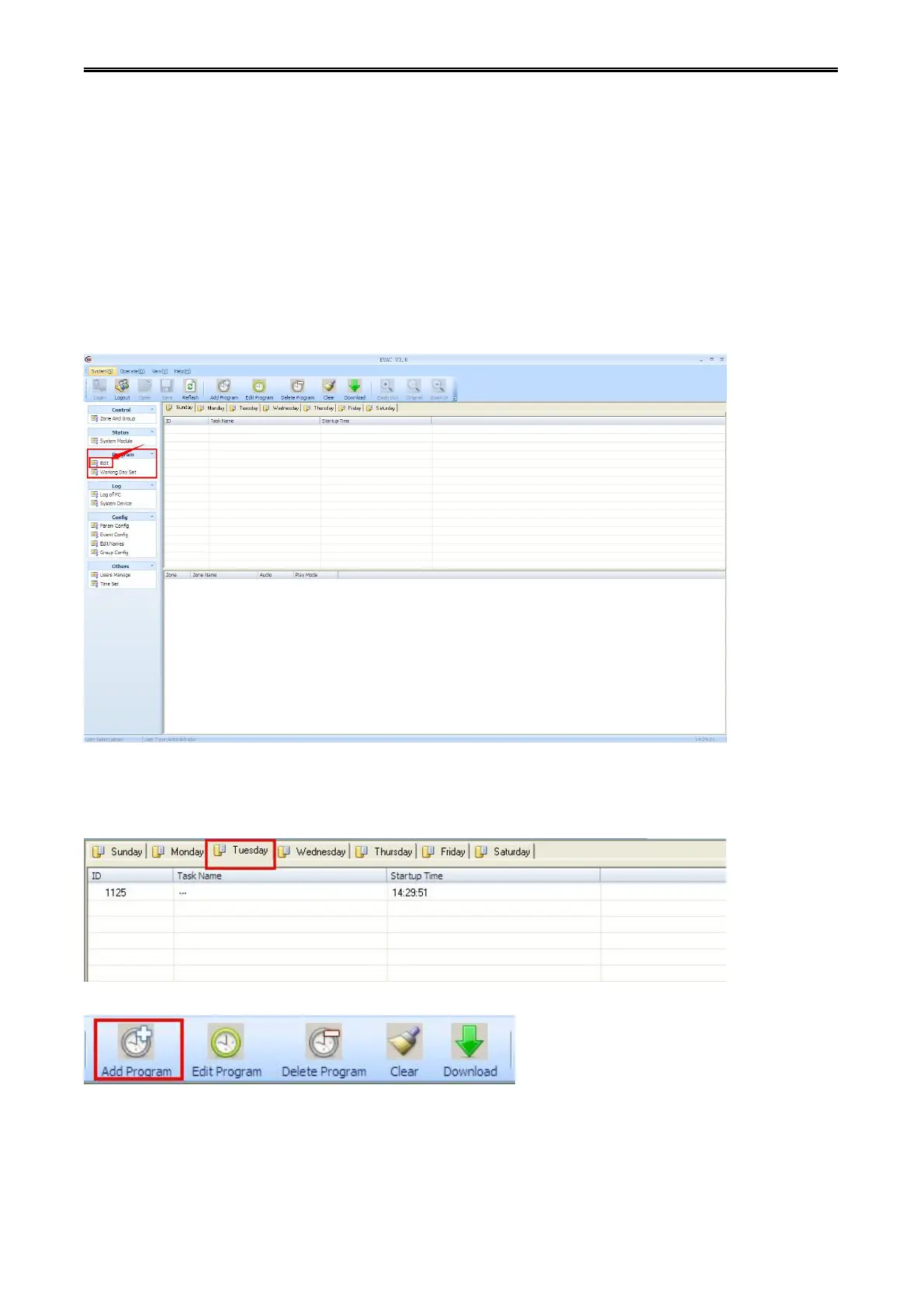
Click the "edit", which is under "program" of the "function list", "timing edit "information box will be
displayed in "work information area".
The main functions of the editor:
It can remove or read timing programs on host.
It can add, edit, modify, delete timing programs on host.
Download timing task to the specified working day, then host will run the program on time which has
compiled.
Step 1: In the interface list information box of "timing program edit ", select the week needed to edit.
Step 2: click "add program" button in "toolbar", it will pop-up "add task" information dialog box.



 To Next Page