Digital Network Public Address & Voice Alarm System
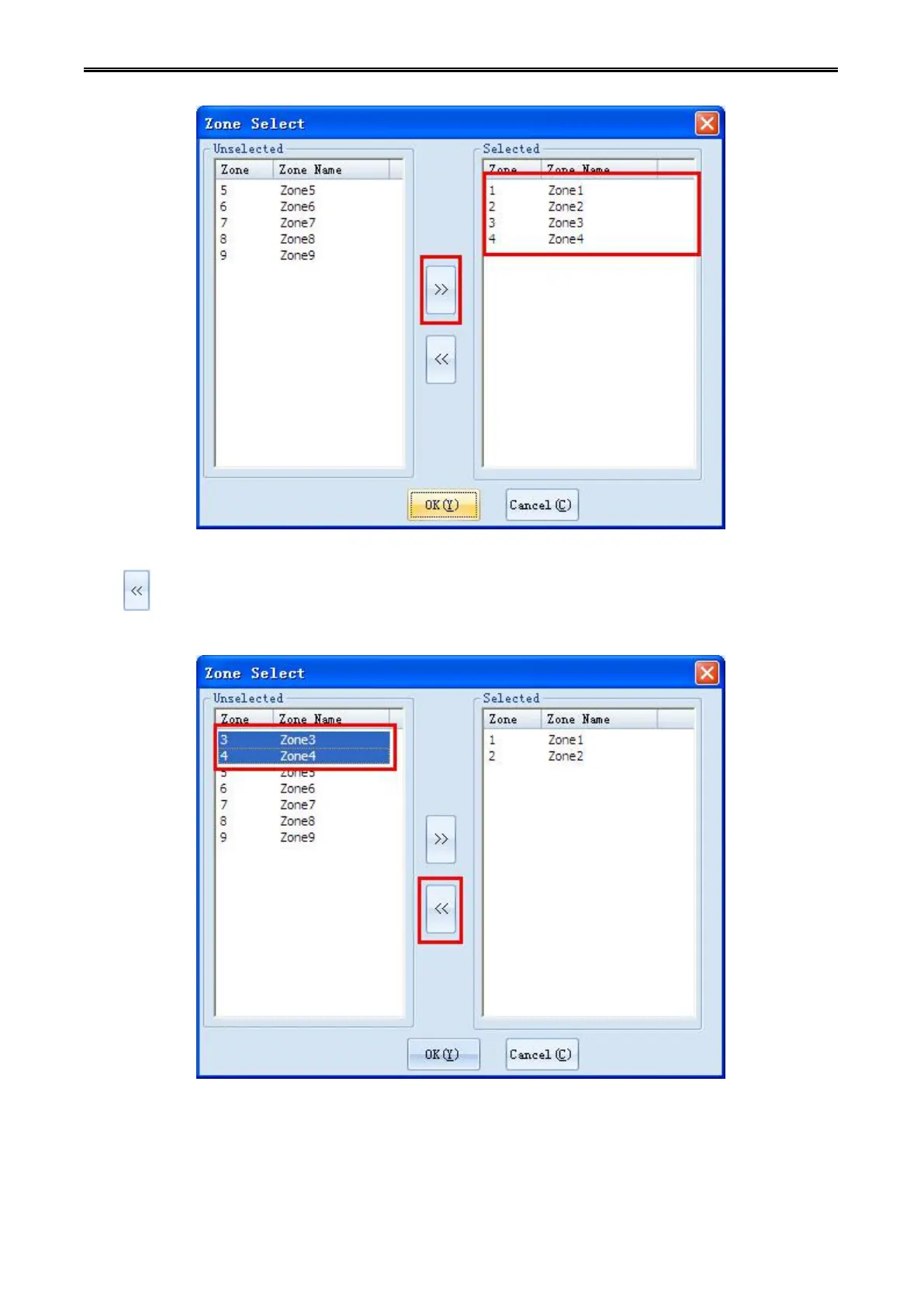
If you want to amend the selected partition, you can select the partition in selected partitions list, then
click to cancel the selection to this partition , the partition is canceled will re-appear in the "not
selected partition" box.
Step 10: Click [OK] button in the "Partition" Info box, then audio edit will be done. Selected partition will
also appear in the audio edit box. (Other operation of audio sources is similar)



 To Next Page