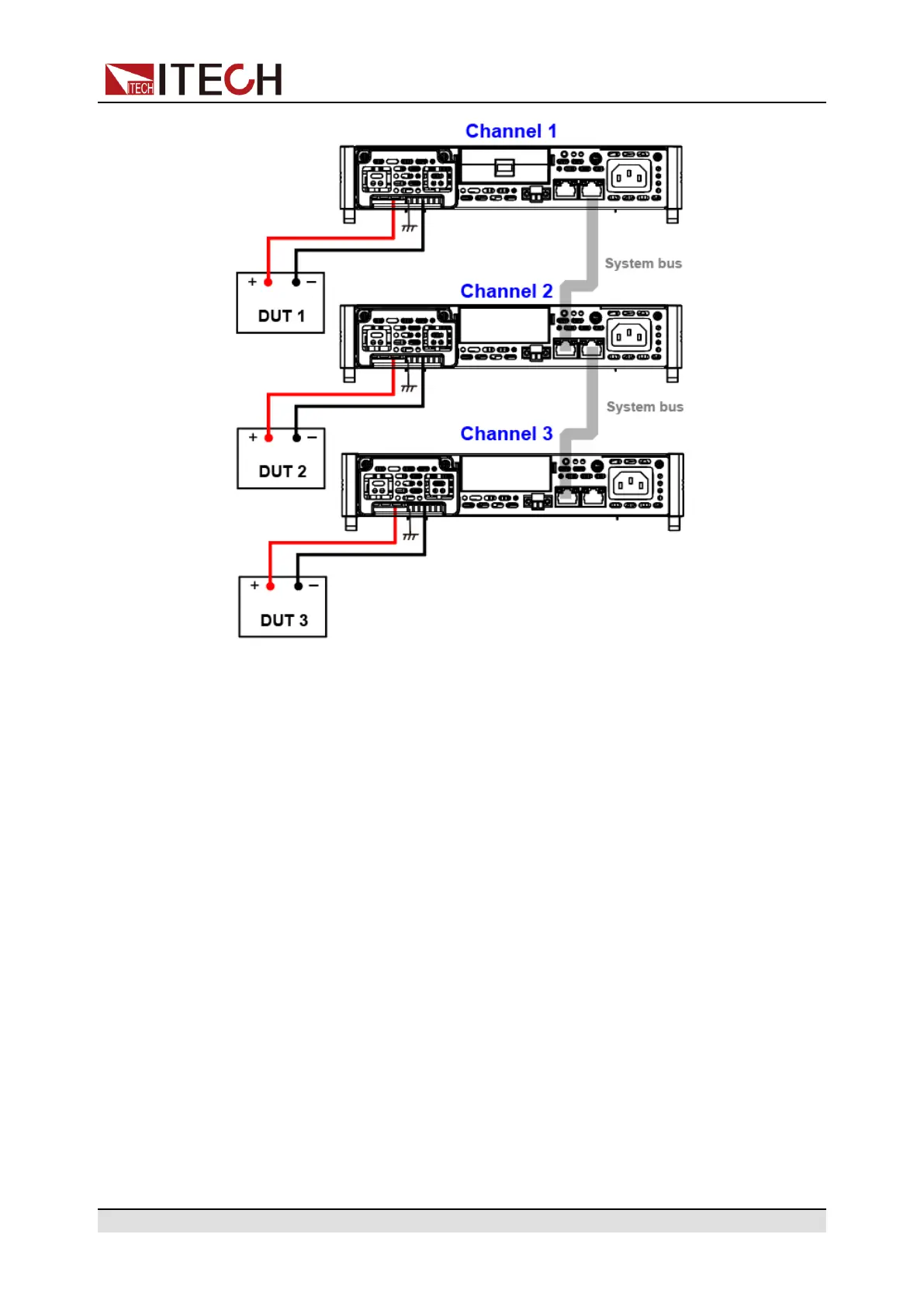
Multi-Machine Operation
1. Configure the channel number of each instrument. Please refer to 8.1 Multi-
Channel Function for detailed introduction.
2. Connect the instruments according to the above diagram.
a. Connect system bus interfaces.
b. Connect the DUTs. Refer to 2.5 Connecting the Device Under Test
(DUT) for more information about connection methods.
3. Turn on the Link switch of each instrument in turns.
a. Press [Shift]+[P-set] (System) to enter into the system menu interface.
b. Use left and right keys or rotate the knob to select Link and press
[Enter] key to make the parameter in modification.
c. Rotate the knob to set Status and press [Enter] key to confirm.
• Online: indicates the instrument is in the synchronized relationship.
• Offline: indicates the instrument is not in the synchronized
relationship.
d. Rotate the knob to set Mode and press [Enter] key to confirm.
Copyright © Itech Electronic Co., Ltd.
87


 To Next Page