23
S
ECTION
17:
N
OTIFY
BY
E
XCEPTION
The Notify by Exception feature allows programmed
pagerholders and/or the central station to be notified
when arming or disarming occurs outside of specified
time schedules.
Here are two specific examples of how the Notify by
Exception feature might be used in a business setting:
• Every morning you’d like to be notified if your business
is disarmed after its normal opening time.
• Every evening you’d like to be notified if your business
is armed before its normal closing time.
Page In the Event of . . .
You can set up the Notify by Exception feature to page in
the following instances:
• Send a page if the system is disarmed before the Open-
ing time schedule begins or after the Opening time
schedule has ended. (Exception Opening)
• Send a page if the system is armed before the Closing
time schedule begins or after the Closing time schedule
has ended. (Exception Closing)
Who Will Be Paged?
Your system can call up to 5 different pager numbers to
report an Open Exception and/or Closed Exception. You
can request that the central station receive these two
reports as well.
Refer to “Appendix A: User Sheets” on page 37 to see
which pagers have been set up to receive a page for this
feature. Contact the installer if you would like to turn the
Notify by Exception feature on or off for any programmed
pager or the central station.
Who Can Send a Page?
All user codes and keychain touchpads will send a page if
used while Notify by Exception feature is in effect.
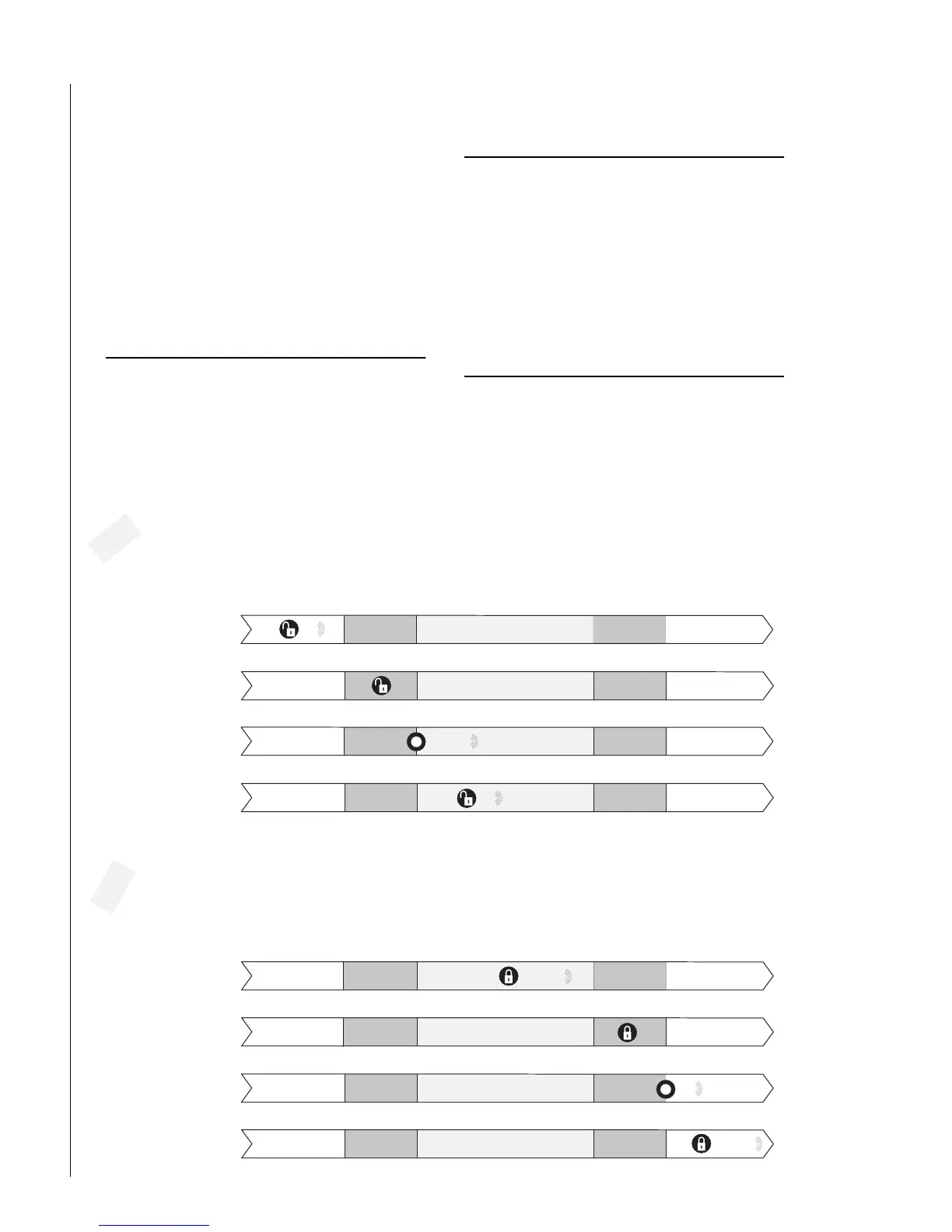
6:00 8:00 5:00 7:00
111
If d is a rm e d b e fo re th e
opening tim e schedule,
a page is sent.
E x c e p tio n O p e n in g S c h e d u le
If disarm ed during
the opening tim e schedule,
no page is sent.
E x c e p tio n C lo s in g S c h e d u le
Exception O pening pages occur if the system is disarm ed
e a rlie r o r la te r th a n th e o p e n in g tim e sc h e d u le .
Exception O pening Pages
in a Typical Setup
If the system is not disarm ed
at all, a page is sent at the
end of the opening tim e.
1
222 or 333
If d isa rm e d a fte r th e
opening tim e schedule has
ended, a page is sent.
111
6:00 8:00 5:00 7:00
222 or 333
If a rm e d b e fo re th e
c lo s in g tim e s c h e d u le ,
a page is sent.
E x c e p tio n O p e n in g S c h e d u le
E x c e p tio n C lo s in g S c h e d u le
If a rm e d d u rin g th e
c lo s in g tim e s c h e d u le ,
no page is sent.
If arm ed after the closing
tim e sch e d u le h as
ended, a page is sent.
Exception C losing Pages
in a Typical Setup
E x c e p tio n C lo s in g p a g e s o c c u r if th e s y s te m is a rm e d
e a rlie r o r la te r th a n th e c lo sin g tim e sc h e d u le .
222 or 333
If the system is not arm ed
at all, a page is sent at the end
of the closing tim e schedule.
111



 To Next Page