1
S
ECTION
1:
G
ETTING
TO
K
NOW
Y
OUR
S
ECURITY
S
YSTEM
This security system is designed to protect your
family and property, whether you are on the
premises or away.
This manual describes how to operate your system. It
describes basic arming and disarming commands as well
programming instructions for system features.
The dealer or installer may have already discussed with
you many details concerning your system. Specific setup
information is included in the “Appendix A: User Sheets”
on page 33.
Overview
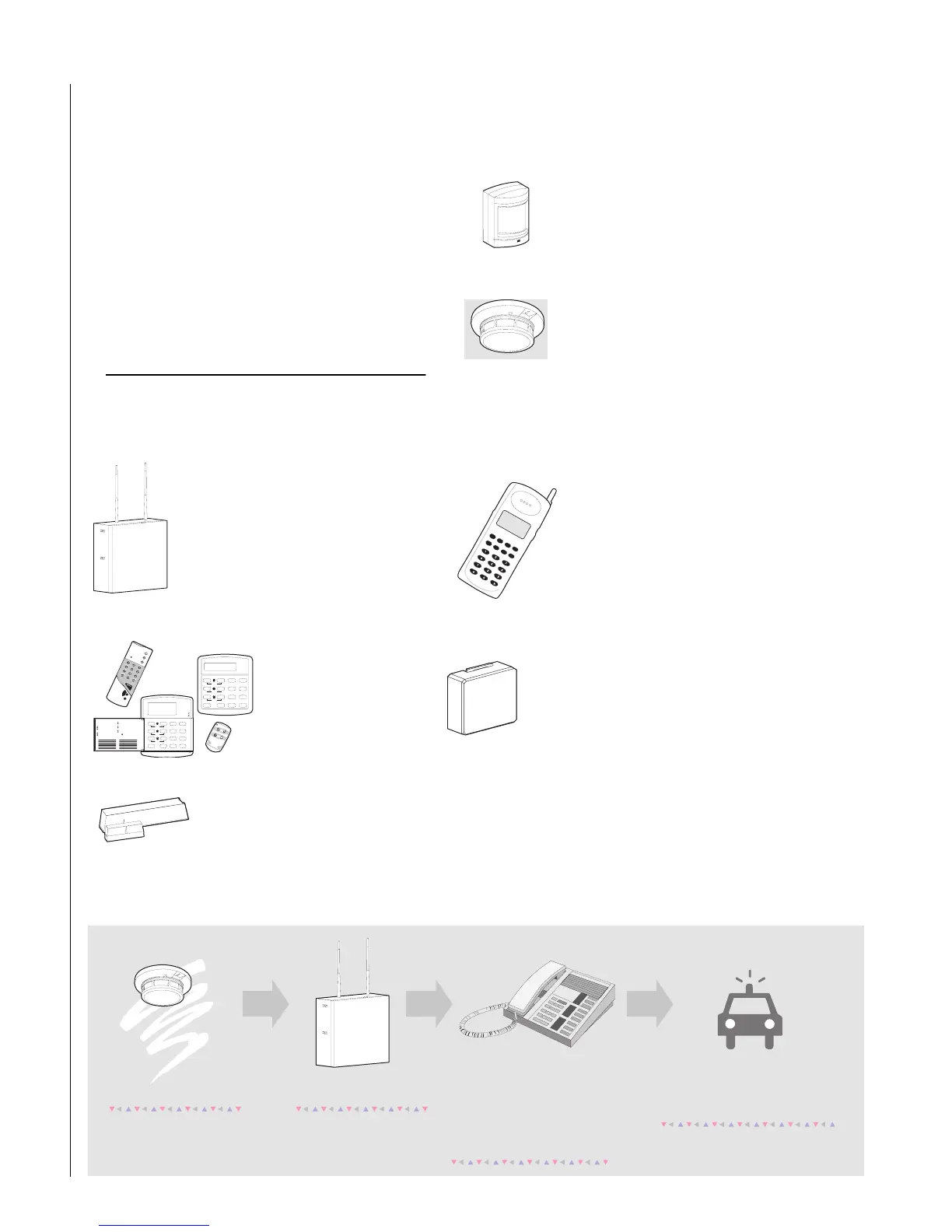
Your security system is comprised of different compo-
nents. Each component plays a special role in system
operation:
The panel is at the heart of your system.
It stores the intelligence to monitor all
the sensors and devices in the system.
The panel is the piece of equipment that
initiates a call to the central station in an
alarm situation. The panel circuitry is
enclosed in a steel cabinet and is
installed out of the way of household or
workplace traffic.
Touchpads allow you to
communicate with your
panel. You’ll use a touch-
pad to arm, disarm, and
program your
system.
Door and window sensors protect
the perimeter of your home by
alerting the panel when a door or
window is opened.
Motion detectors in hallways or
individual rooms detect a person
moving across the field of detec-
tion.
Environmental sensors such as
smoke and heat detectors remain
alert for the presence of fire or car-
bon monoxide 24 hours a day.
Your system may contain a Phone
Interface and Voice Module that
allows you to use a Touchtone
phone located on- or off-site as a
touchpad. The module also makes
it possible to get voice feedback
from speakers, guiding and inform-
ing with spoken prompts and sys-
tem status reports.
Your system may contain an optional Energy
Saving Module which helps you save
money by allowing your system to monitor
and control the temperature of your home
or business. The module can also be pro-
grammed to alert the central station in the
event of furnace or AC failure.
Status
Features
press both
Lights
System
Away
Pager
Off
No Delay
press both
press both
Test System W eekly
Silent
Stay
D
*
7
0#
8
B
A
4
1
56
2
3
Bypass
Menu
C
9
Pro g r am U s er Se ttin g s
press 0 - 9 for other entries.
Press 1 for O FF ; press 2 for O N ;
Press # to select option o r accept en try.
06
07
05
04
13
14
12
11
Arm to STAY
Q uick Guide
Disarm System/Cancel Alarm
if desired.
2
01
02
03
3
1
08
09
10
Press to d eselect option or cancel entry.
Close all protected doors and windows.
Press 3 + C O D E .
Exit prem ises through d elay door.
2
3
1
Press 2 + C O D E .
Close all protected doors and windows.
Press 4 to arm delay doo rs instantly,
Arm to AWAY
Zone/Sensor Number
Press 1 + C O D E .
2
1
Press A o r B to scroll through m en us.
M ak e s ure syste m is disarm ed.
2
1
Press 7 + 1 to turn C H IM E on o r off.
M ak e s ure syste m is disarm ed.
2
1
Turn CH IM E O n/O ff
Press BY P A SS + C O D E + S en sor N o .
Arm system to desired level.
Bypass Sensors
System is OK
Status
Features
press both
Lights
System
Away
Pager
Off
No Delay
press both
press both
Test System W eekly
Silent
Stay
D
*
7
0#
8
B
A
4
1
5
6
23
Bypass
M enu
C
9
Arm ed
Ready
A se n s o r is a c tiv a te d .
The sensor alerts the
panel immediately.
The panel activates sirens. If the
sy ste m is m o n ito re d , th e p a n e l
calls the central m onitoring station.
The central m onitoring station
operator reports the alarm to
the police or fire departm ent.
T h is d e c isio n is b ase d o n system
program m ing and the current
a rm in g le v e l.
H o w yo u r secu rity system w o rks



 To Next Page