RETURN
SPEED
PRESS
1: 0 m/min
2: 0 m/min
3: 0 m/min
4: 0 m/min
PRESSURE SETTINGS OUTPUT 2
110
18%
150
27%
200
36%
250
45%
300
54%
350
63%
SPEED
PRESS
400
72%
450
81%
500
90%
550
99%
600
100%
OUTPUT
PURGE PRESSURE 70%
123
0
0%
80%
8
OUTPUT
RETURN
C1:
C2:
C3:
C4:
C5:
C6:
C7:
C8:
PATTERN
PRESSURE
SYSTEM COMP.
1: 0 m/min
PRESS1: 0%
PRESS2: 0%
PRESS3: 0%
PRESS4: 0% PROGRAM.:
1
2: 0 m/min
3: 0 m/min
4: 0 m/min
Manual #50-14 Revised 8/08
Page 4-- 47
C. 1998
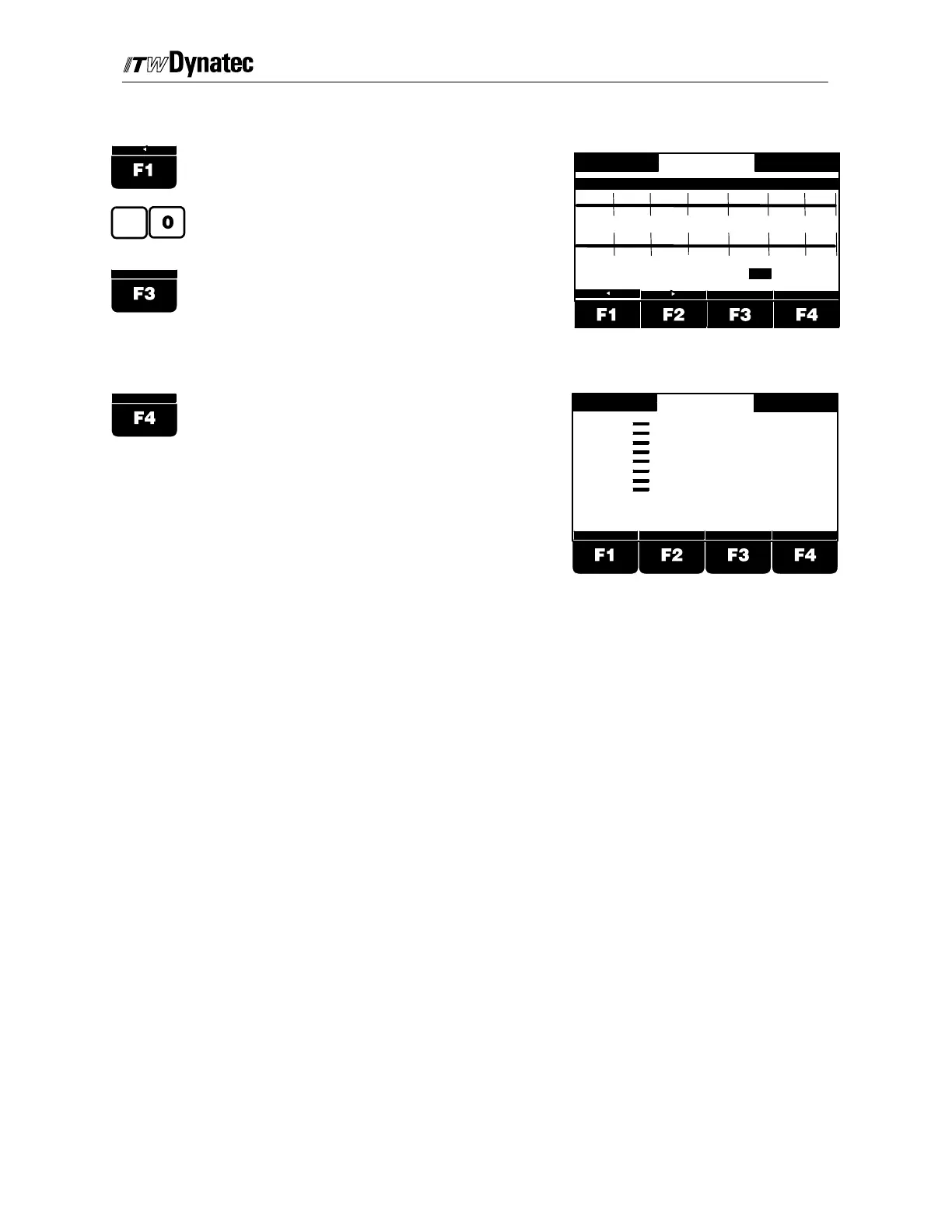
Purge Pressure Adjustment (12-Point Curve)
Press button F1 or F2 until the Purge
Pressure value is highlighted.
Use the numeric keys to enter the pressure
for manual gluing, e.g. 80%.
Select the next pressure output using the F3
button.
Procede with addtional adjustment in the
same way.
Press F4 to return to previous menu.



 To Next Page