DP400 Motherboard
○○○○○○○○○○○○○○○○○○○○○○○○○○○○○○○○○○○○○○○○○○○○○○○○○○
User’s Manual
5•18
○○○○○○○○○○○○○○○○○○○○○○○○○○○○○○○○○○○○○○○○○○○○○○○○○○
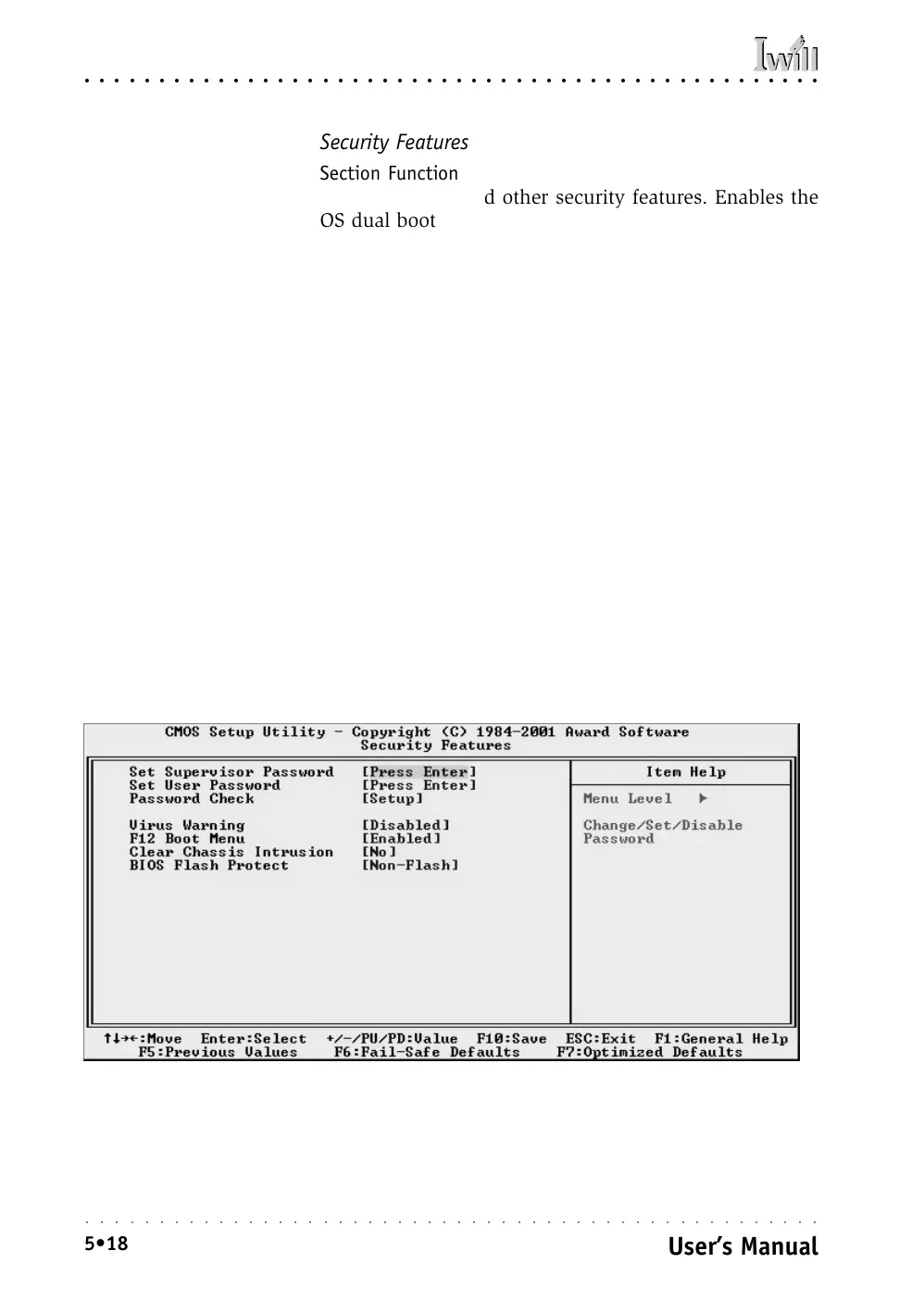
Security Features
Section Function
Sets passwords and other security features. Enables the
OS dual boot menu.
Default & Autodetected Settings
All the selection items on this screen are optimized de-
faults. Passwords must be entered by the User. See the
“Using System Features” section in Chapter 6 for instruc-
tions on how to set and use passwords.
Setting Options & Constraints
“Virus Warning” checks the boot sector of the first hard disk
and warns when it is rewritten. You can enable this feature.
“F12 Boot Menu” displays an OS selection menu at boot up.
If there is only one OS, it does not appear.
“Clear Chassis Intrusion” controls whether or not to clear an
intrusion message the next time the computer boots up. A
system housing intrusion message appears on screen at boot-
up when an intrusion has occurred.
“BIOS Flash Protect” controls Flash ROM protection from the
BIOS. Don’t change the setting to Flashable unless you need
to update the system BIOS.
CMOS Setup Utility – Security Features



 To Next Page