6: Using The Motherboard
○○○○○○○○○○○○○○○○○○○○○○○○○○○○○○○○○○○○○○○○○○○○○○○○○○
User’s Manual
6•11
○○○○○○○○○○○○○○○○○○○○○○○○○○○○○○○○○○○○○○○○○○○○○○○○○○
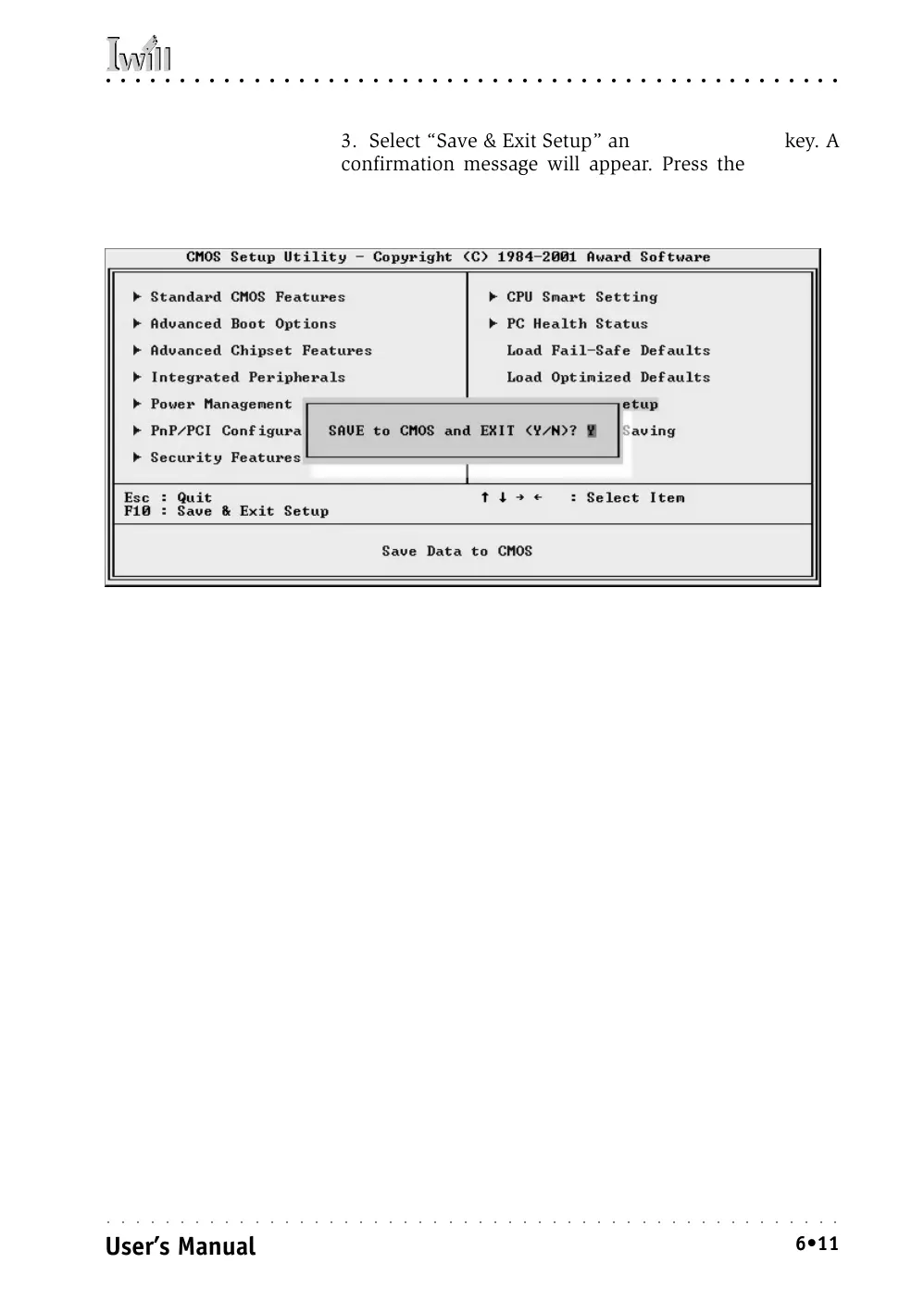
3. Select “Save & Exit Setup” and press the Enter key. A
confirmation message will appear. Press the Enter key
again to confirm.
The CMOS Setup Utility will close and the system will
reboot. The system should then start properly and run
normally.



 To Next Page