Getting Started XT2 User Manual
Janam Technologies LLC Version 3, April 2017 Getting Started 2—7
Screen Rotation
T
he XT2 was designed to be used in portrait (vertical) orientation. Many screens and apps, however,
can also be used in landscape (horizontal) orientation. By default, the XT2’s internal sensors will
automatically present a vertical or horizontal view in sync with the physical orientation of the device.
If automatic orientation is not desirable, the screen can be locked in its current orientation in Settings.
Lock Screen
When turned on, the XT2 first displays the Android lock screen. The
lock screen shows the current time and date. If the XT2 is secured, it
may also display an access prompt. The lock screen can be personalized
by changing its color, picture, and sounds. It may also provide a quick
status of selected apps (such as calls, messages, emails, etc.).
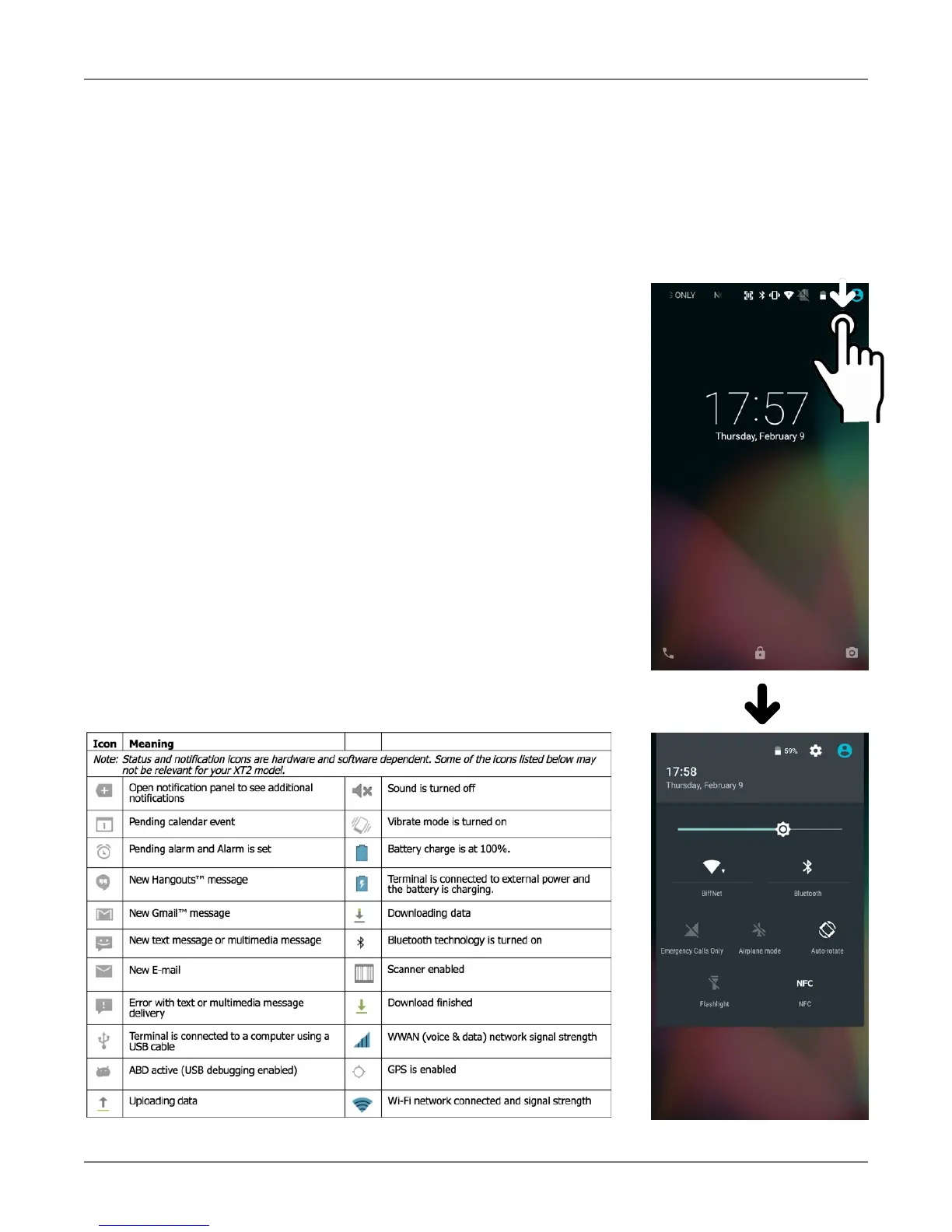
Along the top of the lock screen is a status bar with small icons that
display information about various functions. Examples include WiFi and
Bluetooth, cellular signal, the presence of notifications, SIM card,
battery charge, airplane mode, the current time and more. Some
function icons are static and indicate the presence of something (like
airplane mode). Other icons provide information on a function (like the
cellular or WiFi signal strength, battery charge, or type of data service).
Below is a sample of the icons that may appear in the status bar of the
lock screen, as well as what the icons indicate. Note that swiping down
from the top of the lock screen reveals a screen with tiles that provide
one-tap access to various important functions. Examples are airplane
mode on/off, camera on/off, brightness settings, flashlight on/off, etc.



 To Next Page