Getting Started XT2 User Manual
Janam Technologies LLC Version 3, April 2017 Getting Started 2—9
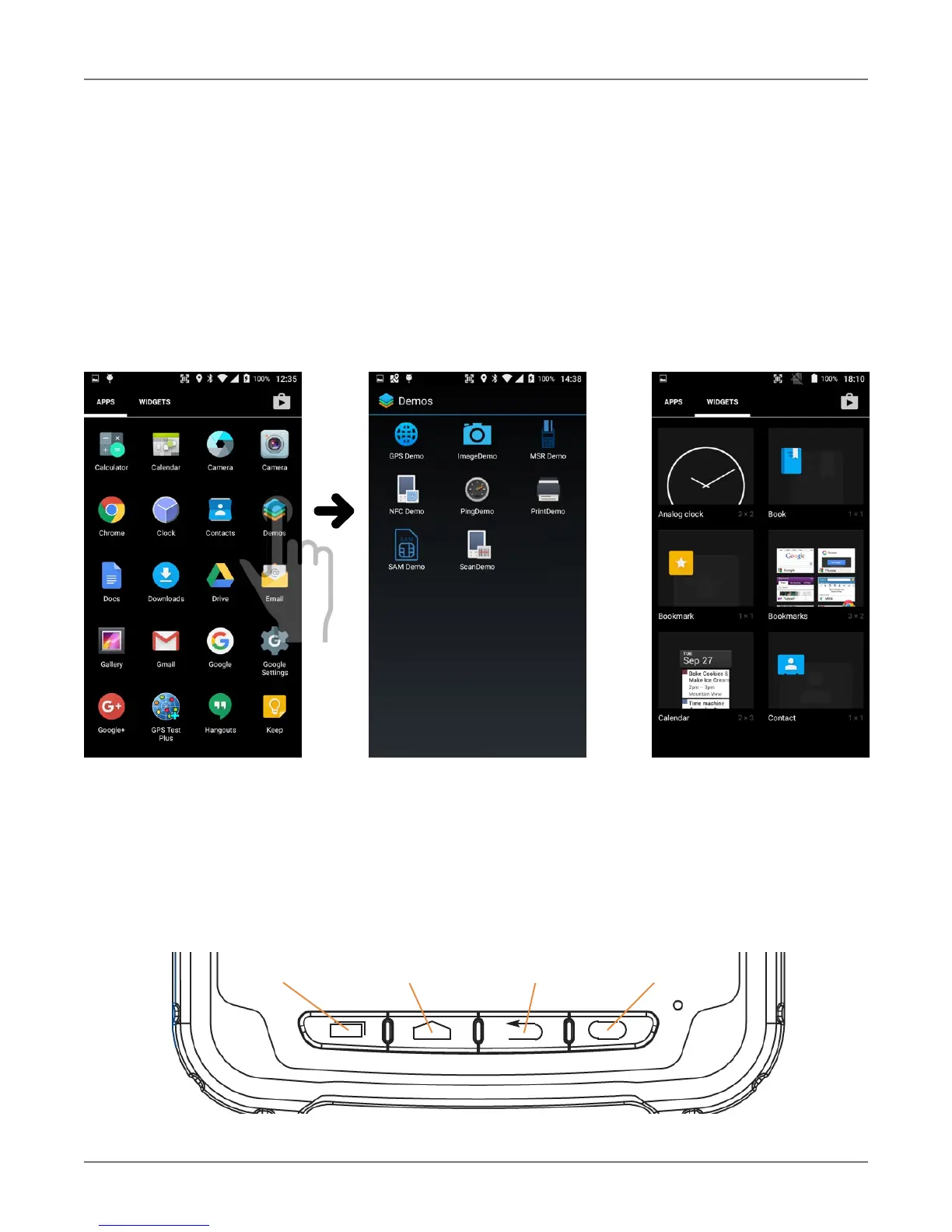
App Screen
While the Android home screen serves as the XT2’s “dashboard” that provides status, information,
a
nd quick access to all the most important functions of the device, the
a
pps screen
p
rovides an
alphabetically listed grid of all applications installed on the device. Tap on the apps button on the
home screen to get to the app screen. From the apps screen, press the physical Home key below
the XT2’s display to get back to the home screen.
To launch an application from the app screen, tap on it. If you have a lot of apps, swipe to move
between apps screens. To get to your widgets library, tap on WIDGETS underneath the status bar.
Function Keys
The Janam XT2 has four physical, metallic function keys with white labels located along the bottom
of the display. Depressing these keys, from left to right, brings up 1) recent apps, 2) the start
screen, 3) executes a back/esc (to get back to the prior screen, close a dialogue box, etc.), and 4)
a programmable function.
Recent App Start/Home Back/Esc Programmable



 To Next Page