Getting Started XT2 User Manual
Janam Technologies LLC Version 3, April 2017 Getting Started 2—8
The Home Screen
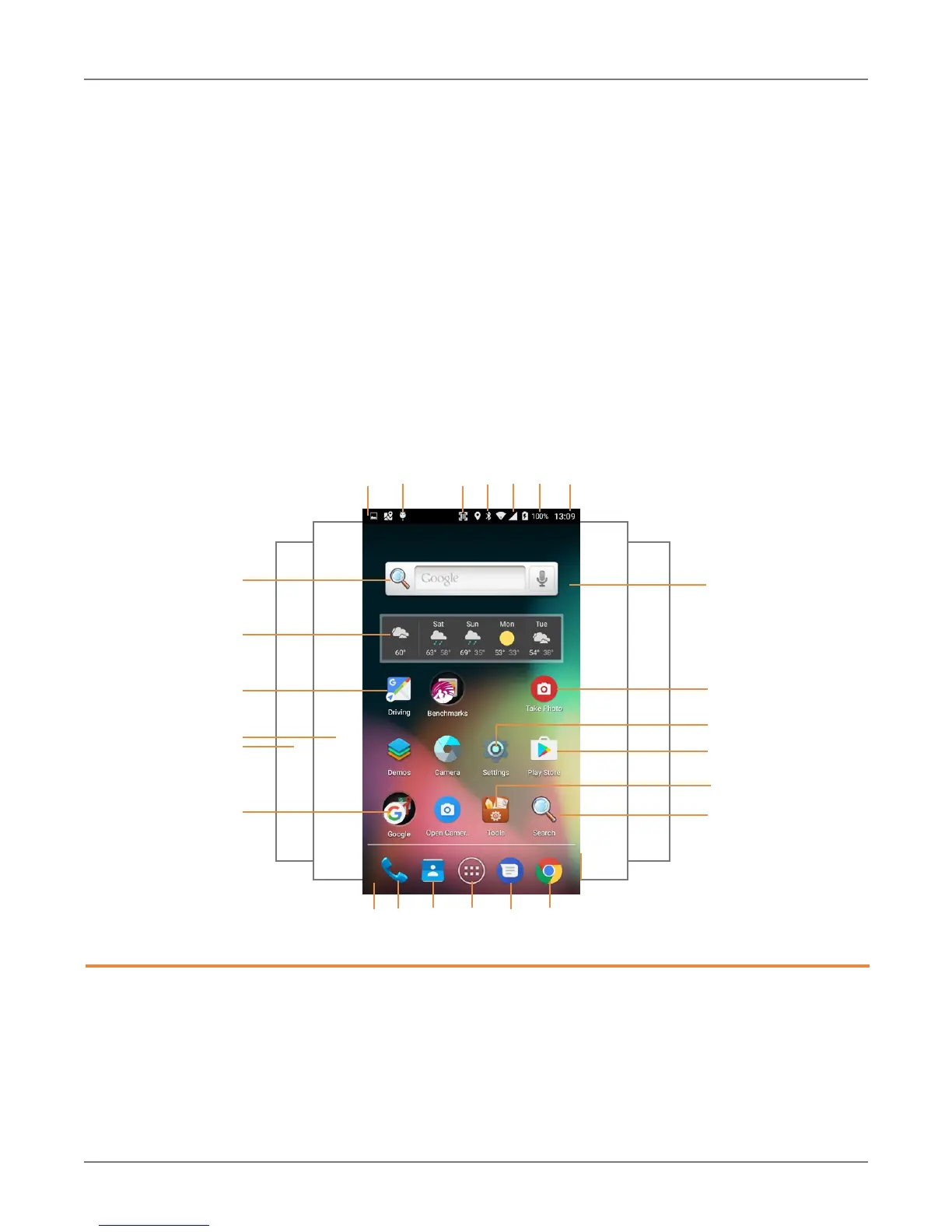
In Android, the home screen is the central launchpad for all of the XT2’s most often used features
a
nd applications. The home screen can consist of multiple screens (on the XT2 there are two additional
screens to the left of the home screen and two to the right).
The home screen contains the status bar on top of the screen and the favorites tray at the bottom.
The status bar displays various information icons. Swipe down to expand it and show more detail.
The favorites tray has the apps screen button in the center, flanked by two (changeable) favorites on
each side.
Between the status bar and the favorites tray are apps icons (which can also be folders containing
multiple apps) and widgets. Tapping on apps icons launches the app. Widgets perform functions,
like showing the time, weather, news, or act as shortcuts.
2
1. Status bar
2. Indicates USB debugging enabled
3. Indicates scanning enabled
4. Indicates Bluetooth enabled
5. Indicates cell signal strength
6. Indicates battery charge level
7. Indicates time
8. Favorites tray
3 4 5 71
8 9
6
9. Favorite app: phone
10. Favorite app: contacts
11. Application screen button
12. Favorite app: messaging
13. Favorite app: Chrome browser
14. Search bar widget
15. Go to Navigation widget
16. Weather widget
17. Two more apps and widget pages
18. Open Google apps folder
19. Exchangeable wallpaper
20. Take photo widget
21. Launches Settings
22. Launches Google Play Store
23. Opens Tools folder
24. Opens Search



 To Next Page