User Applications XT2 User Manual
Janam Technologies LLC Version 3, April 2017 User Applications 12—2
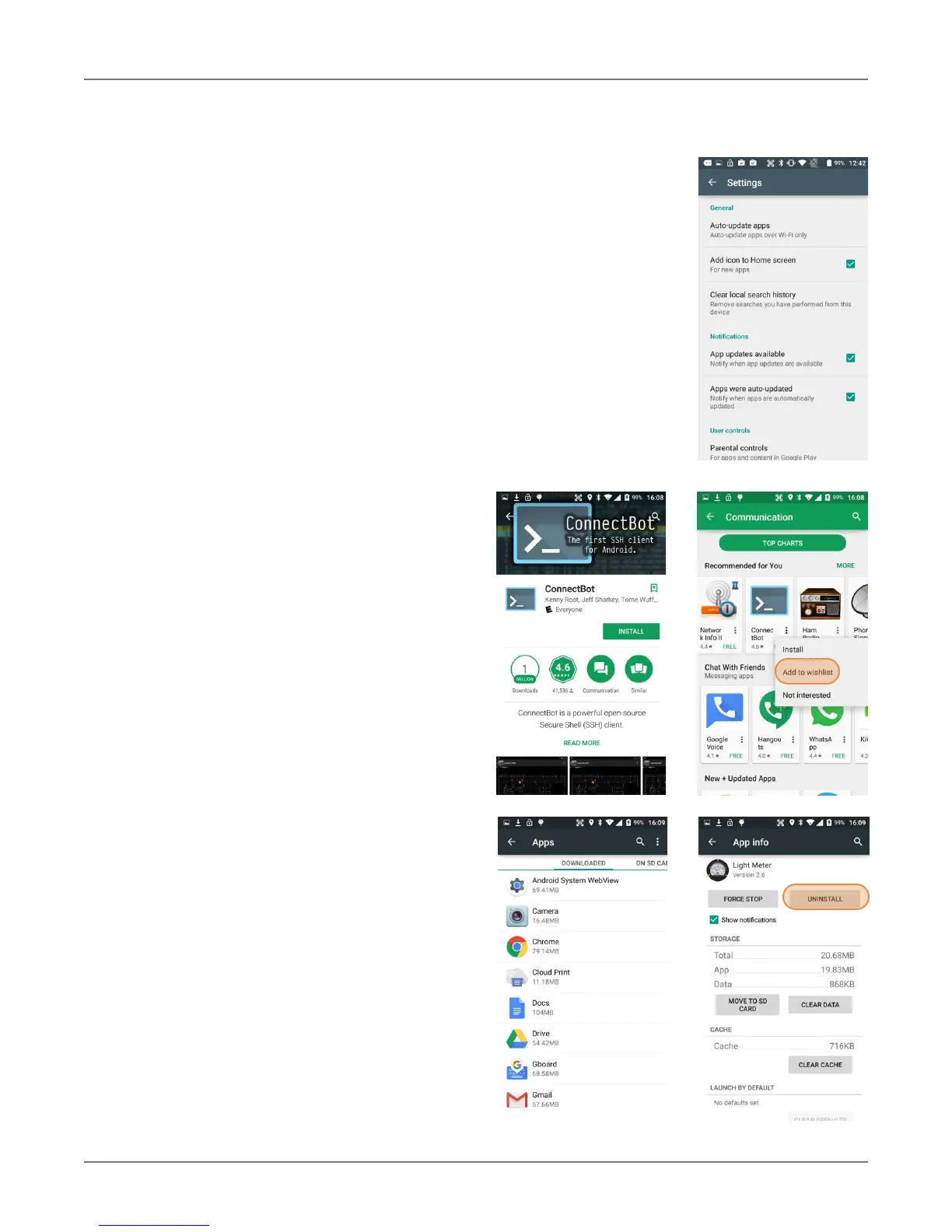
Google Play Store Settings
General
Y
ou toggle auto-update apps on/off, or
only allow auto-update over Wi-Fi. You
can opt to have new apps put an icon on
the home screen. You can clear searches
of the app store.
Notifications
You can request notifications when an app
update becomes available, and when apps
were auto-updated.
User Controls
You can set the authentication rules for
purchases.
Uninstalling Apps
Android apps can be uninstalled by going
to Settings > Apps, then tap on the app
to be uninstalled.
Access and User Restrictions
Note that there are also developer set-
tings and applications that allow control of
what apps are available to users.
Android devices can be configured to run
in “kiosk mode” with just a single applica-
tion that is always active. This way, sys-
tems integrators or IT personnel can
configure units for specific use and appli-
cations, eliminating the temptation that
comes with a full load of consumer apps.



 To Next Page