Camera XT2 User Manual
Janam Technologies LLC Version 3, April 2017 Camera 6—3
Camera Settings
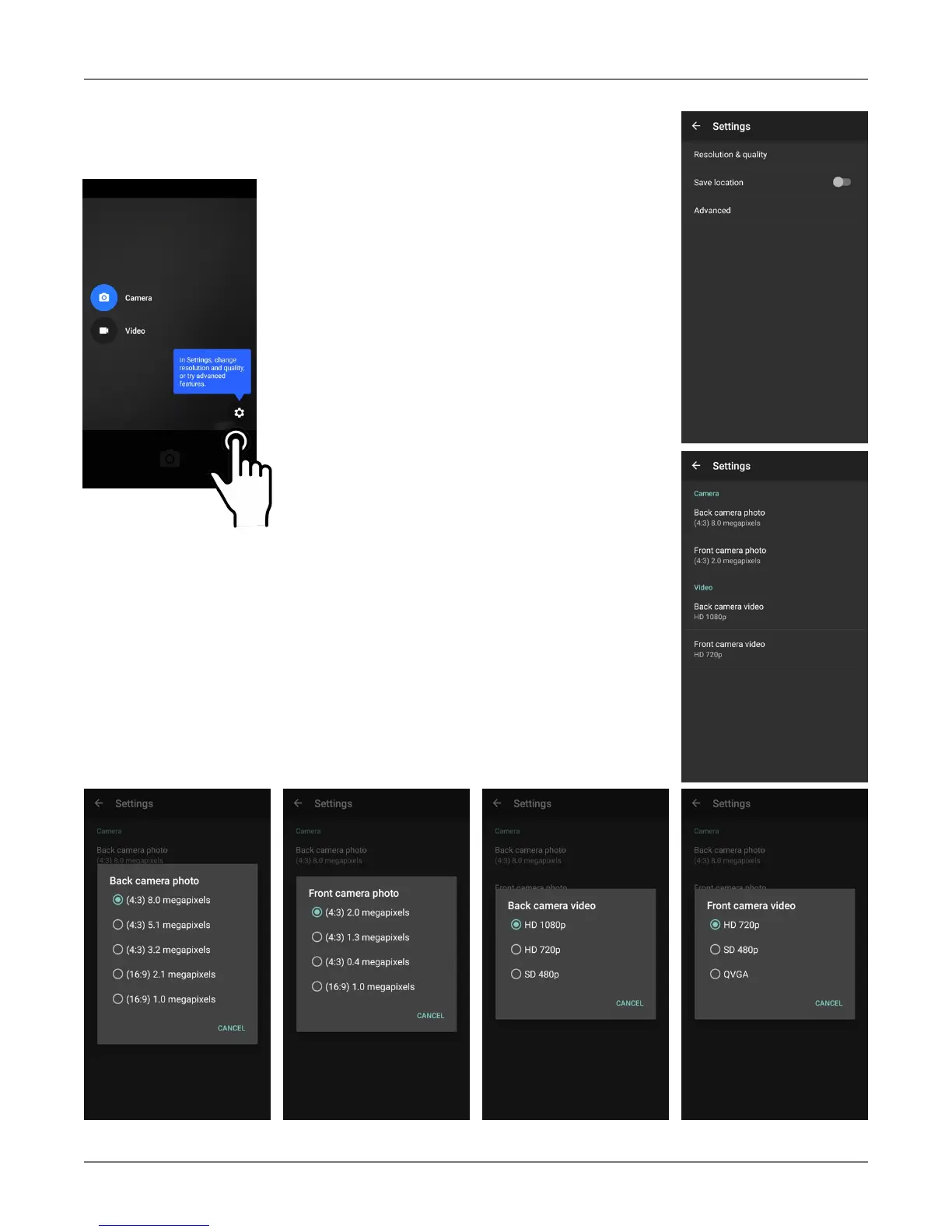
When using the Camera app, swipe right
anywhere on the screen to bring up the
camera/video selection and the Settings button.
Setting camera resolution
Image and video can be set separately for the
front and rear cameras. The higher resolutions
use the 4:3 aspect ratio, the lower ones use the
16:9 aspect ratio.
Advanced settings
Advanced settings allows toggling manual
exposure on and off. This enables setting
exposure compensation between -2.0 and +2.0
in 0.5 increments.



 To Next Page