XT2 Setup XT2 User Manual
Janam Technologies LLC Version 3, April 2017 XT2 Setup 3—9
Device Settings (continued)
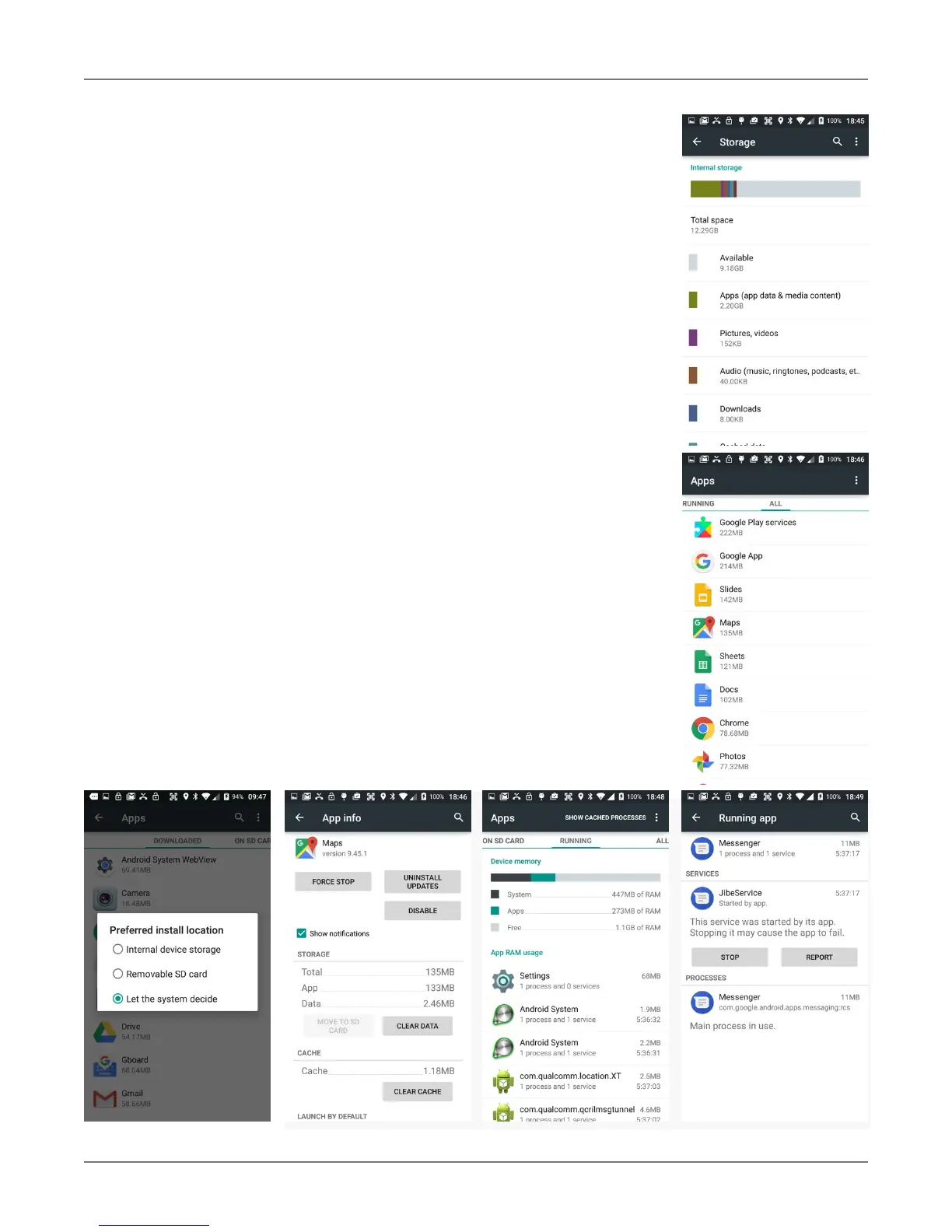
Storage
Touch Storage from the Settings screen to view use and space sta-
tistics for the internal storage on the terminal and the installed SD
c
ard.
Apps
Touch Apps from the Settings screen to view, and evaluate how
applications installed on the terminal utilize memory and storage re-
sources.
The App info screen contains detailed statistics on an app including
the amount of storage or cache utilized, default launch settings, and
access permissions granted to the app. Statistics useful when trou-
bleshooting slow terminal performance, low memory issues, or an
unresponsive application. The App info screen also provides access
to perform the following actions:
! Force stop the app,
! Uninstall the app,
! Show notifications,
! Set app install location,
! Clear stored data,
! Clear cache, or
! Clear any Launch by default settings assigned to the app.
To access the App info screen, touch the app name on the list dis-
played under the Downloaded tab on the Settings > Apps screen.



 To Next Page