XT2 Setup XT2 User Manual
Janam Technologies LLC Version 3, April 2017 XT2 Setup 3—8
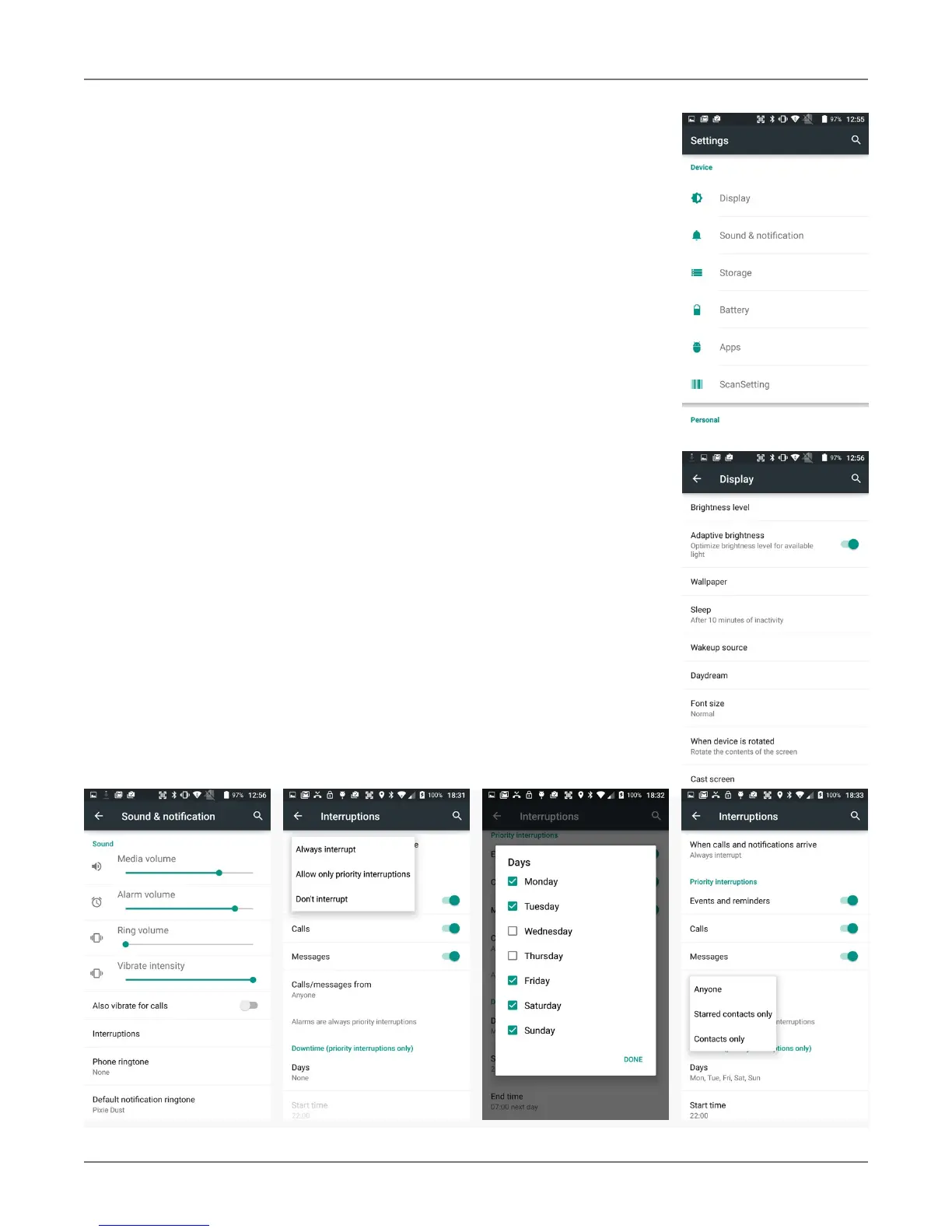
Device Settings
The XT2 can be configured according to your personal preferences.
This makes the device easy to use and helps to enhance efficiency and
productivity.
Display
The brightness level can be adjusted manually or the XT2 can use
its ambient light sensor to adjust the brightness level automatically.
The Sleep screen allows screen timeout and device suspension be set
between 15 seconds and never.
The Wakeup Source screen sets what can and cannot wake the de-
vice up (like buttons, cables, headsets, scan triggers, etc.).
The Daydream setting lets you set the screen saver when being
docked or charging (like clock, news, weather, pictures).
The When device is rotated setting determines if the display auto-
matically adjusts the orientation of the screen between landscape and
portrait when the terminal is rotated. Touch the Auto-rotate screen
checkbox to toggle the option on or off.
Sound & notification
Sets the volume of media, alarms, rings, and the vibrate inten-
sity. Calls can be set to vibrate or not.
You can set how interruptions are handled. They can be allowed to al-
ways interrupt, only interrupt if they are priorities, or not interrupt at
all. This includes getting reminders, calls, messages, restrictions on
whose calls and messages should interrupt, and what days and times
they may interrupt.



 To Next Page