5-3
5.4.1
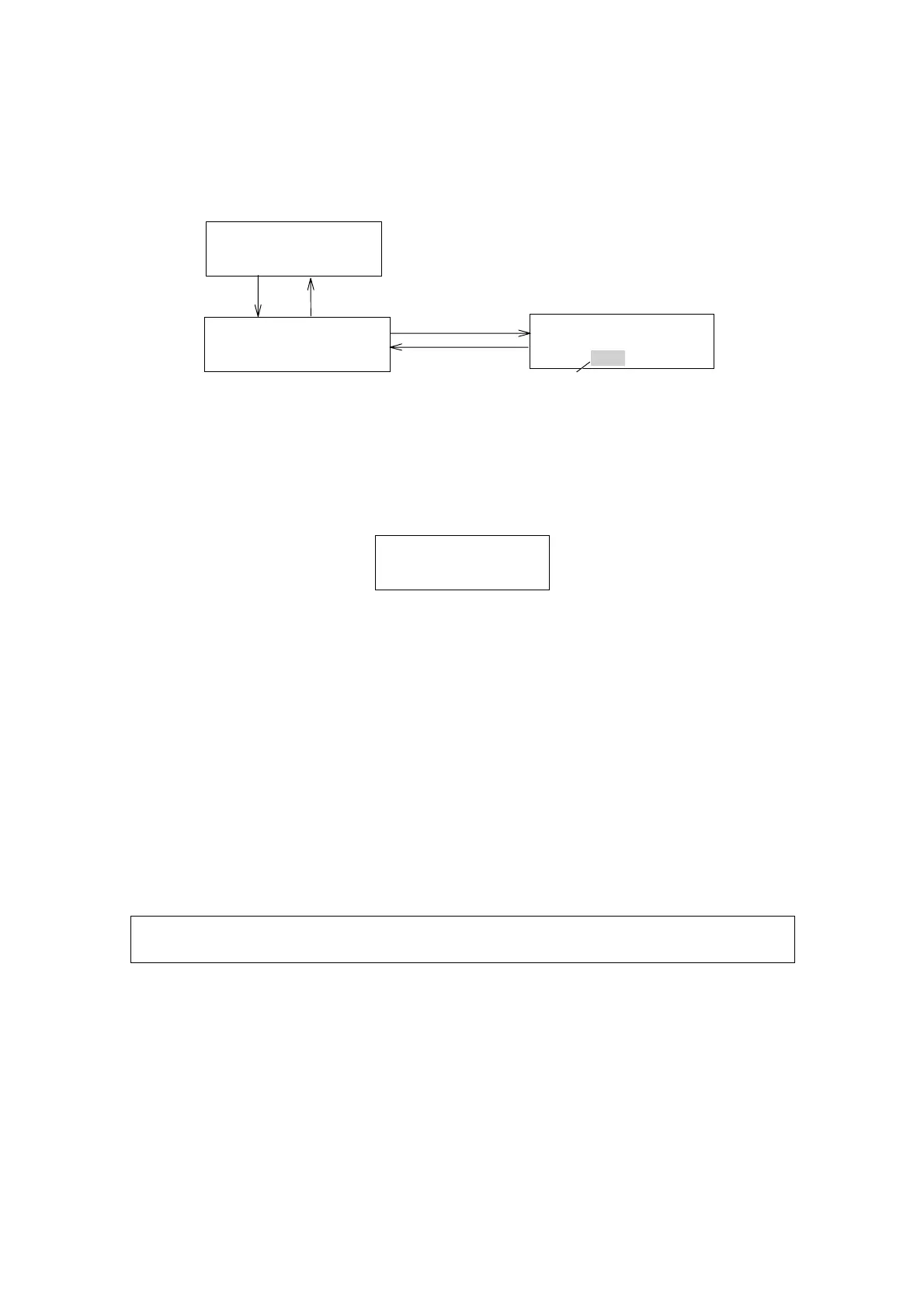
Setting Lamp Off Timer
Input time range: 0(OFF) – 99.9 hours(0.1 hour increment)
LAMPOFFTIMER
xxH
LAMPOFFTIMER
xx(yy)H
[SHIFT] [2]
Monitorscreen
Lanpofftimerscreen
[EDIT/ENTER]
[yy][EDIT/ENTER]
Blinking
(Timehasbeensetto(yy).)
NORM291X10
0.0000.000STD
[MONITOR]
Figure 5.3 Setting Lamp Off Timer
When the Lamp Off Timer is set, the lamp will be automatically turned off
when the time is up. Then the following display will appear.
LAMPOFFTIMER
LAMPOFF
Figure 5.4 Message shown when the Lamp Off Timer turns off the lamp
To set the LAMP OFF TIMER to “OFF”, enter “0.0”.
5.4.2
Turning Lamp On after Lamp Off Timer activated
To turn the lamp on again after Lamp Off Timer activated, turn off the power
and then turn on again. Note that while the lamp is hot, the lamp may fail to
get lit, wait at least 1 minute after the lamp is turned off until it cools down,
then turn the lamp on again.
5.5 [SHIFT] [3]: Setting Recorder Range
Pressing [SHIFT] [3] will bring up the “Recorder Range” display screen.
Note: AU output can be changeable to G FACTOR output by key
operations.(Refer to Section [5.6])
Artisan Technology Group - Quality Instrumentation ... Guaranteed | (888) 88-SOURCE | www.artisantg.com


 To Next Page