6-6
6.4.2.2
Correcting time programs
When times and functions are incorrect:
1) Use the [▼] key to advance to the incorrect step.
2) Enter the correct settings, starting with time.
When changing a setting without changing the time or function:
1) Use the [▼] key to advance to the incorrect step.
2) Skip correct settings by pressing [EDIT/ENTER] until the desired input
screen appears.
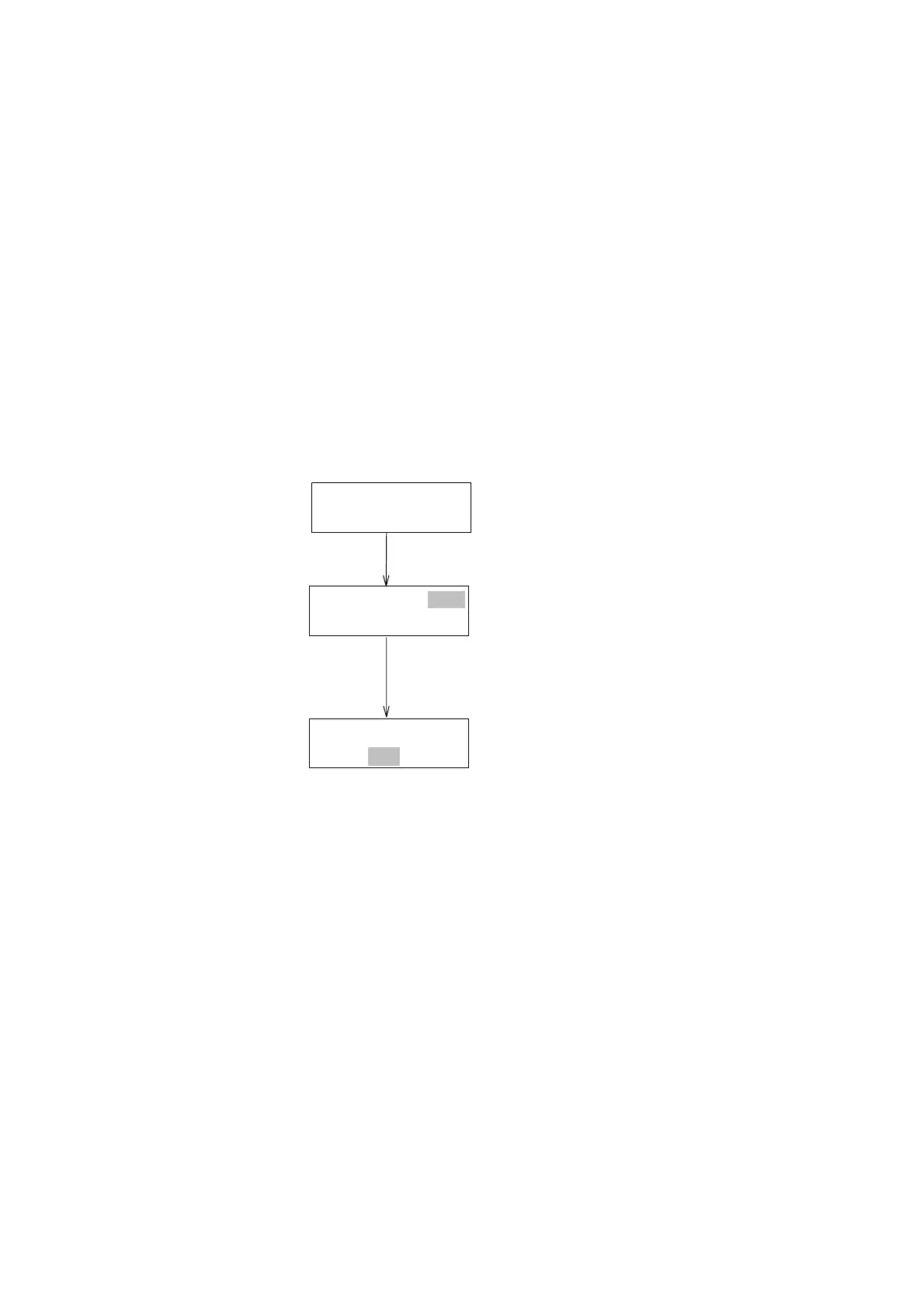
3) Enter the correct setting. For example, when changing only the
wavelength, perform the operations shown in Fig. 6.6. However, if
settings are changed starting from time, the function selection screen
will appear.
PRGST3T:1.0
W.L250nm
PRGST3T:1.0
W.L250nm
(Awaitinginput)
Timeblinks
Valueblinks
[EDIT/ENTER]
[EDIT/ENTER]
PRGST3T:1.0
W.L250nm
Figure 6.6 Correcting time program
6.4.2.3
Deleting individual steps or several steps from a time program
Deleting individual steps:
1) Press the [▼] key to advance to the step to be deleted.
2) Set the time in the step to 0 ([EDIT/ENTER][0][EDIT/ENTER]).
3) Press the [MONIT] key to return to the monitor screen. Steps will be
rearranged in sequence and the selected step will be deleted.
Deleting all steps following an individual step:
1) Press the [▼] key to advance to the first step of the group of steps to
be deleted.
2) Press [SHIFT][CLEAR]. The selected step and all subsequent steps
will be deleted.
Artisan Technology Group - Quality Instrumentation ... Guaranteed | (888) 88-SOURCE | www.artisantg.com


 To Next Page