QUATTROjskjsdfdsfdzxczxczxczxczxc
QUATTRO
Rev. A 2012-09-10Service manual
19
1
Switch off the power to the machine.
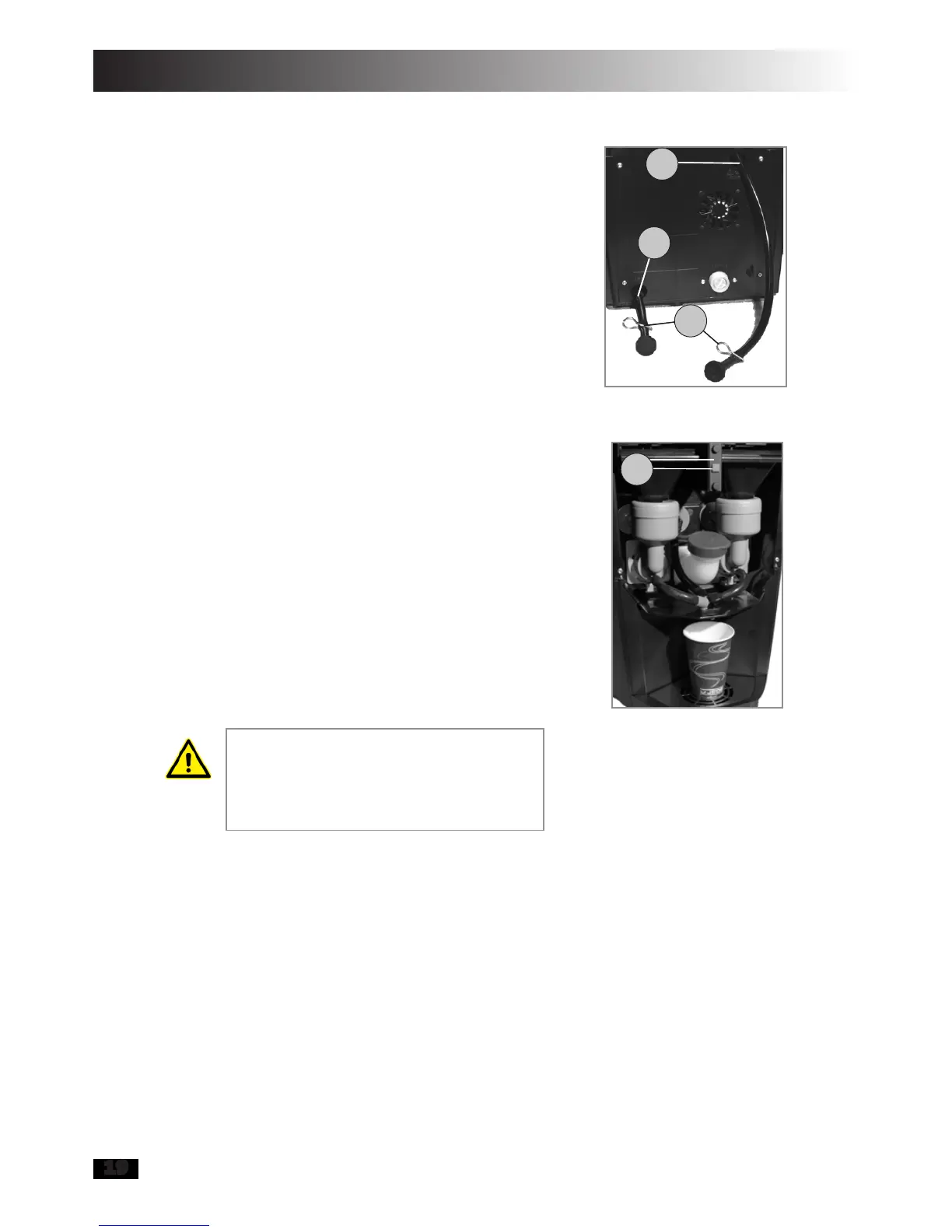
Empty the machine’s heater tank
(1,gure22)andmanuallltank(2).
Note that the water from the heater tank
is very hot. Put back the clamps (3) on
the hoses when the tanks are empty
(gure22).
Removethebluellcapmarked“Water”.
Fill with approx. 5 litres of cold water.
Switch on the machine and allow the
watertolluptheheatertank,thistakes
approximately 1 minute.
Place a vessel on the machine’s spill tray
and then press the blue rinse button
(4,gure23).
Switch off the power to the machine.
Empty the machine’s heater tank (1) and
manuallltank(2).Putbacktheclamps
(3) on the hoses when the tanks are
empty(gure22).
Repeat points 8 to 10 a further three
times.
If the machine is connected to a mains
water supply, then do not forget to turn
the water back on once de-scaling is
completed.
7.
8.
9.
10.
11.
12.
If any of the drinks from the vending
machine have a sour after taste follow-
ing de-scaling, then repeat rinsing as
per points 8 to 10. Jede Cleaner is not
classed as hazardous to the health.
7 Troubleshooting
The machine’s red LED can indicate errors with the aid of different blinking
patterns. By following the instructions in chapter 7.2 (Error indicators), you can
rectify minor problems in the machine’s function without having to call for service.
Figure 22
1
2
3
Figure 23
4


 To Next Page