Break the current to the
machine and remove the
front and the upper casings.
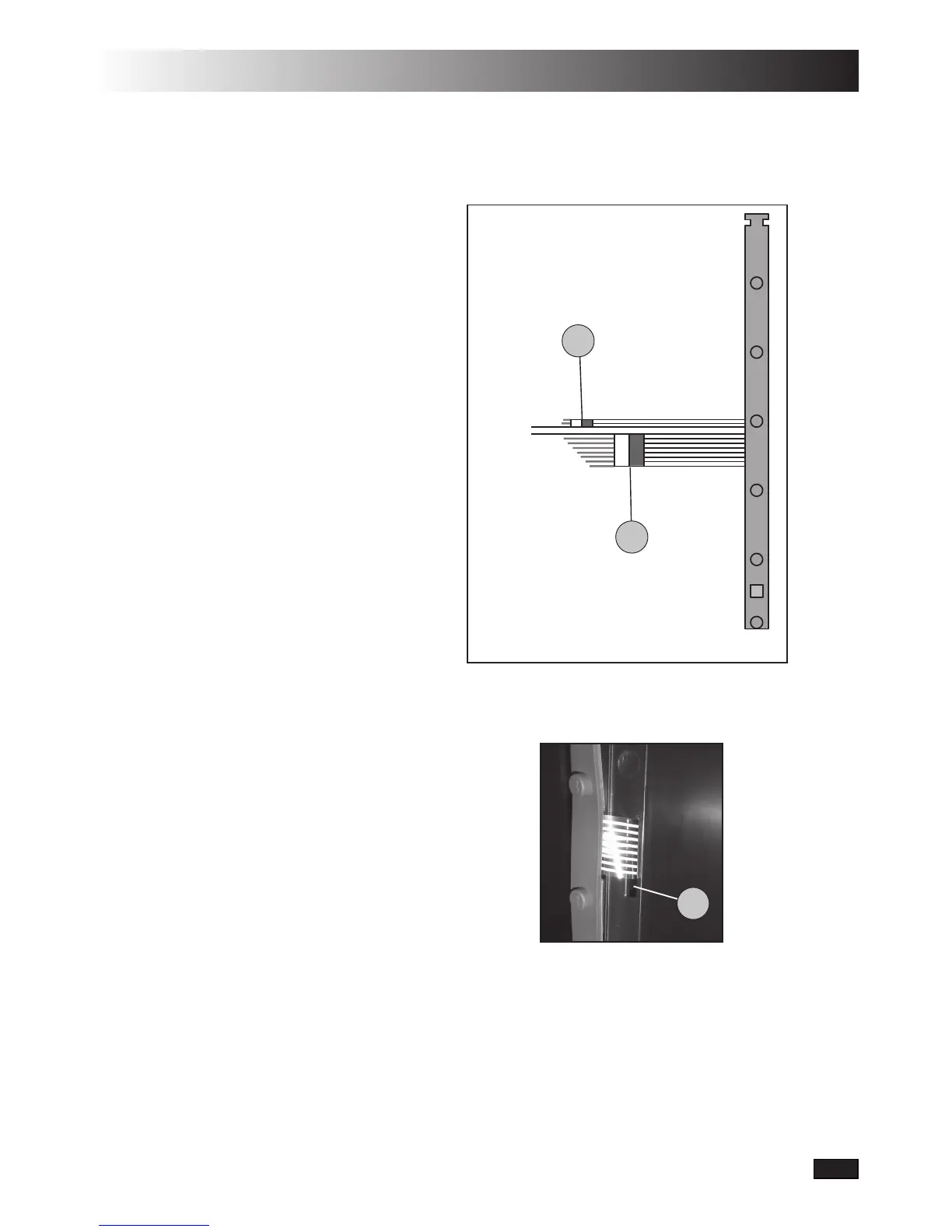
Disconnect the connection for
LED(1,gure42)andthe
keypad (2).
Remove the old push-button
panel by loosening it in one
corner.Ifthepanelisdifcult
to remove, then a smaller
screwdriver or similar tool
can be used.
Removetheprotectivelm
from the new push-button
panelandputitsatstrip
cables in the intended slots
(3,gure43).
Put the new push-button
panel in place. Be careful
to mount it in the correct
position as the wiring can be
damaged if you adjust it
afterwards.
Ensurethattheatstrip
cables are not twisted and
connect them to the contacts,
aspergure42.
Check the new panel’s function.
1.
2.
3.
4.
5.
6.
7.
Figure 42
Figure 43
1
2
3


 To Next Page