-21-
This function enables you to select the metering mode to suit the shooting conditions and
purpose.
Multi-pattern metering
The image is divided into multiple regions and metering is performed for each region. The
camera judges the subject position and background brightness, and determines a well-
balanced exposure.
Center-weighted metering
Averages the exposure from the entire image, but places more weight on the subject at
the center. Use this mode when the subject is backlit or surrounded by bright light.
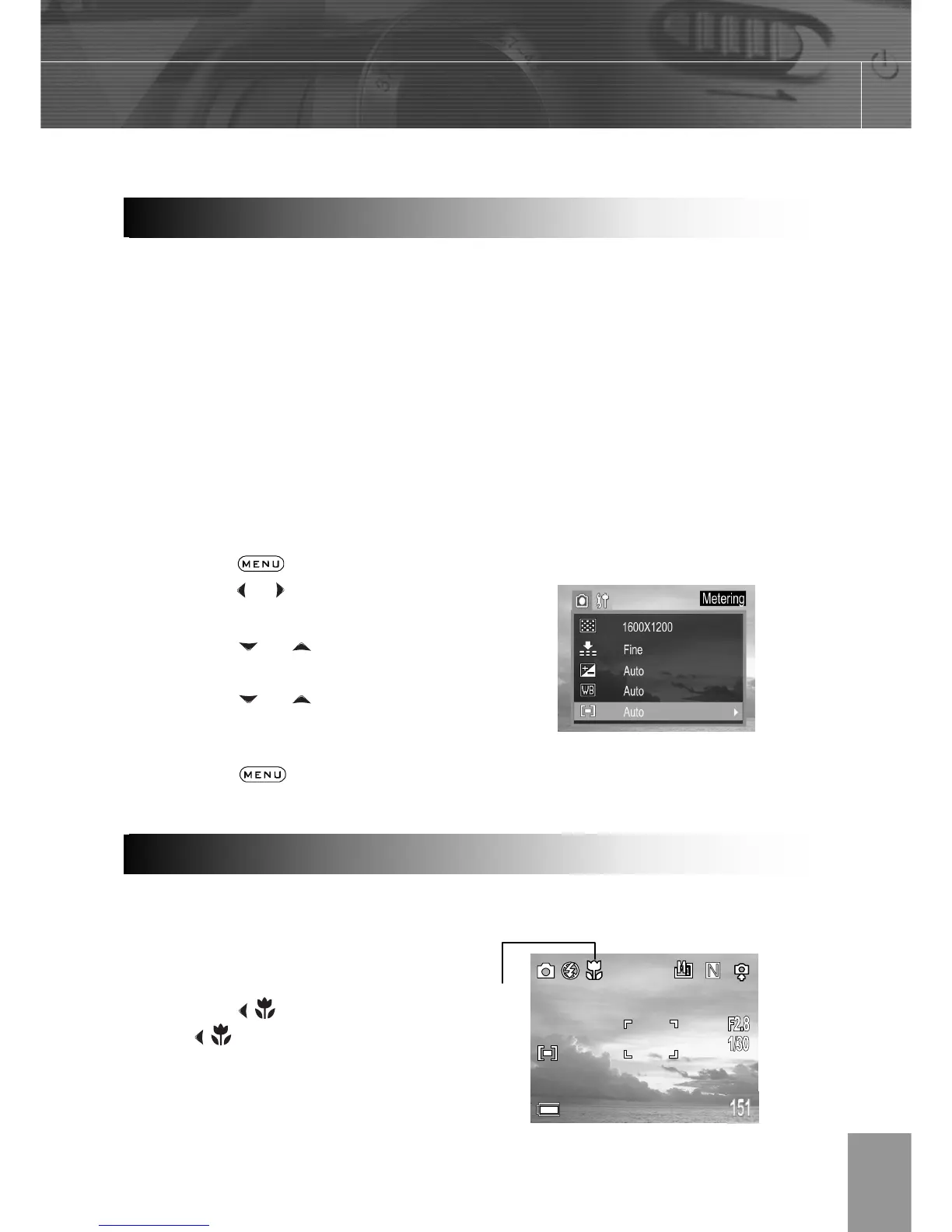
1. Press the
button.
2. Press the or arrow to select the REC
Menu.
3. Press the or arrow to select
Metering then press the SET button.
4. Press the or to select the
settings you wish to set then press the
SET button.
5. Press the
button to close the
menu window.
Use the macro mode to shoot close-up of subjects in the range of 10 cm at the wide angle
end and 50 cm at the telephoto end.
1. Press the DISPLAY button to turn the
LCD monitor on.
2. Press the
button.
3. The icon appears on the LCD
monitor.
4. Shoot the image.
Macro Mod



 To Next Page