-32-
The Digital Print Order Format (DPOF) setting allows you to select images on an SD card
for printing and specify the number of print copies in advance using the camera. This is
extremely convenient for sending the images to a photo developing service or for printing
on a direct print function compatible printer.
Selecting Images for Printing
In play mode.
1. Press
button.
2. In the Playback menu, press the
or
arrow to select Print Order.
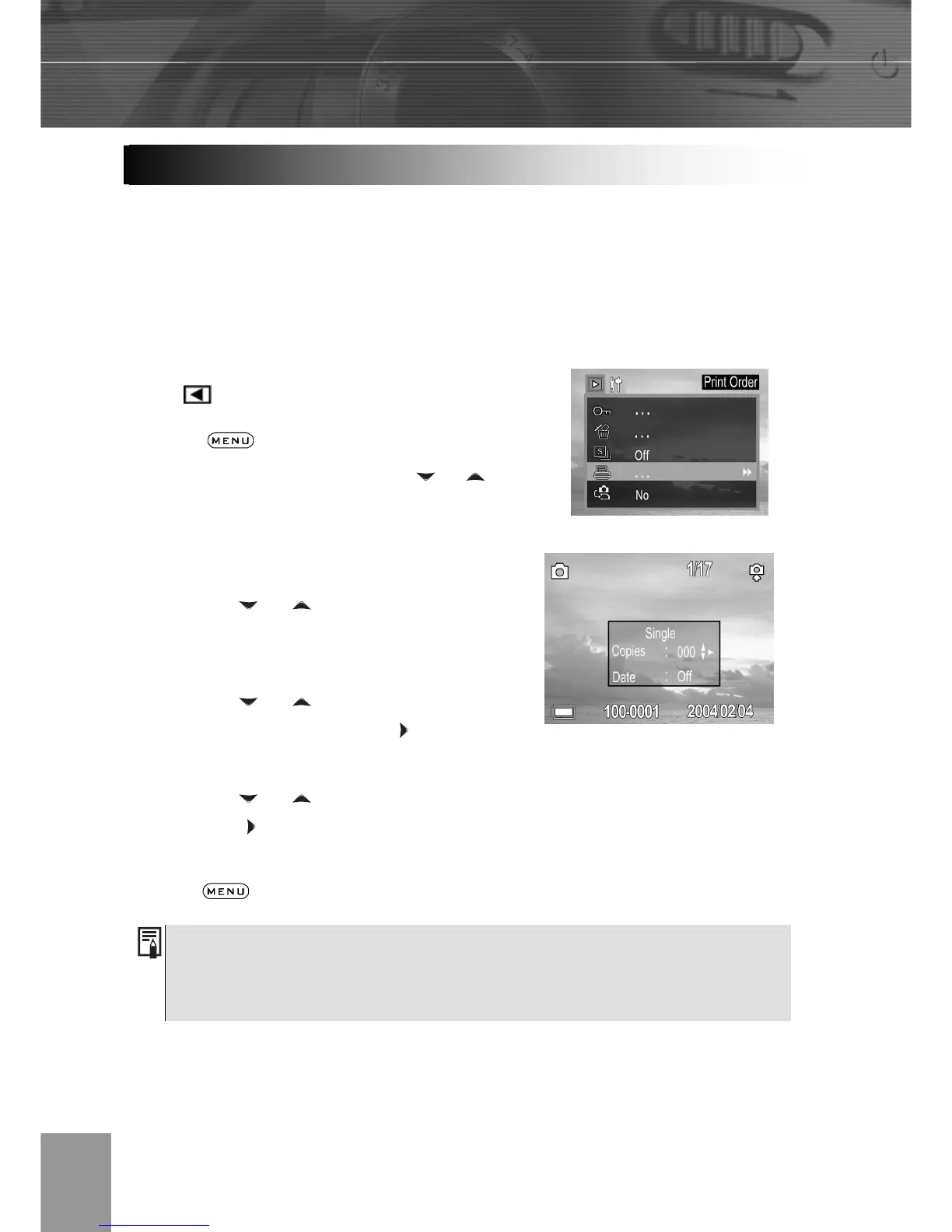
3. Press SET to enter the PRINT setting
menu.
4. Press the
or arrow to select
Single, All, Reset then press the SET
button.
5. Press the or to set the number of
copies (up to 999), then press
to confirm
the setting.
6. Press the
or to set date on/off,
then press
to confirm the setting.
Press the
button to close the menu window.
The Digital Print Order Format (DPOF) setting is only supported for photos
stored on an SD card. If you are using internal memory, please copy images
from internal memory to SD card.
DPOF Print Settings



 To Next Page