-33-
You can easily print images shot with your camera without using a computer by using a
PictBridge-compliant printer.
1. Set the USB mode to connect the camera with a printer. (P.29)
2. Connect the supplied USB interface cable to the printer’s USB port and the camera’s
DIGITAL terminal.
3. Turn on the camera and the printer.
Printing images
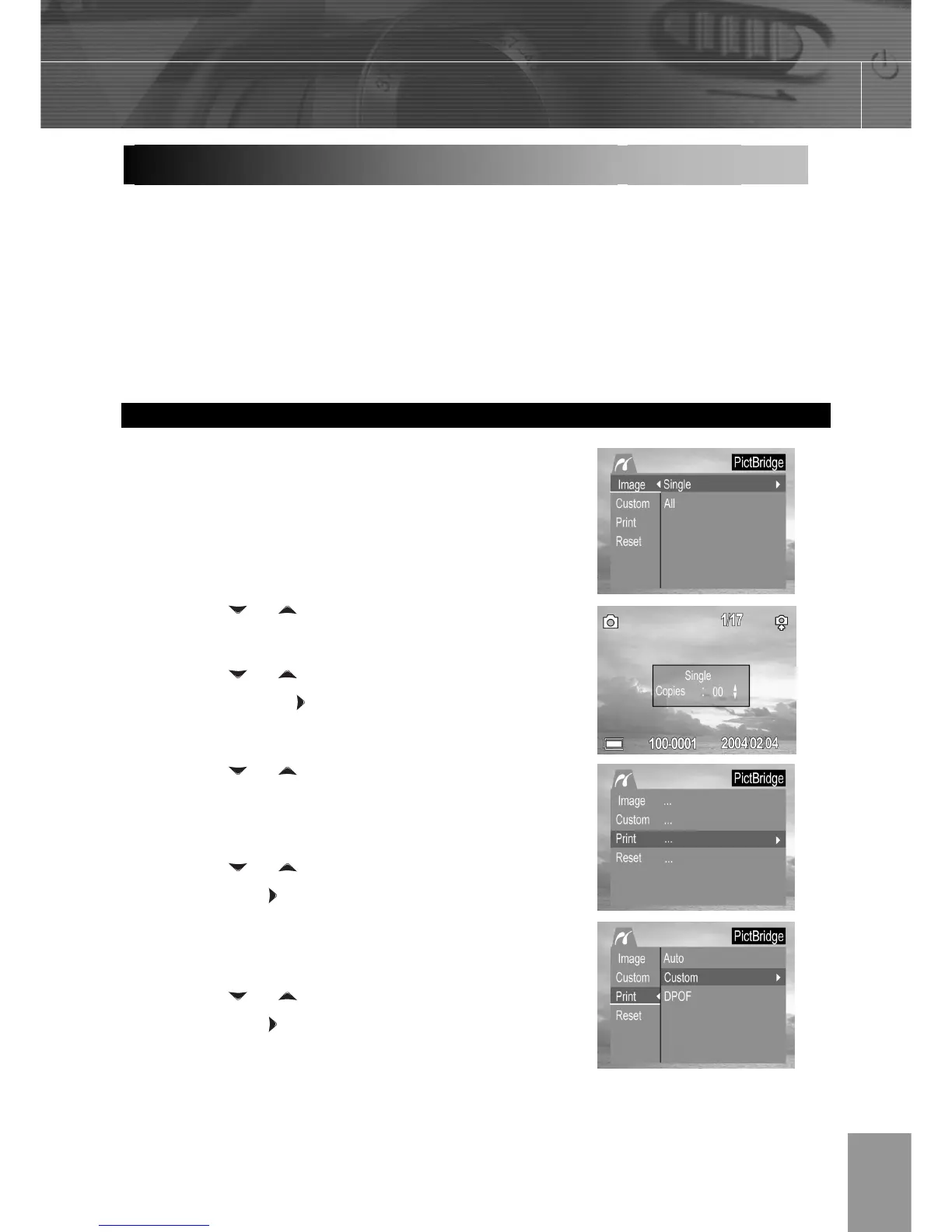
The PictBridge menu will be launch
automatically when connecting the camera to a
printer that supports PictBridge.
1. Press the
or arrow to select Image.
Press SET to enter the setting menu.
2. Press the
or arrow to select Single,
All then press the
button.
3. Press the
or to set the number of
copies (up to 30), then press SET to
confirm the setting.
4. Press the
or arrow to select Print
then press the
button.
5. Press the or arrow to select Custom
then press the button.
Printing still images with a PictBridge printer



 To Next Page