-42-
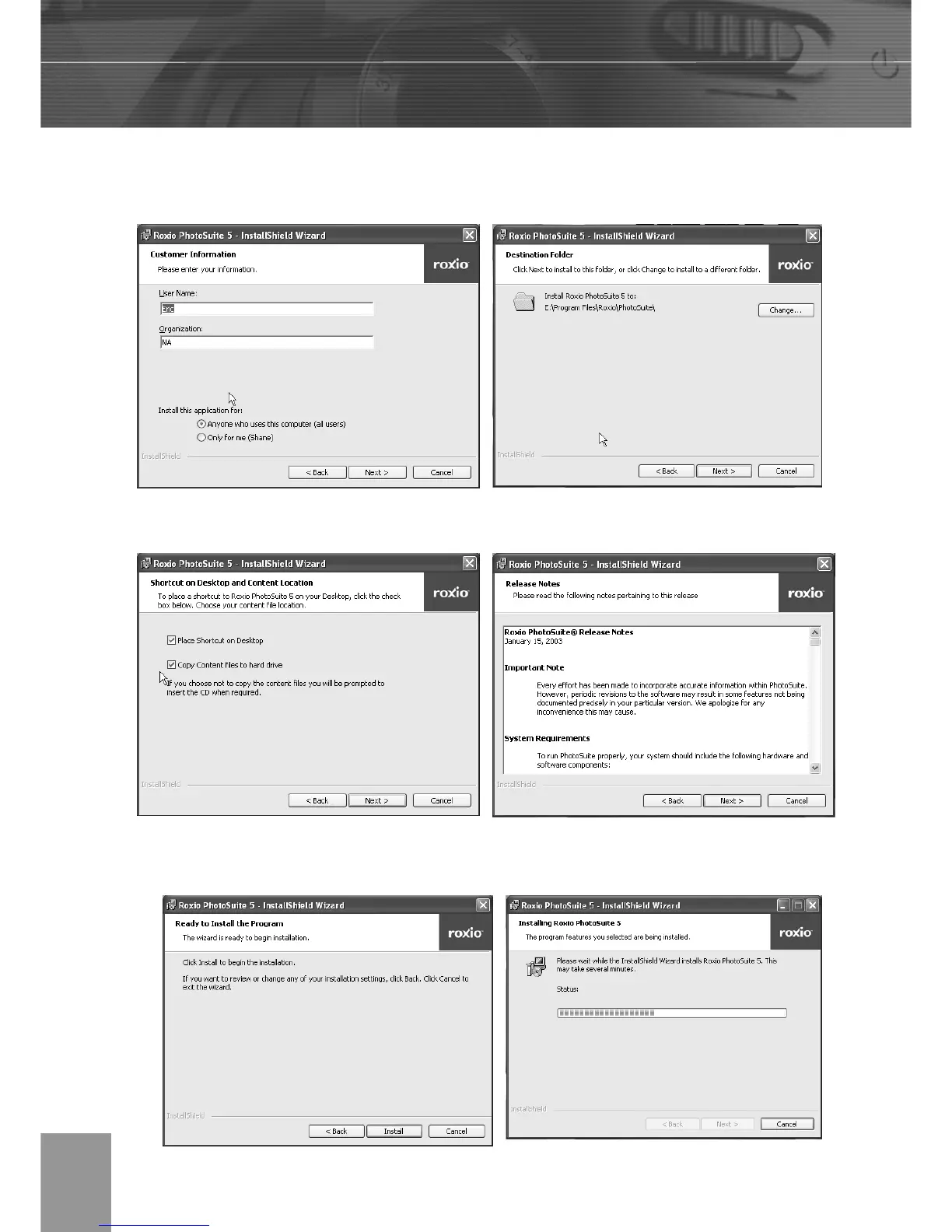
6. Select a destination folder in which the software will be installed. For most users,
C:\Program files\ is the most appropriate choice.
7. Click Next to begin copying files from the CD-ROM to the computer hard drive.
8. The Release Notes window appears. Click Next to continue.
9. The Ready to Install the Program window appears. Click Install.



 To Next Page