31
5. Operation and maintenance devices
5.2. Overload safety device
In case that the knife disk speed is dropping under a defined speed the overload safety
device stops the infeed. When the speed exceeds the switch-on-speed, the infeed is
turned on again automatically.
The stop and start speed can be set user-defined (see manual of the overload safety
device).
For non-self-propelled machines: The overload safety device is working, when the
power cable is connected and the lights of the traction unit are switched on.
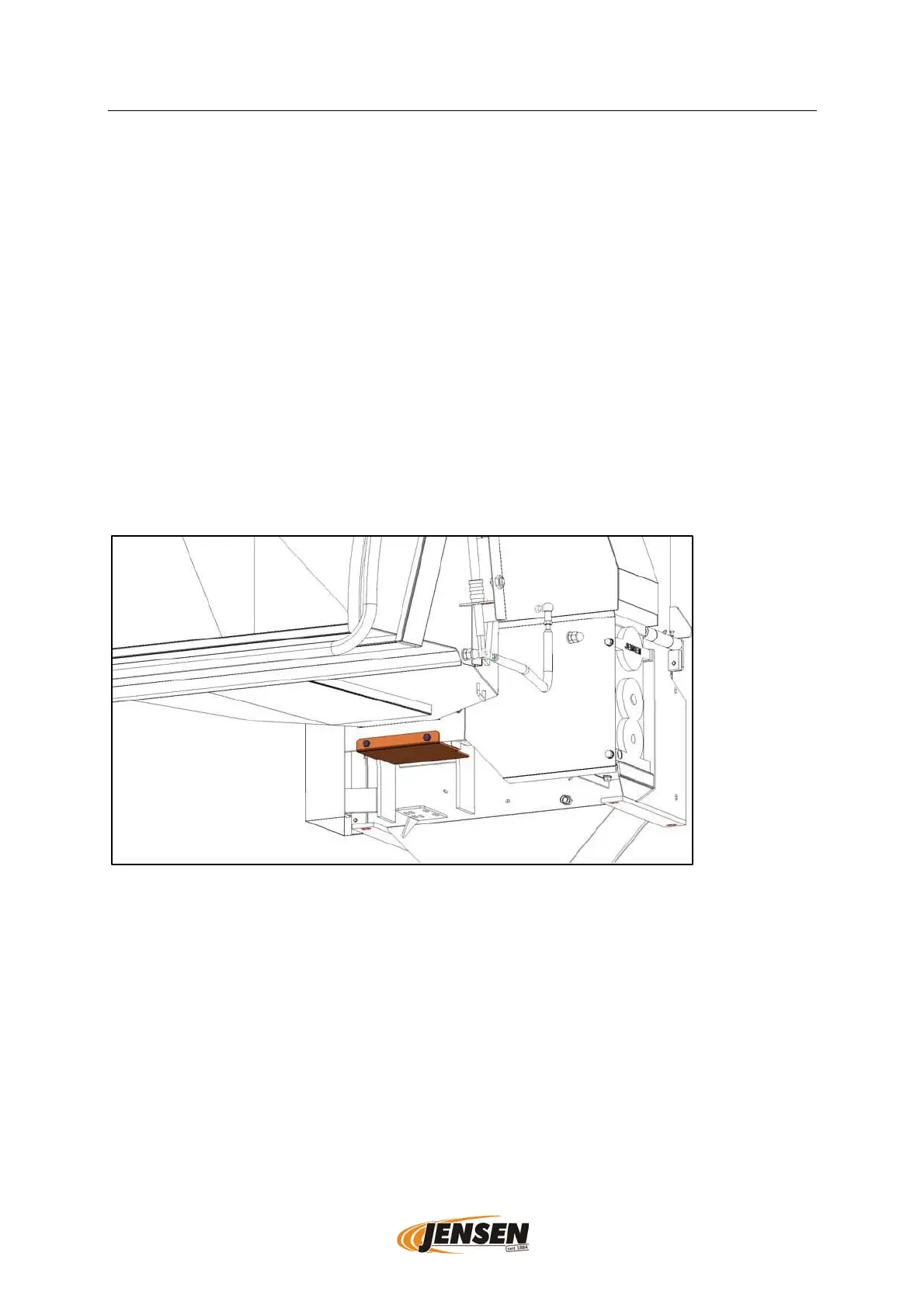
5.3. Chip tray
The chip tray is located below the feed rolls. It can be opened for emptying.
According to the material and amount it should be emptied at least once per day.
Emptying only with turned off machine!
To empty the chip tray there are one or two bolts to remove (differs by machine type)
(AF 13/AF17).
Position of the chip tray schematic display, differences in design and type possible.


 To Next Page