33
5. Operation and maintenance devices
5.4.2. Palm switch (optional)
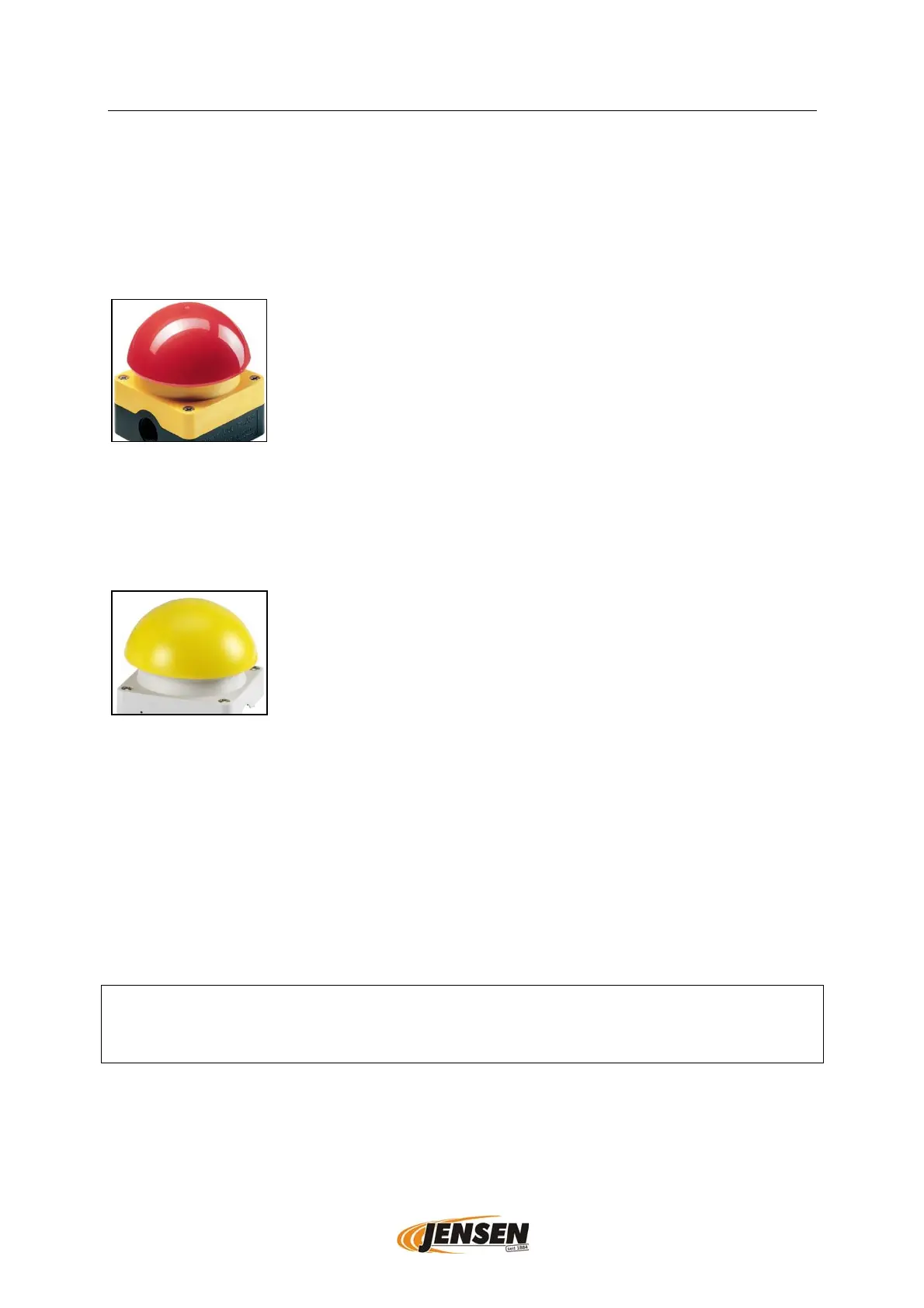
5.4.2.1. Palm switch with stop function (red)
The red palm switches have an emergency stop function. Using the red palm switches
stops the infeed. To turn on the infeed again the used palm switch needs to be reset
by pulling it up and a Reset switch has to be pushed. It is placed near to the hydraulic
valve or near to the motor and/or chipper control panel.
red palm switch example picture
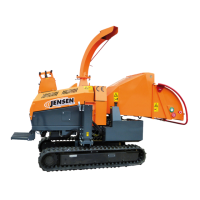
5.4.2.2. Palm switch as secondary safety function (yellow)
The yellow safety palm switches prevent the infeed from accidental switch-on after
stopping the infeed. To activate the infeed again, a yellow palm switch must be pushed.
By pushing the yellow palm switch the infeed control is reset and can be used as usual.
yellow palm switch example picture
5.5. Remote control (optional)
Different functions of the woodchipper and possibly of the crane can be controlled by
using the remote control. See the manual for the remote control in the appendix for
further information.
5.6. Helmet safety switch off (optional)
The infeed stops when the helmet safety switch off is activated. To reset the infeed a
palm switch must be pushed. See manual of the helmet safety switch off for further
information.
Attention!
Check the helmet safety switch off for proper function before starting work. Read and
follow the manual of the helmet safety switch off.


 To Next Page