36
5. Operation and maintenance devices
Adjust speed:
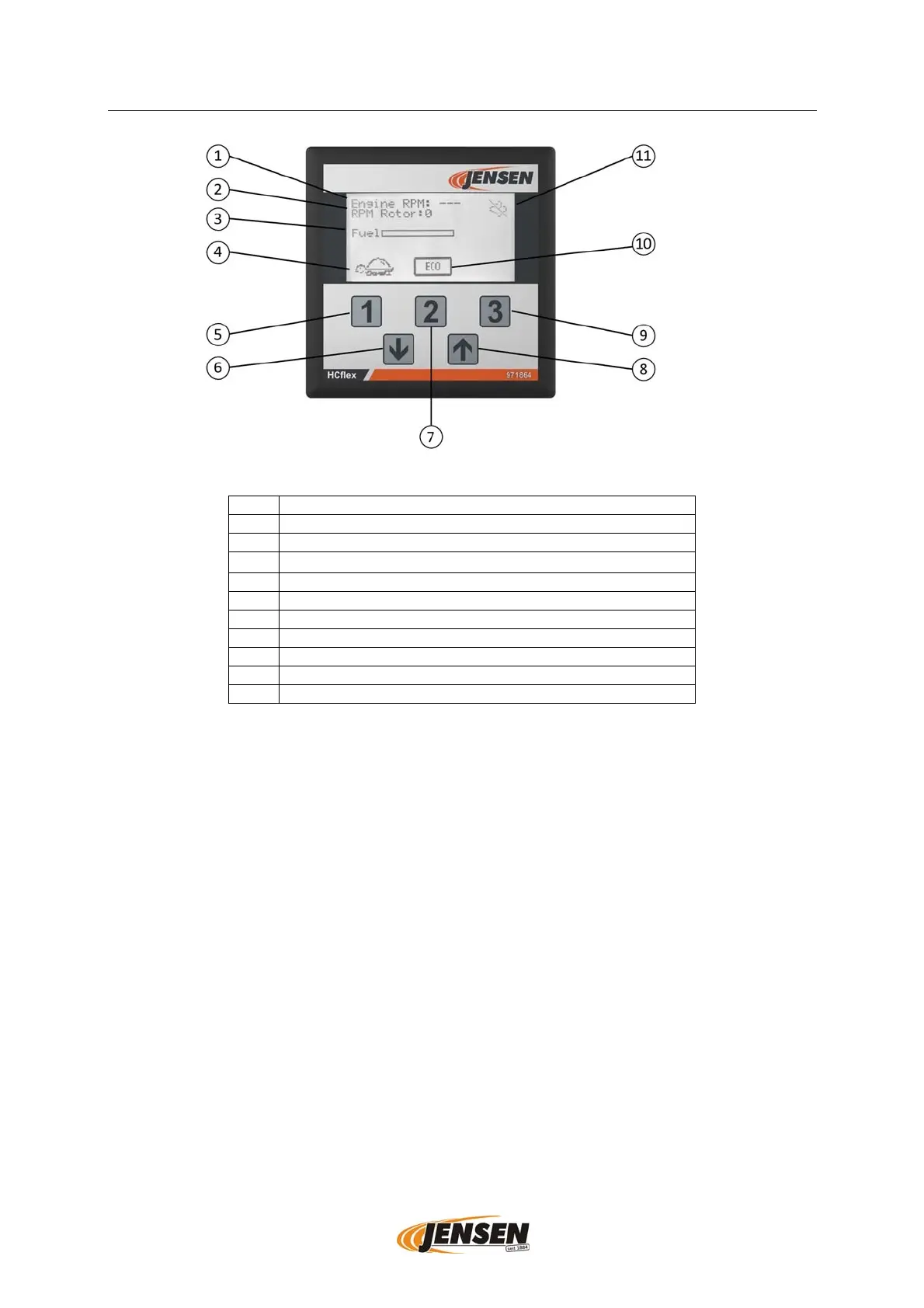
After the engine has been started, the engine runs in the stationary throttle (symbol
turtle can be seen). By pressing the [1] button, the engine speed is increased to full
load (symbol rabbit can be seen).
Note: The engine does not switch to full load until the necessary working temperature
has been reached and the warm-up time has elapsed.
Level indicator:
The level indicator shows the level of the fuel tank.
Switching eco mode on and off:
By pressing the [2] button, the ECO Mode (Optional) can be switched on and off.
Symbol highlighted in black = ECO Mode on
Symbol highlighted in white = ECO Mode off
The Eco Mode switches on automatically after the pre-switched on delay time. The
speed of the engine then drops from full load speed to idle speed. After that, a second
time window runs down in the background. If this time window also expires, the engine
1
Displa
speed motor
2
Displa
speed rotor
3
Fuel Level Indicator
(4) Display Rabbit (full throttle)/ Turtle (stationary gas)
5
Ke
1/ [1]
6
Down arrow ke
/ [↓]
7
Ke
2/ [2]
8
Up arrow ke
/ [↑]
9
Ke
3/ [3]
10
Displa
ECO Mode
11
Displa
Re
eneration suppressed
Figure 2: Overview of the HCflex control panel (standard operating display)


 To Next Page